Indicator for options
Options trading is a relatively new innovation. As you can imagine, anything new  is usually a continuation or improvement of something old.
Binary options trading is very similar to trading on the Forex market or the stock exchange, as it is based on the asset price, which remains constant regardless of which exchange you trade on.
But, unfortunately, many newbies, deceived by advertising, often treat options as a simple game of guessing high or low, and do not even suspect that options themselves can only bring in money in the hands of a professional.
Almost everyone who begins to delve into options faces the problem of which instrument to use for market entry. The vast majority of brokers don't offer a modern trading platform, and beginners typically see a bare chart and two up or down buttons.
How to Use Indicators in Options Trading
As already mentioned, the forex market is practically no different from options trading, and the only difference is that an option has an expiration time, after which you receive a profit or loss.
It's also worth remembering that, unlike the Forex market, you don't need to set stop orders or perform any other routine order management work, as the broker has already set a stop order in case you make a mistake with the direction.
Essentially, this is the only difference, meaning that the operating principle and signals for entering the market remain unchanged, so all technical analysis tools used in the Forex market can be quite effective when trading options.
Algorithm of actions
So, since prices and chart movements are virtually identical in both the Forex market and when trading options from a broker's platform, we can safely conduct our analysis in the MT4 trading platform and open trades directly on the broker's website. To do this, select a Forex broker from the list at http://time-forex.com/spisok-brokerov and download the MT4 trading platform. The next step is to select the same currency pair in both MT4 and on the options broker's website.
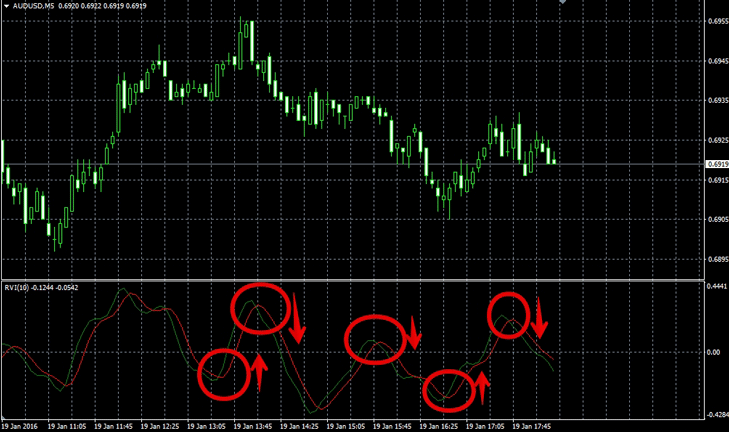
To select an options indicator, go to the indicators section in MT4 and apply it to the chart. In addition to standard indicators, MT4 also supports more advanced ones, which you can download from the "Indicators" section of our website. For example, let's apply the Reality Vigor Index indicator to the chart.
There is nothing complicated in its application: if the green line crosses the red line from bottom to top, then we buy an up option, and if the opposite happens, then we buy a down option.
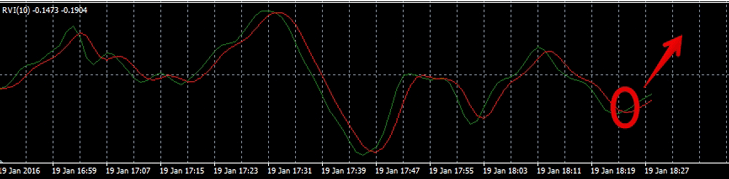
As an example, we received a buy signal from the Reality Vigor Index indicator in the MT4 trading platform.
Next, go to the broker's page and select the option above. Since the signal was received on a minute chart, the expiration time was set to 1 minute.
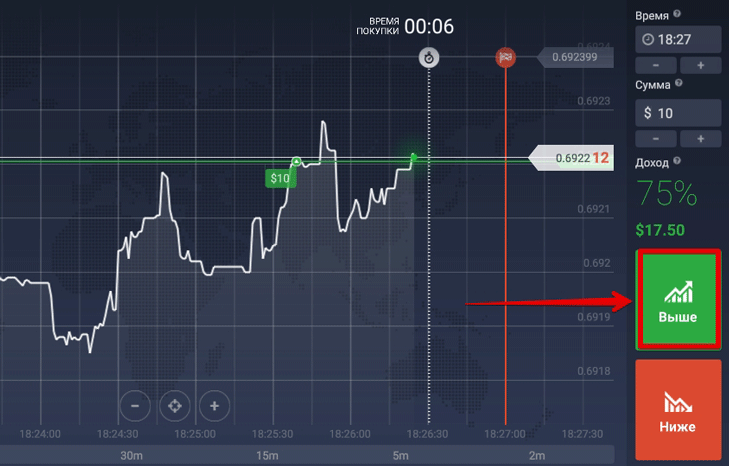
Next we wait for the option to expire and get our result:
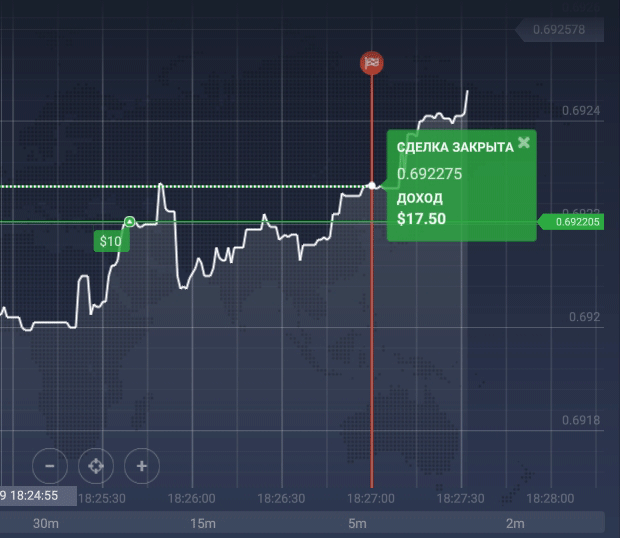
To summarize, any indicator in the MT4 trading platform can be freely used for options trading.
The only thing required of you is knowledge of the meanings of indicator signals and lightning-fast reaction, which is necessary to open positions on the broker's page after you receive a signal in MT4.
Yes, it should be noted that not all brokers allow options trading. Those who have such a tool can be found at http://time-forex.com/brokery-opcyonov

