Demo options trading
Every trader undergoes training and tests their acquired skills, developments, and strategies. It is for this purpose that brokers have introduced demo accounts, allowing traders to gain all the necessary skills without risk.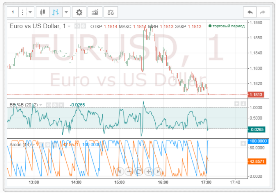
Demo accounts have never been a problem in the Forex market, as no matter which terminal you downloaded, even on the developer's official website, opening a demo account took literally one minute.
Unfortunately, with binary options, demo accounts are a completely different story. Firstly, many specialized binary options brokers offer a dummy demo account, where no matter where a trader opens a trade, they'll always make a profit.
Secondly, brokers require full registration and authorization, and some unique companies require not only a real account, but also a certain amount on deposit.
Demo options from Intaforex
To try your hand at options trading, understand the principles, and conduct simple strategy testing, there's no longer any need to fully register or fund your account. The full platform functionality is available in demo mode on the InstaForex broker website.
To begin exploring options, you only need to enter your email address. You can enter any email address—the platform will still provide access to trading.
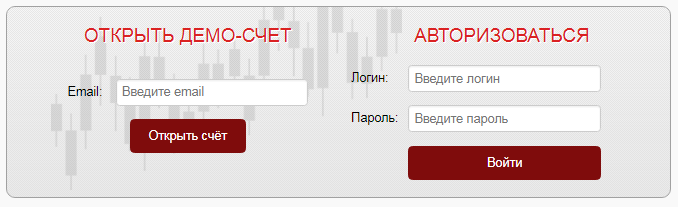
After launching the platform, you'll have access to two types of options: intraday and forward. Intraday options allow you to execute trades within the day, with expiration times ranging from one minute to several hours.
Urgent options are long-term options that allow you to place a bet not only within a day, but for a week or even longer.
Only InstaForex doesn't underestimate the profitability of options if they are aimed at the long term. To switch between option types, simply click on one of the tabs.
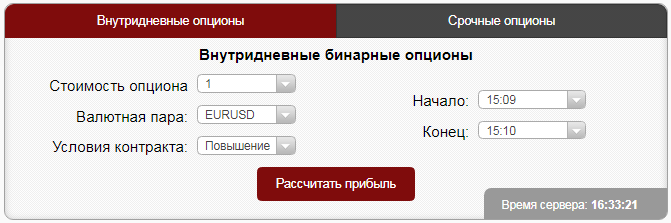
You then need to select the option price (minimum trade size of $1), the currency pair or stock, the start and end of the option, and whether the asset will rise or fall at the end of the time.
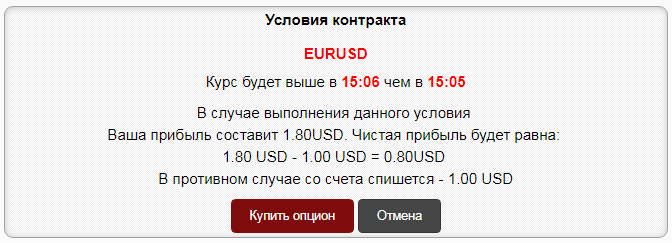
Once all the terms of the transaction have been specified, click the "Calculate" button. A new window will appear, containing clear information about the asset, the chosen direction, and the amount you will gain or lose if your prediction is correct. Then select "Buy.".
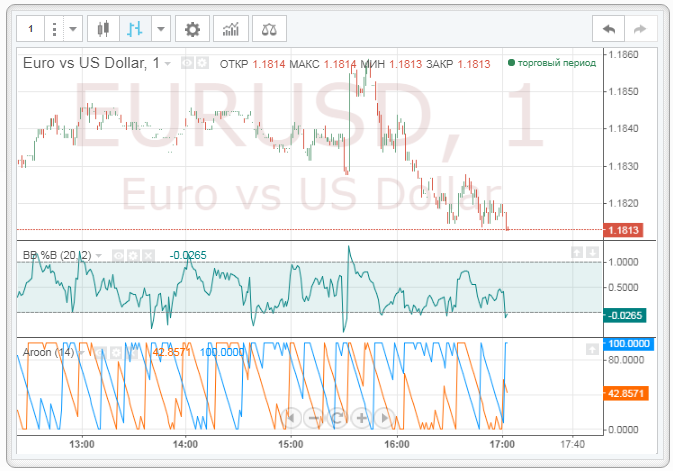
Price analysis and forecasting take place in a separate chart window. It's worth noting that the working chart offers a wide range of options. Firstly, you have access to six chart types: candlesticks, bar charts, hollow candles, Heiken Ashi candlesticks, lines, and zones.
There are also more than thirty available for you technical indicatorsTo add one, click the icon and select the desired instrument from the list. You can also select the desired chart interval or create your own custom one.
It's worth noting that trading isn't just a demo; all your positions and transaction history are saved in a separate table.
The table contains data on the option number, trading instrument, opening price and closing price of the transaction, start time and end time of the option, condition and, most importantly, the result.
Thus, a trader can collect his demo statistics and draw certain conclusions about his own effectiveness and the effectiveness of the chosen one strategies.
In conclusion, it's worth noting that demo options trading allows traders to acquire the necessary skills, hone their strategy, and, most importantly, not lose a penny. And thanks to InstaForex's know-how, http://instaforex.com/ All this can be done much faster and without unnecessary registrations.

