Convenient button in MT5
Every year, trading software becomes more user-friendly, with developers adding new features and modifying functionality.
Almost every trader is familiar with the "Symbols" tab, which allows you to add new assets to the Market Watch panel.
It also provides reference information on any available asset and some statistics.
Until recently, this tab could be accessed in two ways: the first was via the "View" menu item in the top menu.
The second option was to right-click on "Market Watch" and select the appropriate option from the list that appears.
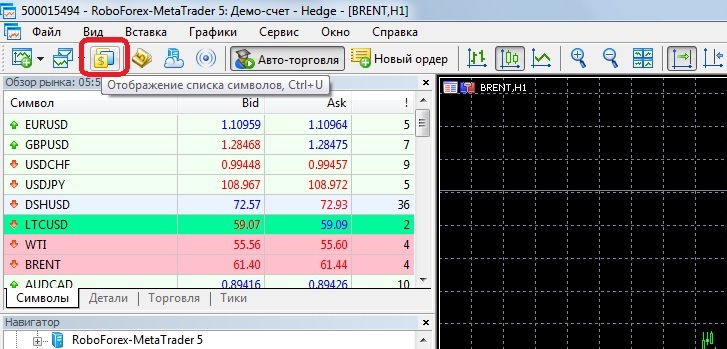 On the Specification tab, you can select the asset type; the grouping may vary depending on the broker:
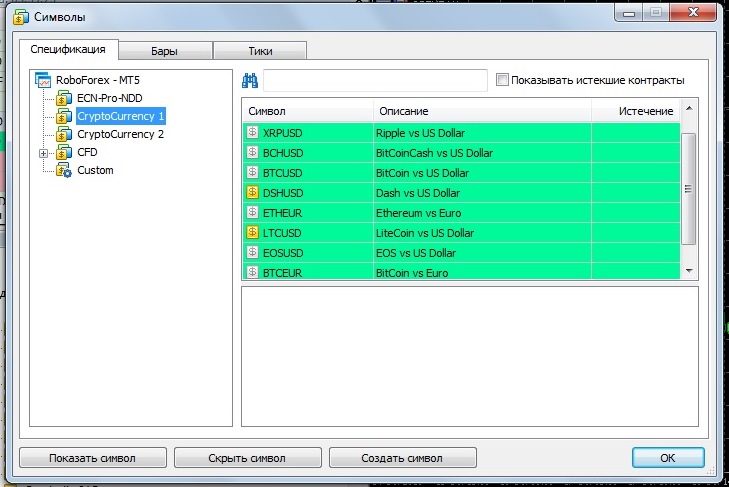 In our case, these are:
• Currency pairs
• Crypto currencies
• CFDs – indices and oil
If you click on one of the assets on the right side of the tab, for example, ETHEUR, you will see its more than detailed specification:
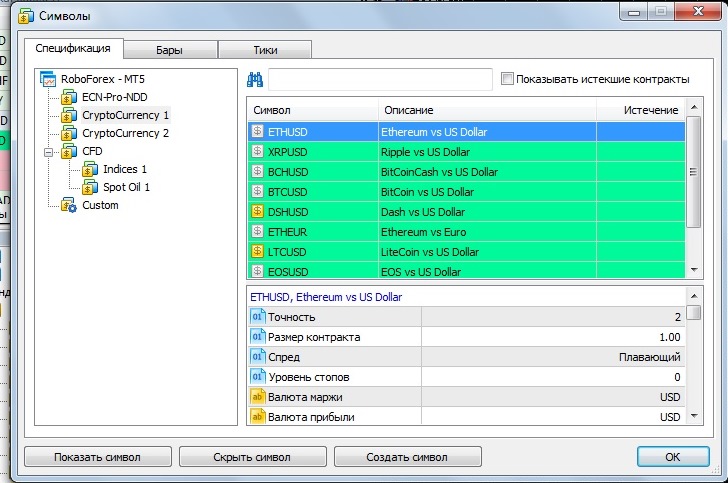 The specification contains information ranging from contract size and commissions to the trading schedule.
Additionally, the "Symbols" tab provides statistical information on bars and ticks:
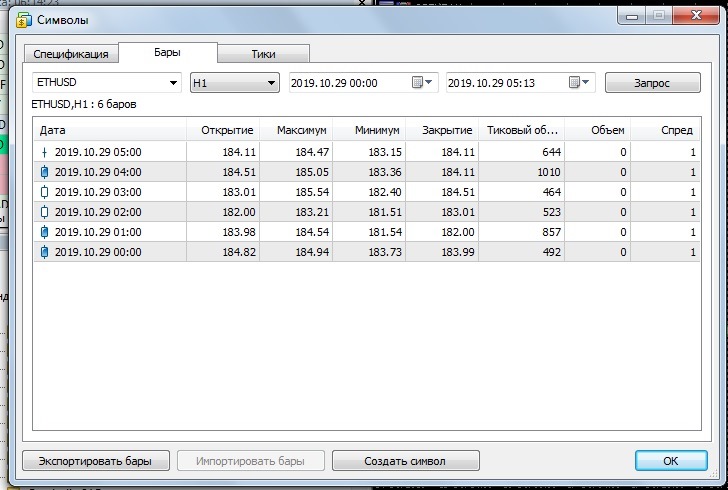 The "Bars" window allows you to analyze this indicator based on the selected time period. You can view the price highs and lows on each bar, open (close) data, and tick volume.
By switching to the "Ticks" window:
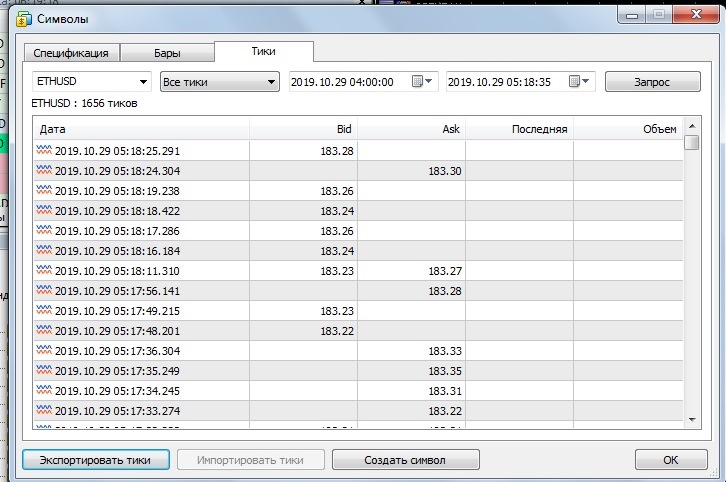 You can see how the price changed in ticks over a specific day and time period.
The "Symbols" tab is a treasure trove of information, allowing you to learn everything you need to know about a specific asset and use this knowledge to profitably trade.

