Free stock market trading signals with trade direction indication
In pursuit of new clients, brokers are constantly improving their services, adding new features and making them free.
Trading signals are always particularly popular among novice traders, and there are now many different options for this service.
For example, you can use a dedicated trading platform for copying trades or subscribe to signals in a version of MetaTrader.
There are currently numerous free and rather expensive options for this service, although many of them have their drawbacks.
Firstly, trading signals for the stock market are rare; they mostly send messages about the direction of a trade in the forex market.
Thirdly, you can't always trust third-party conclusions, especially if they are made by an automated robot advisor:
We use stock market signals based on technical analysis
The most effective way to receive signals for opening trades on the stock market is to use a service from one of the leading brokers.
This is a rather interesting tool that allows you to find out the direction of a transaction not only for securities, but also for many other assets:
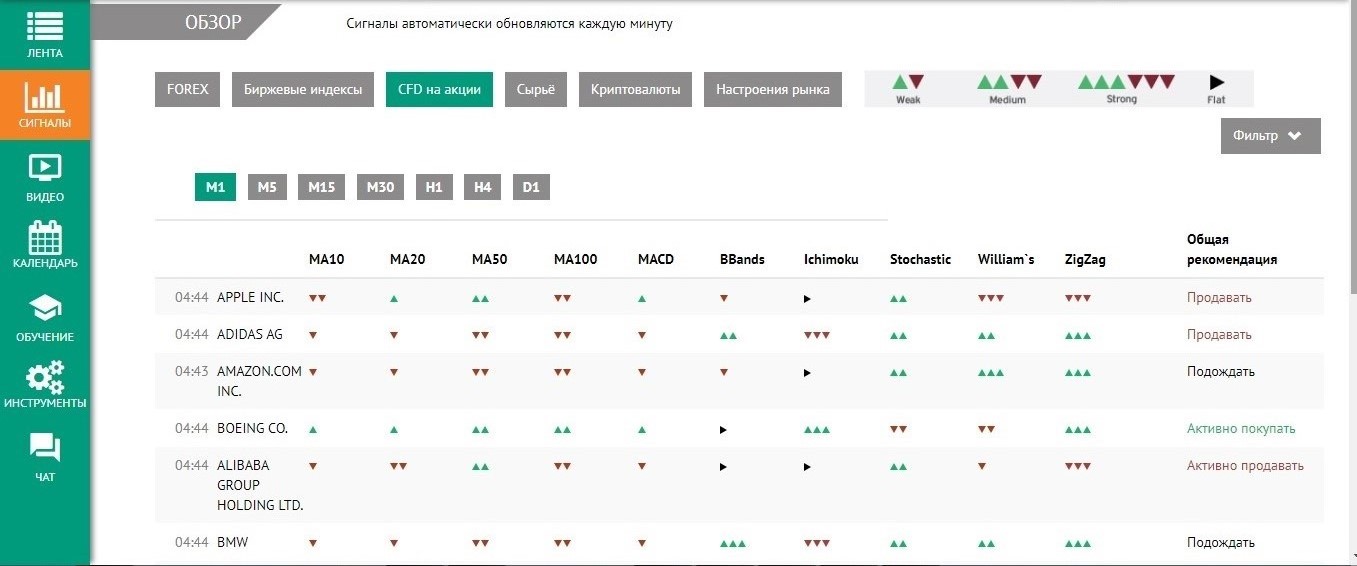 Moreover, the necessary stock market signals are distributed across seven time frames, from the shortest M1 to the daily D1.
Trend analysis is based on data provided by ten of the most effective indicators.
The strength of the signal itself is visualized using colored triangles:
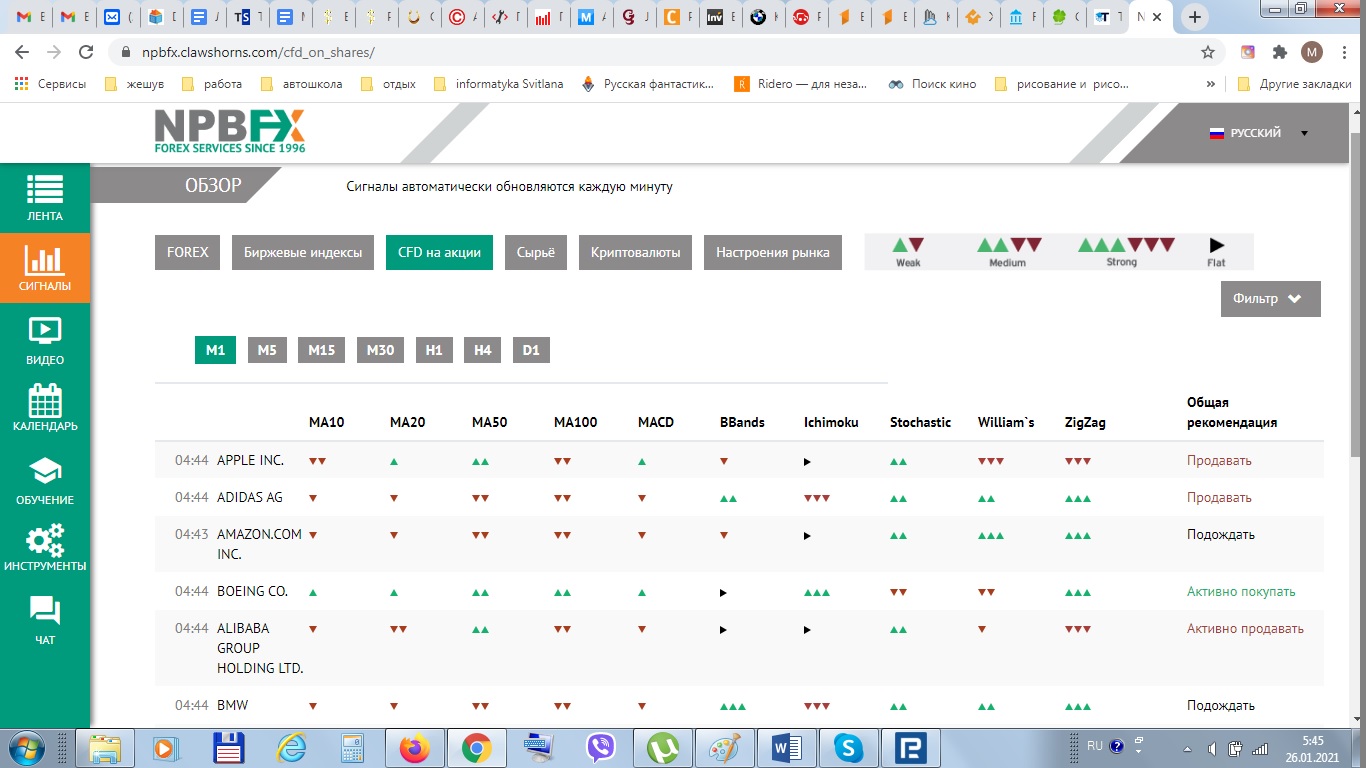 It's all quite simple: the more triangles of the same color you see, the stronger the signal will be.
This tool has its advantages and disadvantages:
- You don't have to wait for a new signal to appear; you can open a trade at any time.
- You choose the time frame and instrument you will trade.
- At the same time, the service is not a classic signal provider and you cannot configure it to receive signals on your phone or email
You can test free stock market signals in your NPBFX trader's account.
You don't need to fund your account to use them; simply register on the NPBFX website - http://www.npbfx.org/ - and select "Analytical Portal" from the menu in your trader's account. It's located in the lower left corner.

