Money manager program
Finding optimal capital management models and analyzing your own trading tactics are ongoing, routine work that is necessary to 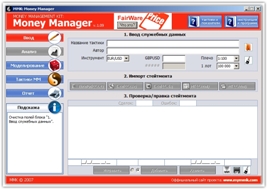 identify weaknesses in your trading strategy and work on correcting mistakes.
Yes, it's true that working on your own mistakes allows you to discover many nuances in your work that you and I never notice, but it's precisely these small flaws that can radically distort our trading results.
Many people don't even realize that by analyzing their report at the end of the week with a cool head, they can, without any additional knowledge, find out why a trade didn't work out, what the consequences of a breach of discipline were, and understand, in general, whether a trading strategy is capable of delivering consistent results.
A money manager eliminates the need for time-consuming self-analysis by modeling our trading strategy, displaying and analyzing our trades. Suitable for both Forex and stock markets, it displays balance changes and provides recommendations for better capital management.
Before getting started, I suggest downloading and installing the program, which you can find at the end of this article. You shouldn't encounter any problems during installation, as it's no different from installing any other program or game. After installing Money Manager and launching it, you'll see its interface:
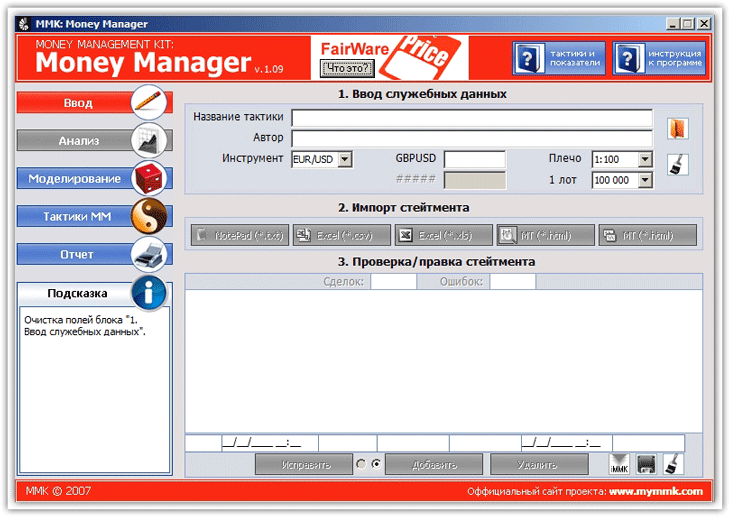 To begin analyzing your trades, we'll need your detailed report. The program can work with virtually any historical data, but the preferred historical formats are HTML and Excel.
To get a history of your trades in MT4, go to the "Account History" section and select "Save Detailed Report." The trade history can be manually entered in the editor itself, for example, if you intended to buy or sell but never did.
When the main menu appears, give your strategy a name, select the currency pair for analysis, and download your trade history.
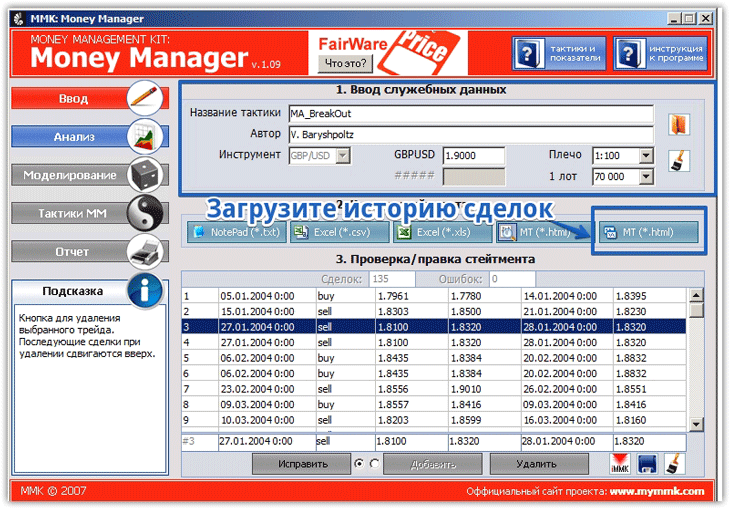 Once you've filled in all the fields, the "Analysis" menu will be activated. Click on Analysis to view additional program information. In this section, the program will provide a complete picture of your account activity.
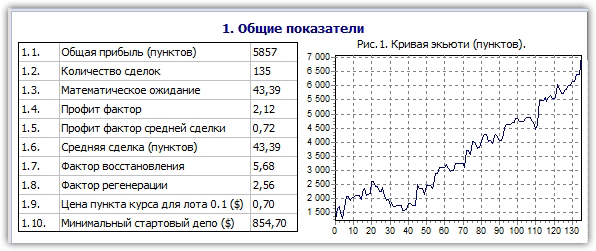
Money Manager displays information based on eight criteria. For example, in the "General Indicators" block, Money Manager displays total profit in points, number of trades, expected value, profit factor, recovery factor, regeneration factor, and also plots a curve graph in points.
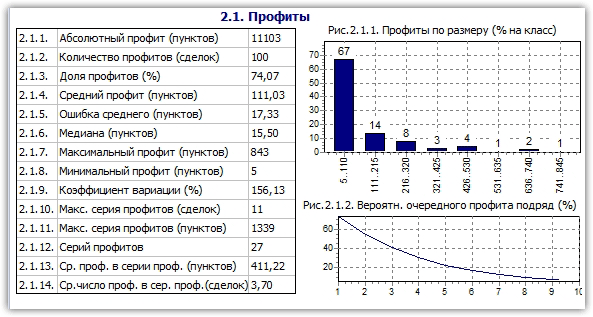
 In the "Profits" block, the program will display data on the number of profitable trades, absolute profit, profit share as a percentage, maximum profit, minimum profit, maximum number of consecutive profits, variation coefficient, and many other indicators.
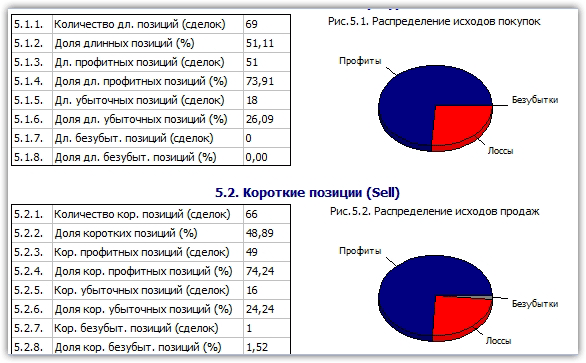
 In the "Short and Long Positions" section, you can see general information on your buy and sell trades. This section displays the number of long and short positions, the percentage of long and short positions, and the percentage of profitable and losing trades for both short and long positions.
The program will also draw a graph for clarity, allowing you to clearly see the impact of positions on your account.
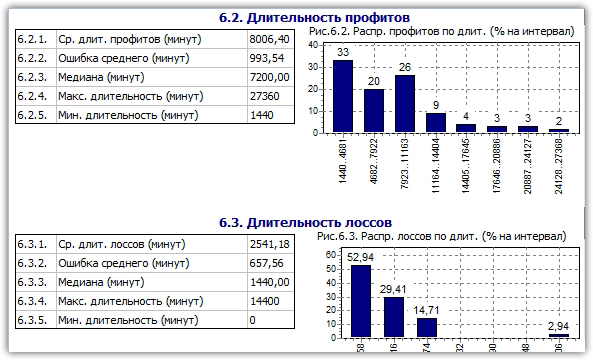
 In the "Deal Duration" block, you will have access to information about the average duration in minutes of all trades, the duration of profitable and losing trades in minutes, the maximum duration, the minimum duration, the median, and the duration of buy and sell trades in minutes.
 The analysis section also contains other criteria for your trading strategy. Overall, the number of parameters is so large that a detailed report from MT4 will seem like a dud compared to this program.
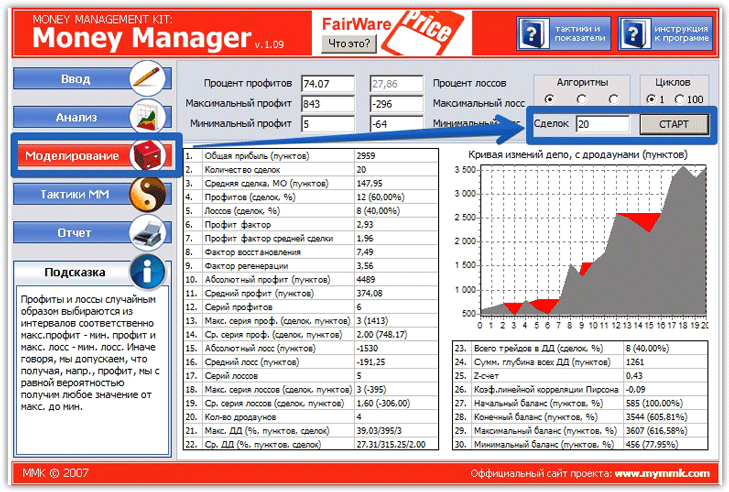
In the "Simulation" section, the program offers to simulate your future trading tactics based on its own algorithm. To do this, in the "Number of Trades" section, enter the number of positions you open on average per month and click Start.
The program will provide you with a clear balance curve with drawdowns, as well as general information on your future trading. Remember, the data can only be considered reliable if you don't change your trading strategy and continue to use the same algorithm as before.
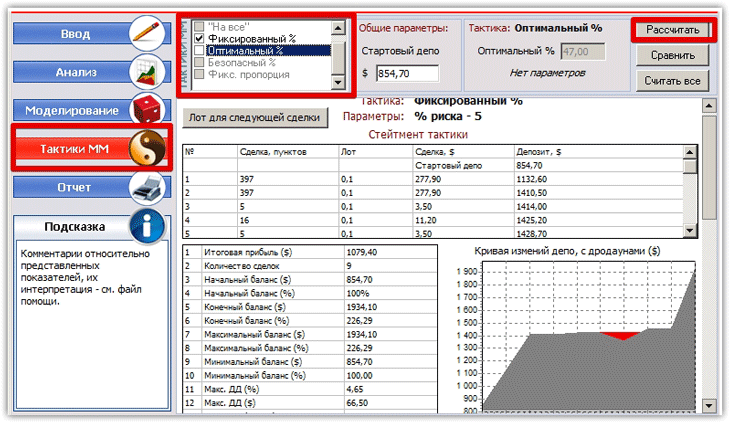
 The program also allows you to select the optimal money management for your trading strategy. To do this, select "MM Tactics" from the main menu. The program offers a choice of calculating your profitability using different capital management models, and you can even mix them.
By default, the program can simulate your return using the following money management methods: fixed lot, all-in, fixed percentage, optimal percentage, safe percentage, and fixed ratio. After you've selected a specific model, click "Calculate," and Money Manager will share complete information about how your account would look if you applied that money management.
 Overall, the Money Manager program is an indispensable assistant that can be useful both for traders working on their own mistakes and for investors who decide to analyze a trader's trading tactics before investing.

