Using the Market in the MetaTrader trading platform with maximum efficiency
There are numerous additional tools for the trading platform that make a trader's work more efficient.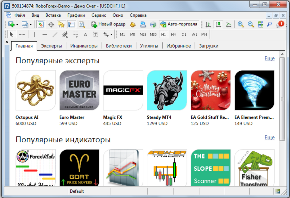
You can always add scripts, expert advisors, or indicators to the software, depending on the task at hand.
Most such tools are written for the MetaTrader 4 and 5 trading platforms; until recently, users had to search for them online.
But with the introduction of the "Market" tab in MetaTrader, the situation has changed dramatically for the better.
Now, traders not only no longer need to browse dozens of websites to find the necessary script, but they also don't need to manually add it to the trading platform.
It should be noted that this functionality is available in both versions of Metatrader.
What can you download using the Market?
Firstly, to start using this function, you need to switch to the tab of the same name:
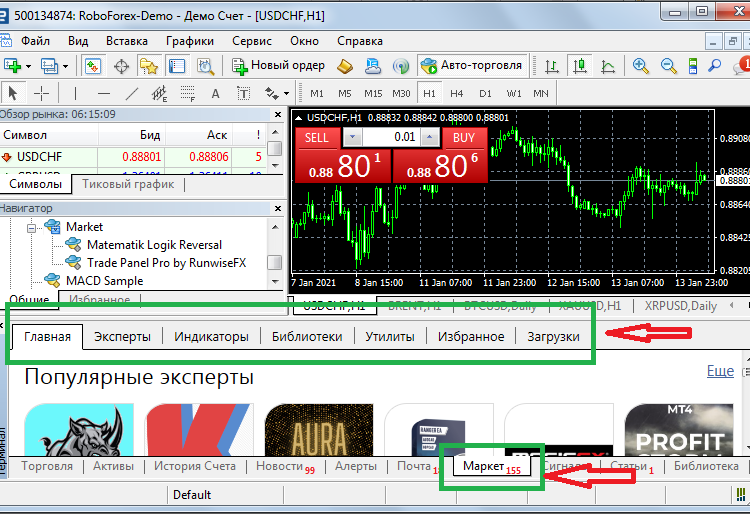 After that, select what you need from the top menu:
Expert Advisors – a vast array of different trading advisors, ranging from completely free to those costing up to $30,000.
Indicators – a selection of scripts categorized by trend, level, oscillator, channel, volume, and other indicators. You can also choose between paid and free options.
Libraries – used to expand the capabilities of the trading platform itself or the indicators and advisors installed within it. An example of such a library is shown below:
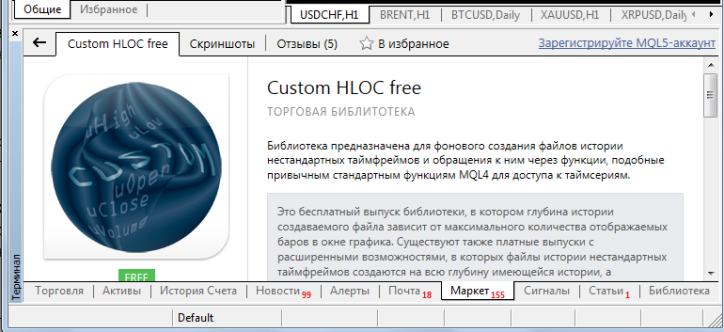 Snails are additional scripts that allow you to add specific functions to the trading platform, such as calculating trade volumes or adding required objects to charts. Once installed, snails appear in the "Scripts" or "Expert Advisors" menu.
Once you've selected the desired tool, simply click the "Download" button on the left side under the script icon:
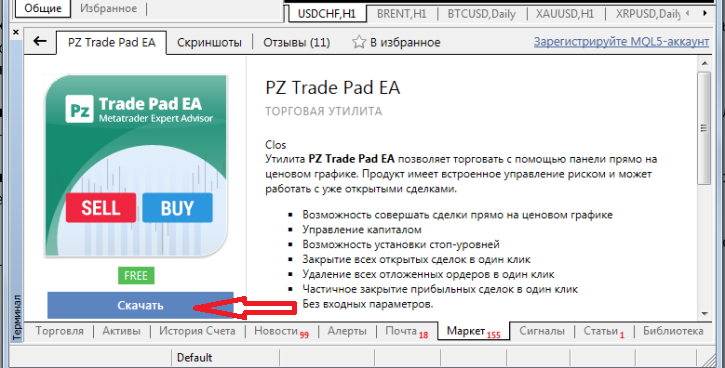
Within a few minutes, an expert advisor, indicator, or indicator will be added from the Market to your MetaTrader. After that, all you need to do is configure the necessary settings and add it to your chart.
The Market lets you quickly find the instrument you need, and the built-in filter allows you to sort by price or popularity. If you're having trouble, registration may be required.

