Options Advisor
Independent options trading requires a well-honed trading strategy,  a sound capital management approach, and a wealth of knowledge derived from personal observation.
It's worth noting that in the Forex market, investors and beginners have numerous opportunities to copy the signals of more successful traders, as virtually every broker has implemented such a service.
Unfortunately, such services are lacking in the options trading industry, so even experienced traders feel uncomfortable when faced with real market conditions. Moreover, most companies don't even offer the option to open a demo account, let alone offer effective tools.
A natural question arises: how can you actually make money on binary options if you're a beginner? As strange as it may sound given the above, you can copy trades.
What is the essence of the approach?
Considering that proper copy-trading services for options haven't yet been created, and you may not have enough experience to trade independently, you can use an options advisor. The method is quite simple.
You need to find a profitable Forex expert advisor (we have plenty of them on our website) and manually copy trades from the broker's website, which they will then open on a demo account. So, let's take a closer look at working with one of these experts using an example.
Installing the Laguerre Advisor
To use the options advisor, you need to install it on the MT4 trading platform. You can download the trading platform from one of the brokers listed in the Forex brokers list. After installing MT4, you need to install our advisor, which you can download at the end of the article.
To do this, go to the terminal's data directory and place the advisor in the experts folder, the indicators in the indicators folder, and don't forget to copy the file from the include folder to the corresponding folder in your MT4 data directory. After installation, open the same currency pair for which you'll be opening the option and drag the advisor onto the chart:
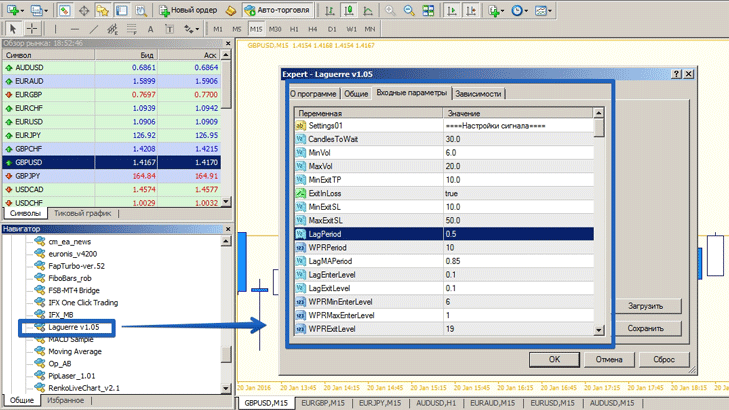
Why is it worth copying signals from this particular advisor?
Of course, you shouldn't trust the first advisor you come across and immediately start copying its signals. First, you should set it up, understand its intricacies, and conduct more detailed tests in the strategy tester.
Since we've done all the work for you, you can see the test results in the image below:
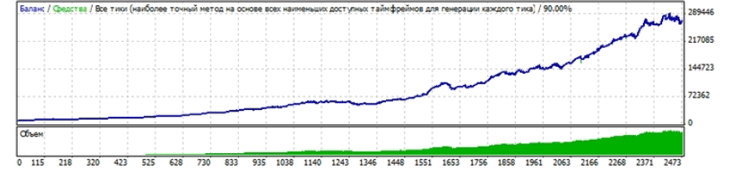
Expert settings
This options advisor is based on a simple indicator trading strategy consisting of three indicators: Laguerre, LaguerreMA, and Williams Percent Range. A nice feature of this expert advisor is that it does not use martingale or other risky money management models.
The settings are divided into two main blocks: "Signal Settings" and "News Filter." In the "Signal Settings" block, you can change the parameters of the three indicators listed above. In the "News Filter" block, you can prevent the advisor from trading if there are news releases within an hour.
By the way, the advisor has a built-in news indicator that filters out news and allows you to bypass unfavorable markets.
An example of an options advisor working
For example, while writing this article, the advisor opened a sell position on the EUR/USD currency pair.
 The next step we need to take is to log into the options broker's and buy a put option on the EUR/USD currency pair in accordance with the advisor's signal.
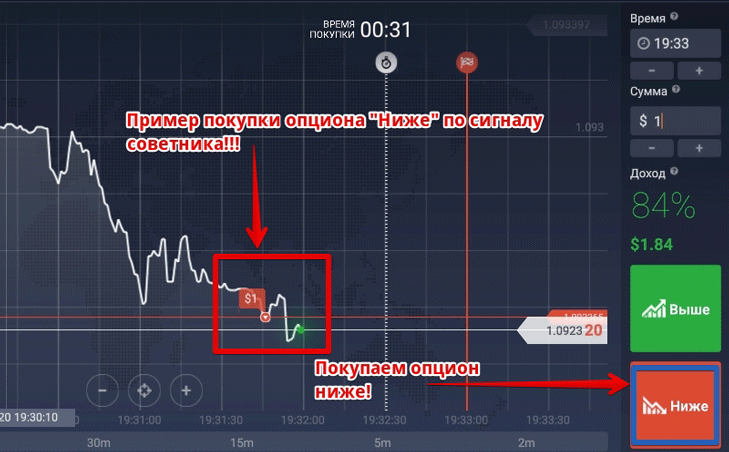
After setting the expiration time, it's worth waiting a bit until the trade is complete. The result of entering the trade using the options advisor can be seen in the image below:
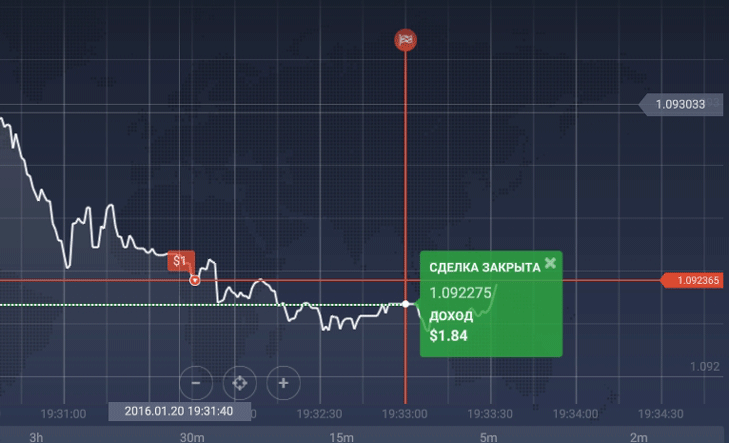
In summary, we can confidently say that using a time-tested Forex expert advisor, you can copy profitable signals without any difficulties. Your only task is to install any expert advisor and follow its exact instructions.

