We add new scripts (indicators, experts, snails) to the MetaTrader trading platform
Currently, the most popular and widespread program for stock trading is the MetaTrader trading platform.

One of the main advantages of the MetaTrader trading platform is that you can easily add new scripts to it.
That is, if you need to expand functionality or want to engage in automated trading, but the required program is not available in the trading platform, you can add a third-party script.
There are several options on how to do this as quickly and easily as possible.
Afterwards, try to find a ready-made product on our website. You can do this in the following sections: advisors, indicators, scripts.
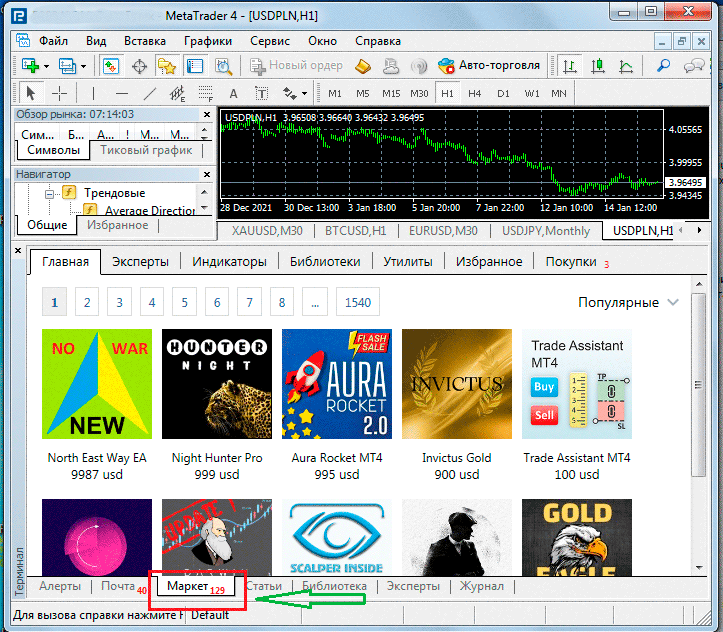
Or directly in the trading platform itself, on the "Market" tab, where you'll find both paid and free versions of various scripts:
The third option would be to order the required script exclusively for your needs, submit an application for a new product, and also discuss the price - plugins/system/oyl/src/Redirect.php?oyl=asynBQAK%2FQ%2BqMFNPewS%2BUjkO%2Bmt2M%2Fi8rx2DuifqeZSXso0g2p1rTg%3D%3D
Then, depending on which option you chose, we proceed to adding a new script to your trading platform.
• The easiest way to add something is if you find the option you need in the Market. Simply click on the selected script and then click “Download”:
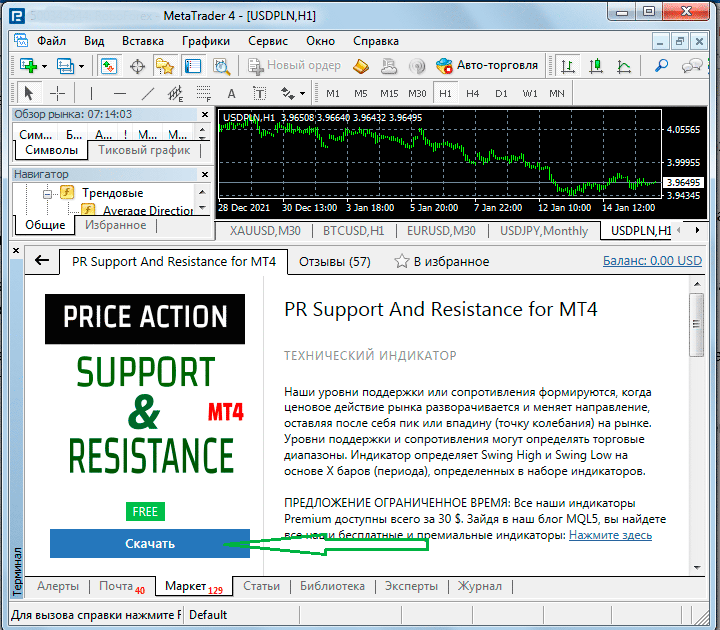
If the product costs money, you'll need to pay first before you can download the file. After downloading, installation in MetaTrader is automatic.
• In the same case, when you downloaded the script file from our website or received it from the developer, you need to copy it to the appropriate folder of the trading platform.
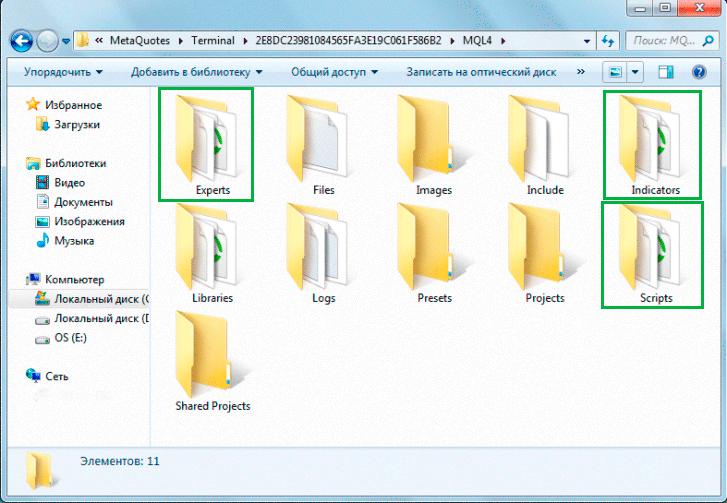
The installation process is described in detail in the article on the page https://time-forex.com/praktika/ustanovit-indik
Third-party scripts allow you to infinitely expand the capabilities of the MetaTrader trading platform. They allow you to implement virtually any idea and make trading more convenient, and therefore more profitable.

