How to quickly open a demo account on Forex or the stock market
Many novice traders want to test their skills in stock trading without wasting time on various formalities.

And this is quite possible, you just need to open a new demo account using the MetaTrader trading platform, the link to which you will find below.
This means that to open a demo account, you don't need to register with a brokerage company or upload personal documents. Simply download the program and complete a few simple steps.
Moreover, the opened account can be called universal, since with its help you can trade not only currencies, but also other popular assets such as securities, precious metals, commodities, and cryptocurrencies.
The MetaTrader program is used for work, the easiest way to download it is from this link - download MetaTrader 4
There you can also download another trading platform to suit your preferences and the device on which you will open a demo account. You can also read about what each program is and what it is best used for.
Technical aspects of opening a demo account
After you have downloaded and installed MetaTrader, we proceed directly to solving our problem.
Open the installed MetaTrader 4 on your computer or other device and right-click in the "Accounts" section in the Navigator. The following window will appear:
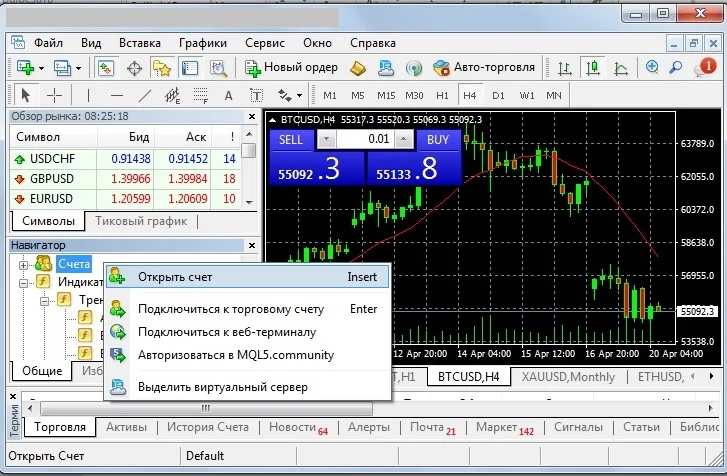
In it, we select the corresponding inscription - "Open an account", then we should select the north through which transactions will be opened:
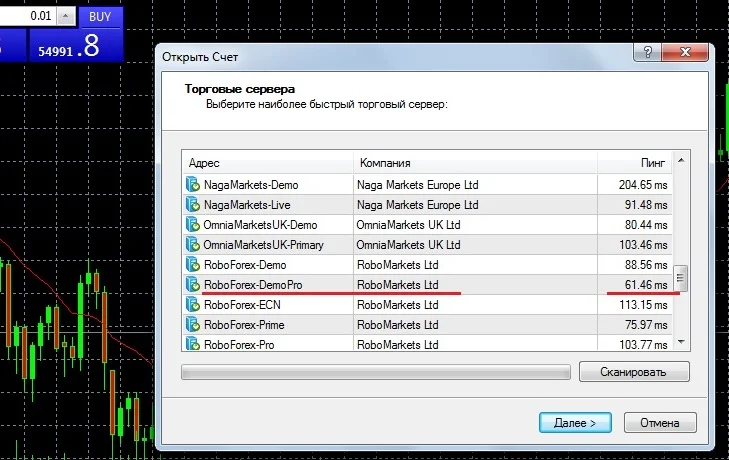
I chose the RoboForex broker server because I've known this company for years and the server response was one of the fastest.
But you can choose another option according to your preferences. It is also recommended to open a demo account similar to the one on which you are going to trade real money - standard, pro, cent or ecn.
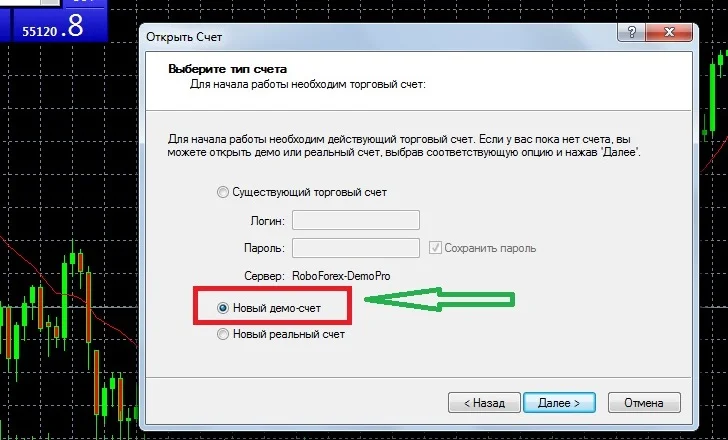
Next, we choose which account type we want to open: real or demo; in our case, a New Demo Account:
The "Personal data" stage involves filling in contact information and basic parameters:
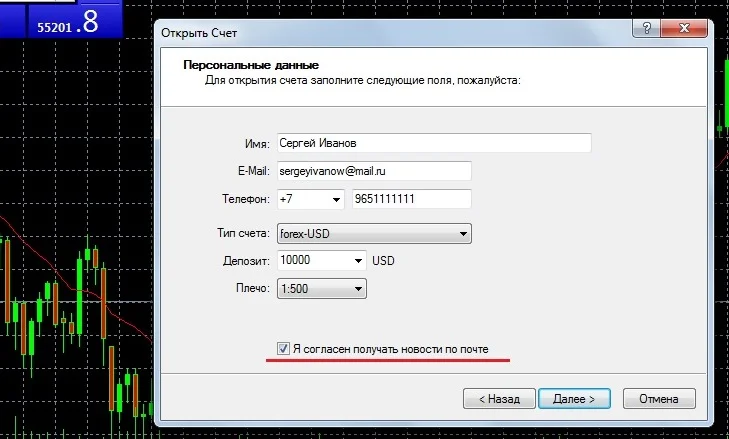
Now select your balance currency (US dollars are recommended), your deposit amount (preferably one that matches your budget), and your leverage. Don't forget to select "Receive news by email.".
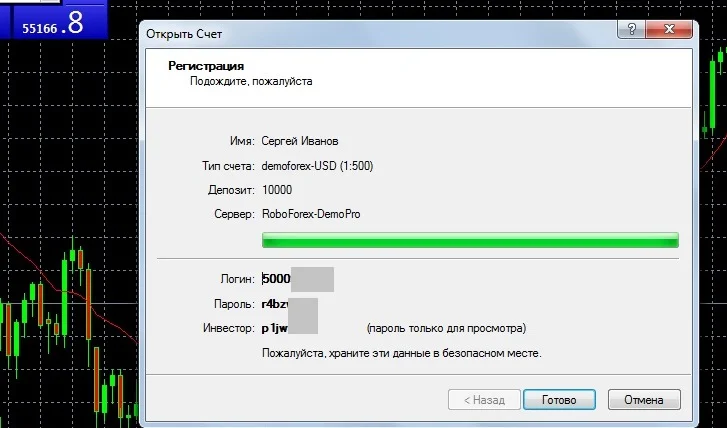
After opening a new demo account, you will receive access details—a login and two passwords, one for the trader and one for the investor:
To start trading on a new account, you should switch to it directly on the "Accounts" tab:
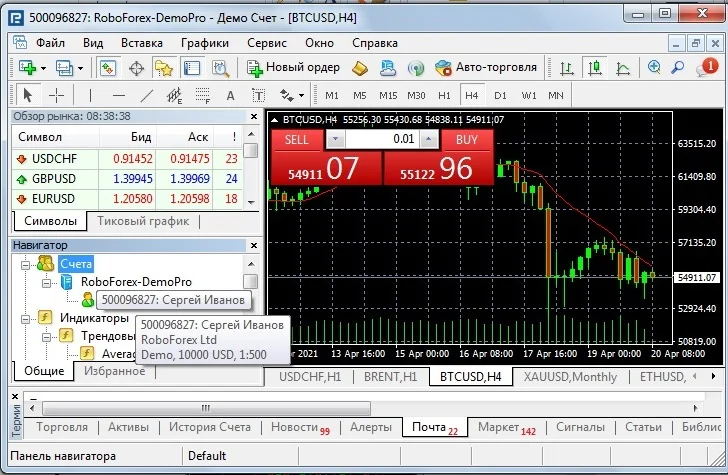
Everything is ready to open trades on the Forex or stock exchange. You can manage your open orders in the "Trading" tab.
As you can see, opening a demo Forex account couldn't be easier; the process only takes a few minutes. However, it's worth noting that accounts opened this way through the trading platform won't appear in your chosen broker's trader dashboard and can't be funded.
Read about how to top up your demo account here - https://time-forex.com/sovet/popolnit-demo-chet

