Chaos Reversal Indicator
The market has extremely unpredictable behavior, and price movements are more reminiscent of chaos than the well-known phase of a trend or flat.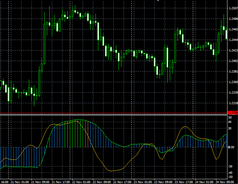
Unfortunately, or perhaps fortunately, it is precisely its unpredictability and chaotic movement that allows millions of traders around the world to earn money.
Just imagine if the market had not a chaotic price movement with a tendency to a certain trend, but a clear directional trend that everyone could identify.
In that case, no one would be able to make money, since in financial markets people only make money when everyone else is losing.
The Chaos indicator is a popular technical analysis tool among traders that allows you to see the current trend direction and ignore market chaos.
The indicator itself is an oscillator, so you can use it on any currency pairs and timeframes. What's most interesting is that the Chaos indicator belongs to the so-called complex technical analysis tools, meaning that a single indicator can act as a complete system Forex strategy.
Installing the Chaos indicator
To use the Chaos indicator in practice, you will need to go to the end of the article and download the indicator, then install the tool in the MT4 trading terminal.
The indicator installation procedure follows the standard procedure. Specifically, you'll need to place the Chaos indicator in the appropriate folder in your MT4 trading terminal's data directory. To access the directory, launch your trading platform and select the "File" menu in the upper left corner.
You'll see a list of options, from which you'll need to find and launch the Data Catalog. After launching the catalog, a list of system-essential folders will appear on your desktop. Find the folder named indicators, drop Chaos into it, and then close the Data Catalog.

For the terminal to see the new instrument, you'll need to refresh the navigator panel or simply restart the trading platform. After restarting the terminal, you'll be able to apply the Chaos indicator by simply dragging it onto the chart.
The meaning of the lines. Practical application of the indicator
As you can see in the chart above, the Chaos indicator consists of a histogram and a separate signal line, which is displayed in yellow. The indicator's operating principle is quite simple: it determines the current trend direction based on the histogram's position relative to the zero line.
So, if the histogram is above level 0, the market is in a bullish trend. If the indicator histogram is below level 0, the market is in a bullish trend bearish trend.
Based on the histogram's position, you can develop a simple strategy: if the histogram crosses level 0 from the bottom up, enter a buy position; if it crosses level 0 from the top down, enter a sell position. An example of signal execution:
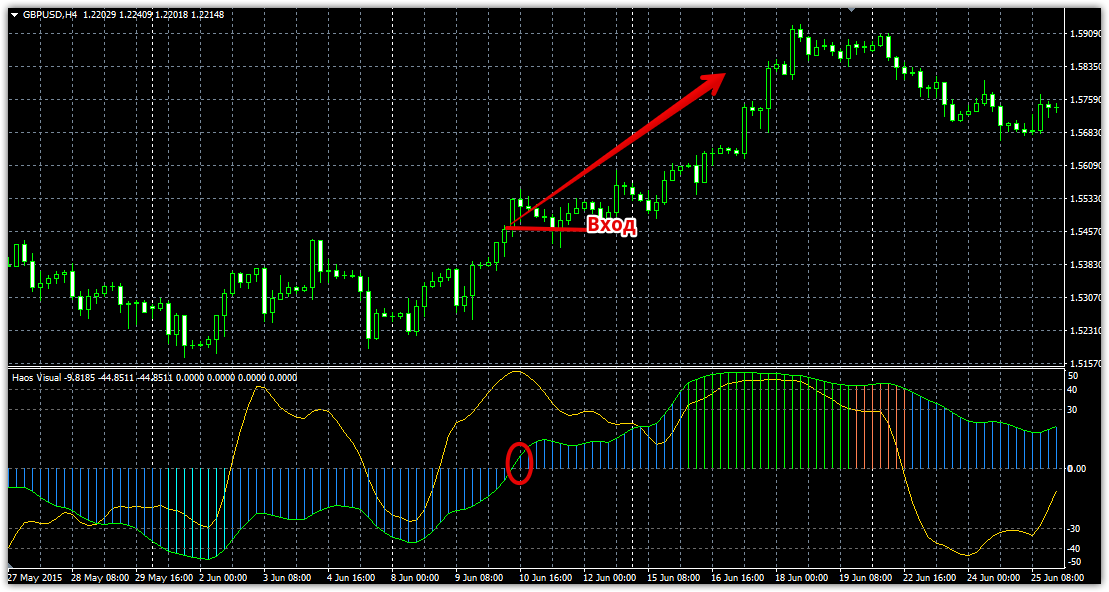
It's also worth paying attention to the histogram's color when trading. A blue histogram indicates a stable trend, while a green histogram indicates potential reversal zones. A red histogram indicates a price slowdown, specifically, a sideways movement.
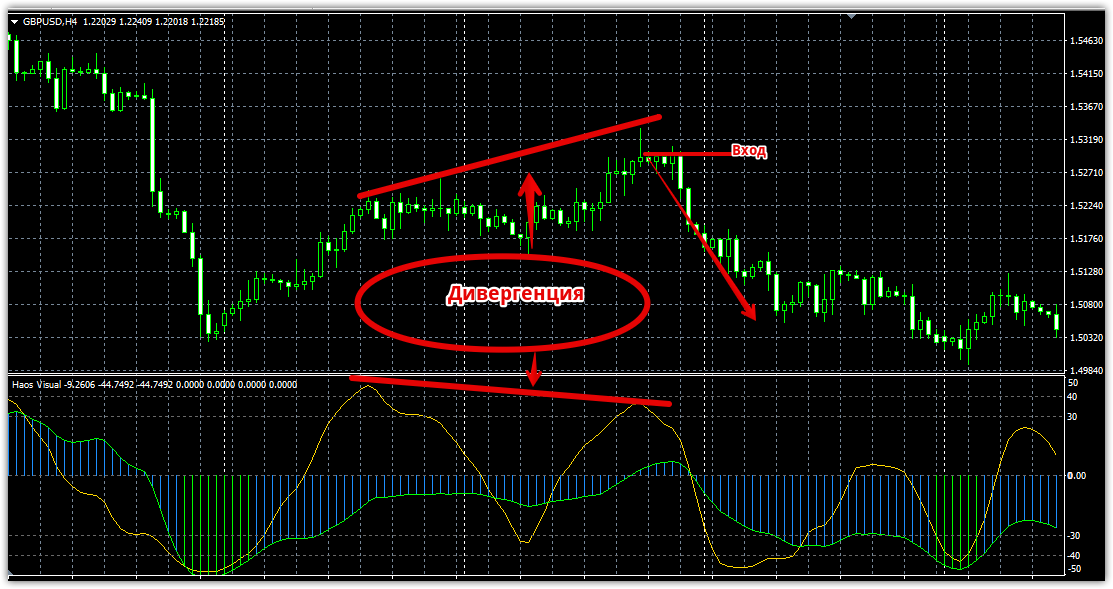
The second type of signal generated by the Chaos indicator is a reversal signal, specifically a signal line divergence. If the price highs on the chart do not coincide with the price highs on the signal line, enter a sell position.
If the price lows do not coincide with the signal line lows, we enter a buy position.
It's also worth noting that the divergence signal will be strengthened if the signal's direction matches the global trend displayed by the indicator's histogram. An example of divergence is shown below:
In conclusion, it is worth noting that the Chaos indicator histogram is aimed at displaying a more global trend, so you can observe some lag in the indicator when the trend changes.
In general, the tool can be used alone, but to increase its profitability, it should be combined with other technical or fundamental analysis tools during trading.
Download the Chaos indicator.

