Indicator - three screens
The emergence of the famous strategy "Elder's Three Screens" made a kind of revolution in the field of technical analysis.
Previously, traders could only occasionally see what was happening on higher time frames. Thanks to the principles outlined in the strategy, the number of signals opened against the trend has significantly decreased.
In fact, the fundamental principle of the strategy was to measure the trend and direction of the trend on higher time frames, and to enter the market directly based on signals from a lower time frame and necessarily in the direction of the higher time frame.
The problem is that three screens for one currency pair take up all the working space of the trading terminal, which makes it inconvenient to apply the strategy.
The Three Screens indicator is a universal technical analysis tool that fully implements Elder's Three Screens strategy, but all the information obtained is displayed for several currency pairs simultaneously in the form of a simple table.
"Three Screens" is a hodgepodge of standard technical indicators that can be applied to any chart and customized to suit your needs.
Installing the Three Screens indicator
The tool was developed for use exclusively through the MT4 trading platform, so to use it, download it from the article page and then install it into the trading terminal.
The "Three Screens" indicator installation procedure is standard. Specifically, you'll need to place the indicator file in a specific folder within the data directory. To open the data directory, launch your trading terminal and click the "File" menu in the upper left corner.
Open the "File" menu and a list of options will appear. Find "Data Catalog" and launch it. Once the data catalog opens, you'll see the terminal's system folders. Find the folder named "indicators" and drop the "Three Screens" indicator into it.
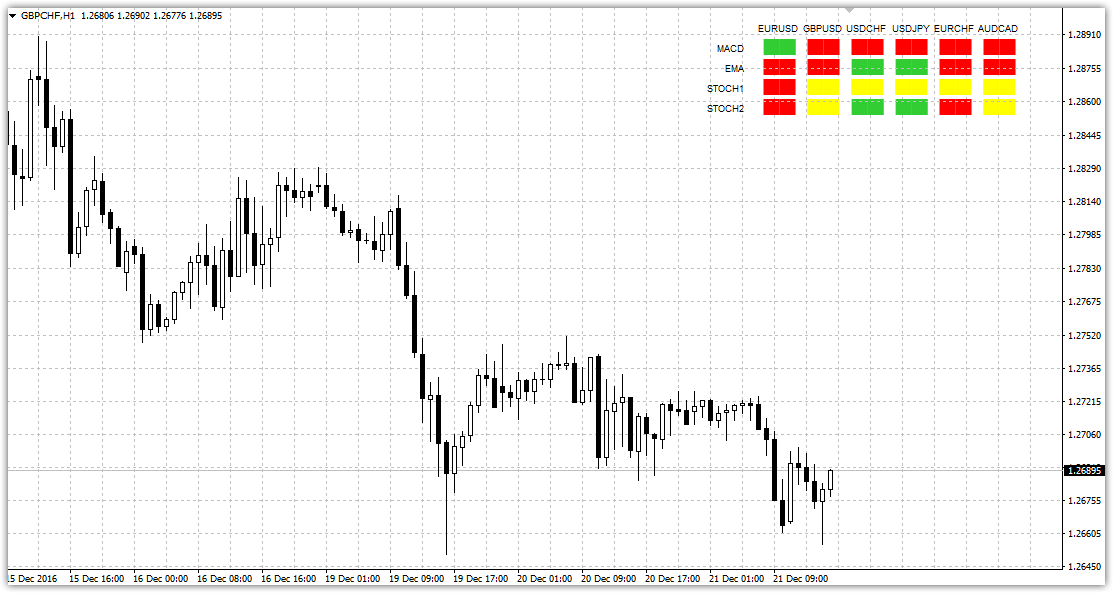
Next, close all folders in the catalog and either update the platform in the Navigator panel or simply restart MT4. To display the indicator on the chart, simply drag it onto the currency pair you selected. If you've done everything correctly, the chart will change as follows:
The principle of signal generation
As you can see, the "Three Screens" indicator is implemented as a simple table, where horizontally you can see a list of currency pairs, and vertically a list of indicators, whose signals are filled with squares of a certain color.
In order to correctly interpret the indicator readings, it is necessary to clearly understand how the signal of each indicator on the plate is formed.
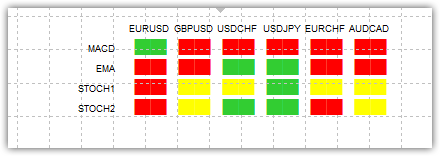
1) MACDThe signal is generated based on the ratio of the current histogram bar to the previous one. So, if a histogram bar is higher than the previous one, the cube is green, and if it is lower than the previous one, the cube is red.
2) EMA. The signal generation principle boils down to a simple assessment of the price's position relative to the exponential moving average. So, if the price is above the moving average, the cube will turn green, and if the price is below the moving average, the cube will turn red.
3) Stochastic 1.2. The signal for this instrument is formed depending on the line's location in the overbought and oversold zones on Forex.
So, if the stochastic line is in the range from 80 to 100, the cube color will change to red, if the line is in the range from 0 to 20, the cube color will turn red, if in the range between 20 and 80, the cube color will turn yellow.
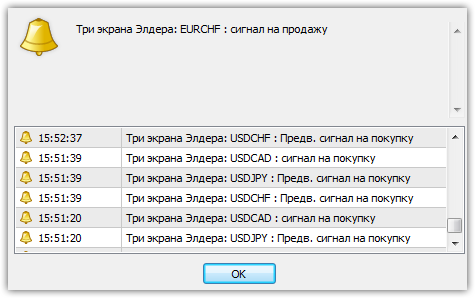
Based on the signal generation values, each trader chooses their own entry point. However, it's important to understand that if a strong signal occurs, the indicator will repeatedly remind you of its occurrence with an audible alert and a pop-up message.
Indicator settings
Speaking of settings, you can change both the periods of the indicators in the lines and the time frames from which they display information on the chart.
To change the time frames of each component of the Three Screens indicator, specify the value of the time frames you are interested in in minutes in the EMA Timeframe, MACD Timeframe, and Stochastic Timeframe lines.
It's important to understand that the indicator only displays information from standard time frames, so when specifying a value in minutes, be careful that it matches.
In conclusion, it is worth noting that the Three Screens indicator fully implements the famous trading tactics "Elder's Three Screens" in a simpler and more informative form, and unlike the original, you can track multiple Forex currency pairs simultaneously.
Download three Elder screens.

