A useful spread indicator for MT4
A very useful tool for every trader, the spread indicator allows you to constantly monitor the broker's commission for any currency pair.
Now you don't need to constantly peer at quotes; all the information you need is right in the trading terminal window.
Spread – the broker's commission for each currency purchase or sale transaction – can be either fixed or floating, changing depending on market volatility or at your broker's discretion.
The lowest rate is observed for currency pairs involving the US dollar, and the highest for exotic forex trading instruments.
The spread indicator is essential for those who trade using scalping strategies or use pipsing to make money on Forex.
The resulting profit can be quite significant, especially considering that the commission spread on low-volatility currency pairs sometimes varies from 5 to 20 pips.
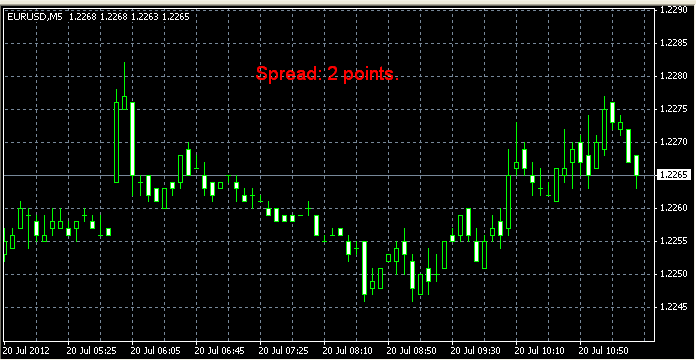
In addition, you can always check whether your broker complies with its stated trading conditions, as often the stated commission, even at a fixed level, does not always correspond to the actual commission charged in the trader's terminal.
The spread indicator should be classified as a script, as it has absolutely nothing to do with technical analysis of Forex and does not analyze the trend, but simply displays information provided by your broker.
Installing and configuring the spread indicator
After you've downloaded the spread indicator, copy it to the terminal's installation folder and add it to your currency chart in the trader's terminal. It will be located in the "Custom Indicators" section.
When installing, you can only change the visual display features of the text information displayed by the indicator on the screen, the size and color of the text, and also plan where the spread information will be displayed.
If desired, the information window can be easily moved around the screen; simply hover your cursor over it and click a couple of times. Moving the window will allow you to move it so that it does not interfere with the display of the currency pair's trend line.
In my opinion, this is a rather useful script, and it is fully functional, which has been tested more than once.
Download the Spread indicator.
We also recommend an interesting script that displays statistics on spread changes at your broker - http://time-forex.com/skripty/skr-razmer-spred - this will allow you to estimate the possible commission sizes.

