Trading sessions indicator.
When trading Forex, almost everything matters, and trading sessions play a significant role, as they typically drive currency movements and trading volumes.
For example, the Asian trading session always favors trading in the Japanese Yen, while the European session favors trading in the Euro. Furthermore, volatility and the speed of exchange rate movements also vary, which are also crucial for successful trading.
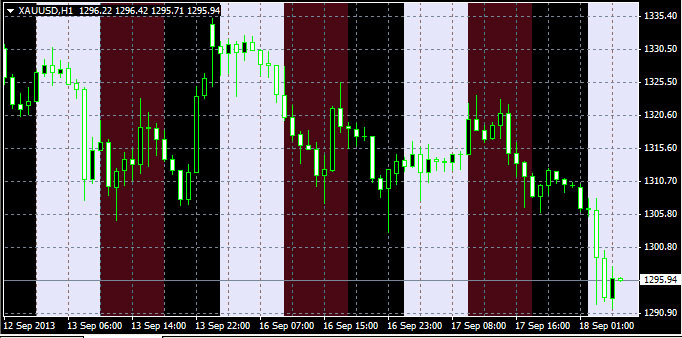
This is why the Forex trading session indicator is an indispensable tool for any trader. Not only will you always know which trading platform you're trading on, but it also significantly increases the effectiveness of technical analysis across individual sessions.
The tool is installed by copying it to the "indicators" folder and works correctly alongside other Forex indicators.
Download the trading session indicator.
After downloading the script, unzip the archive and move it to the appropriate folder. Then, launch the trader's terminal and find "i-CassierWorkTime" among the custom indicators.
Launch it and configure it. You'll only need to correctly configure a few parameters, namely the Forex trading sessions.
Begin_1 – the start of the first session, typically set at 2:00 AM Moscow time.
End_1 – the end of the Asian session at 11:00 AM.
Color_1 – the color used to display the first time interval; it's best to use subtle colors.
Begin_2 is the second session, typically European, starting at 9:00 Moscow time. This is where two trading sessions overlap, so choosing the right colors is important.
End_2 is the end of the second session at 18:00.
Color_2 is the color for the second session.
The third time interval is set by default as the background color of the trader's trading terminal.
There's also a parameter called NumberOfDays, which specifies the number of days for analysis, from 1 to 50.
The trading session indicator allows you to select the desired time period and get an overall picture of price movements at a certain time of day.

