Trend oscillator.
The main difference between any technical analysis indicator and an oscillator is that the indicator simply analyzes the trend, while 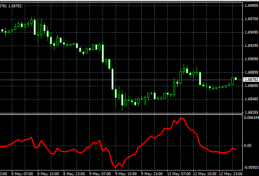 the oscillator also tries to predict further developments.
The trend oscillator lives up to its name: it attempts to predict the direction of a Forex trend.
It does this using a curved line displayed in a separate window below the currency pair chart. Additionally, a zero line is used during trading, serving as the primary reference point for opening trades.
Download the trend oscillator.
Basic parameters of the trend oscillator.
You have a fairly simple tool at your disposal. Once installed on a currency pair chart, it appears in a separate window.
The signal curve is displayed in red, and the window itself is divided into two parts by a gray zero line.
In the settings, in addition to the line thickness and color, you can change only one parameter, N. This regulates the number of bars used in the analysis. In other words, the higher the value, the smoother the trend oscillator line will be.
For this reason, values up to 20 are used for trading on timeframes up to H1, while values greater than 20 are used for short-term and long-term trading. The higher the N value, the smoother the oscillator line becomes.
For example, when scalping, it's best to set N to less than or equal to 5; this will allow you to react more quickly to trend changes on short timeframes.
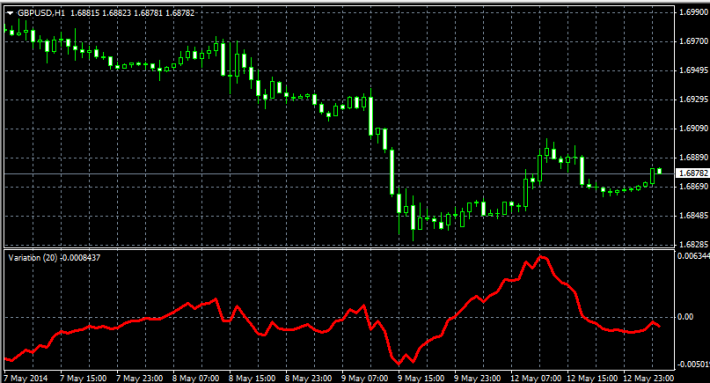
In addition to the curve, there's a horizontal line that divides the oscillator window into nearly equal parts. This line helps determine the overall trend on the selected time frame. If the curve moves along the top of the window, the upward trend is maintained, and vice versa.
Practical application.
The trading strategy using this tool is extremely simple: buy trades are opened when the curve moves upward and crosses the zero line, and sell trades are opened when it crosses downward.
If you carefully analyze the trend oscillator, you'll likely notice that not all signals are correct. This isn't surprising, as no oscillator or indicator is 100% accurate in technical analysis. Therefore, to verify signals, use one of the additional tools located in the "Forex Indicators" section.

