The best trading terminal
Forex trading requires the use of specialized software, and the choice of software will  determine the trader's comfort, so choosing the right trading terminal is crucial.
In this case, you should be guided by the following principle: the trading platform must operate stably and be fully compatible with all possible Forex tools (automated advisors and technical analysis indicators).
The trader's terminal is not just a program for issuing orders to open positions; it can also be used to perform a variety of other actions:
- conduct technical analysis,
- organize automated trading,
- receive news promptly,
- test different strategies,
- write additional scripts yourself.
In this article, we'll look at the different types of trading platforms, their advantages and disadvantages, and some practical considerations when making a choice.
The most popular trading terminals
MT4 (Metatrader 4) is the most popular platform and is used by most brokerage firms. It offers high functionality and easy setup.
It offers access to virtually all trading tools, and allows you to not only install the desired advisor or indicator, but also independently create the necessary script.
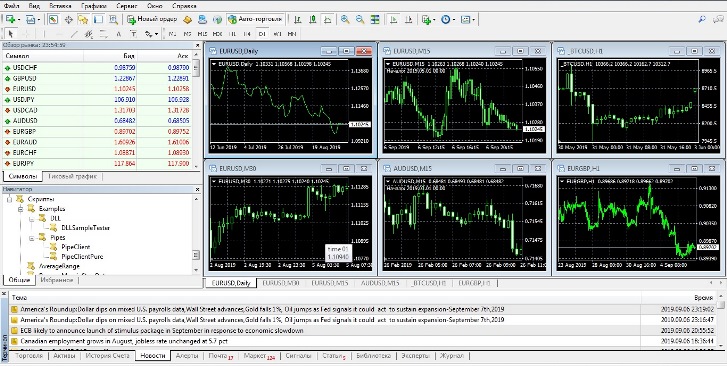
The platform also has low system requirements; it can be installed on both a regular computer and other devices running the Windows operating system.
Read about the capabilities of Metatrader 4 at http://time-forex.com/programmy/vozmognosti-metatrader
MT5 (metatrader 5) is a newer version of the previous terminal, but newer doesn't necessarily mean better. This software has a number of shortcomings and flaws, and not all additional scripts that work well in Metatrader 4 can be installed on the fifth version.
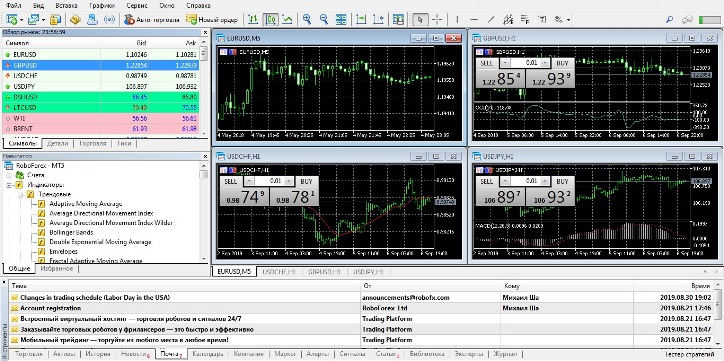
However, it is impossible not to note some positive aspects of the MetaTrader 5 terminal:
- More flexible options when working with time frames; you can quickly set a non-standard time frame.
- Wider selection of assets compared to the previous version.
- Availability of a market depth display showing the actual volume of transactions in the selected market segment.
- A simpler scripting system.
MetaTrader 4 or 5 Mobile – a mobile trading version that can be installed on virtually any device (phone, smartphone, tablet, etc.). It's ideal if you frequently execute or simply monitor trades while away from home.
It is not suitable for full-fledged trading, as it only has basic functions.
Alternative options worth considering
Zulu Trade is used for automated trading using special signals, which costs around $300 per month. Reviews of this platform and service are rather mixed, so it's better to use a copy trading system.
iTrader 8 is a little-known, but quite good, trading platform that completely eliminates the need for a broker to execute trades. This means you automatically access the forex market without broker intervention. The only drawback is that few brokers use it.
Unfortunately, not all additional applications written for MetaTrader 4 will work correctly in it.
Power Trader – typically positioned as a trading terminal for professional traders, it offers expanded functionality and improved performance. It's a pretty decent choice.
R Trader - I would like to separately highlight this trading platform, which is designed for professional trading. Its main difference from the MetaTrader 4 and 5 terminals is the sheer number of assets it offers.
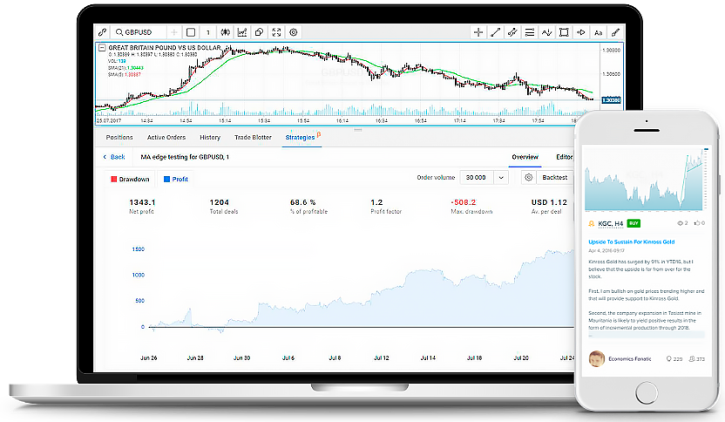
Over 9,400 assets – company shares, currency pairs, cryptocurrencies and other instruments.
An advanced strategy builder and ready-made templates for the most popular trading options.
The R Trader terminal can be downloaded completely free of charge from the RoboForex broker - http://time-forex.com/dilingovye-centry/roboforex-1
Along with the trader terminals listed above, there are several dozen other software options for working on the Forex currency market, but they are rarely used due to their low compatibility with popular scripts and high requirements for the hardware on which they can be installed.
In today's world, choosing a trading terminal is quite simple. The key is determining the purpose for which the software will be used:
- Simple currency trading or CFDs on other assets – choose MetaTrader 4
- If you prefer to work on the stock market, then - MetaTrader 5
- To create new strategies or use templates and advanced technical analysis, use R Trader from RoboForex.

