What can the MetaTrader 4 trading platform do?
For many, the MetaTrader 4 trading platform is nothing more than a source for accessing  price charts and opening or closing positions.
Due to their lack of knowledge, some traders believe that MT4 functionality is severely limited, and the program's capabilities prevent a trader from fully realizing their potential.
However, MetaTrader 4 is considered one of the most popular trading platforms used by traders around the world. Its popularity is not due to a lack of analogues, but rather because it offers a very wide range of tools and capabilities.
So, what can the MetaTrader 4 trading platform do?
Analysis
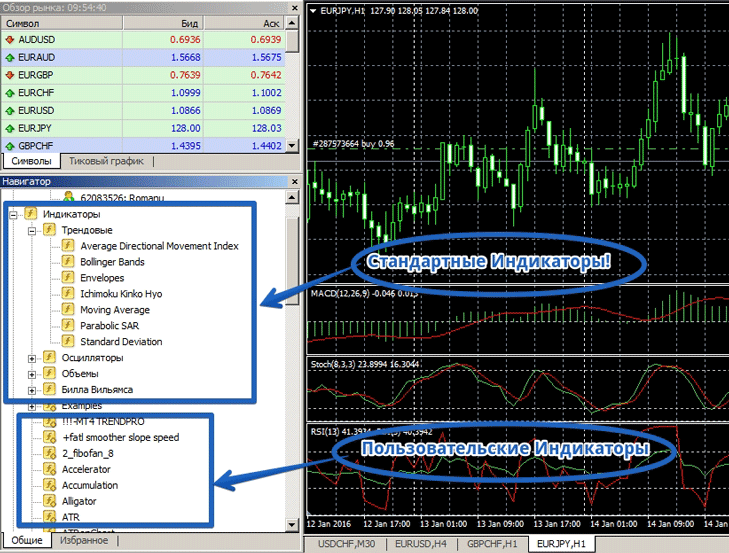
In each subgroup, you can select any indicator you're interested in and apply it to the chart. This wide range of technical indicator tools allows you to create even complex trading strategies without installing any third-party components.
It's worth noting that MT4 has an editor that allows traders to implement their own ideas after learning the programming language. Therefore, there's a huge variety of custom indicators that can be downloaded from our website and installed on the platform.
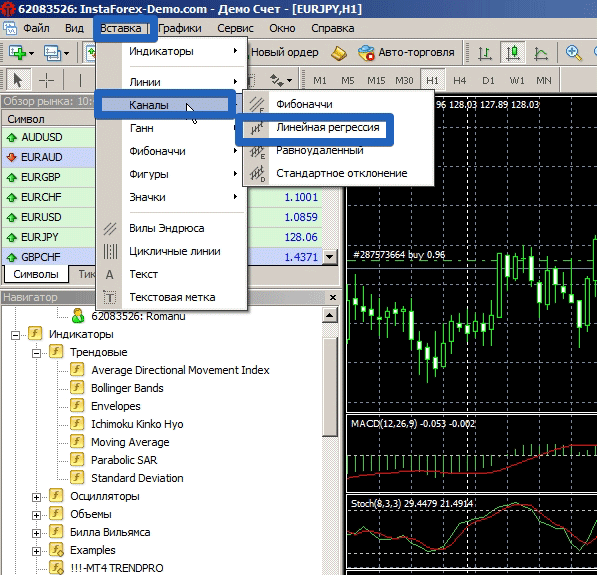
 Graphical analysis in MetaTrader 4, like technical analysis, is implemented at a very high level. You have access to over 20 different graphical analysis tools, not counting various icons and shapes. All tools are divided into groups, namely: Lines, Channels, Gann, Fibonacci, Shapes, and Icons.
Each group contains 3 to 5 different tools that allow for comprehensive graphical analysis. To add any tool you're interested in, go to the "Insert" menu, select the desired group, and conduct your research directly with the tool on the chart.
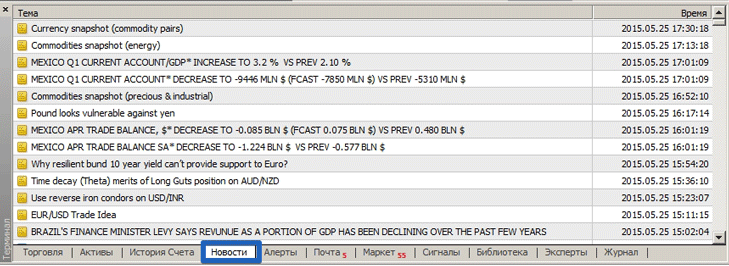
 Many people don't even realize it, but MT4 also features highly advanced fundamental analysis. Each trading terminal includes a live news feed that displays not only clear fundamental indicators but also rumors and political statements.
Overall, the Dow Jones Feed in the MT4 terminal is much more functional and informative than the traditional economic calendar. To view the news, open the "Terminal" panel and switch the tab from "Trading" to "News.".
Process automation
The MT4 trading platform not only provides tools for all three types of analysis but also allows for the automation of many processes, ranging from simple actions to the complete implementation of a trader's trading strategy, which is implemented in a Forex advisor.
Thus, in MT4 you can create a robot that will trade strictly according to your trading strategy without your intervention.
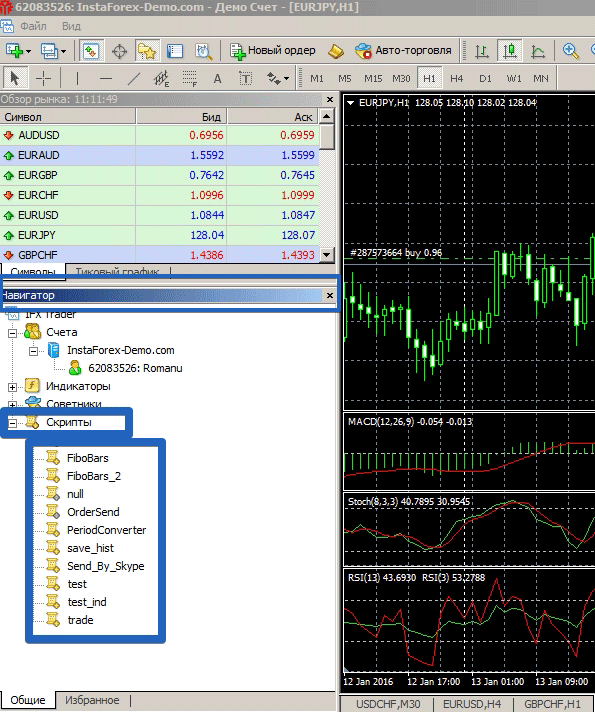
The terminal has two automation options, namely Scripts and Advisors.
Scripts are programs that allow traders to simplify manual trading. For example, if you need to set a grid of pending orders, close only profitable positions, and set profits and trailing stops for all orders, you can do this manually, which can be time-consuming and tedious, or you can use a script that will do it instantly. Scripts are located in the "Navigator" panel under "Scripts."
 Forex advisors are programs that contain trading strategies or important functions to simplify trading. By default, MT4 only has two advisors, which demonstrate the capabilities of these programs.
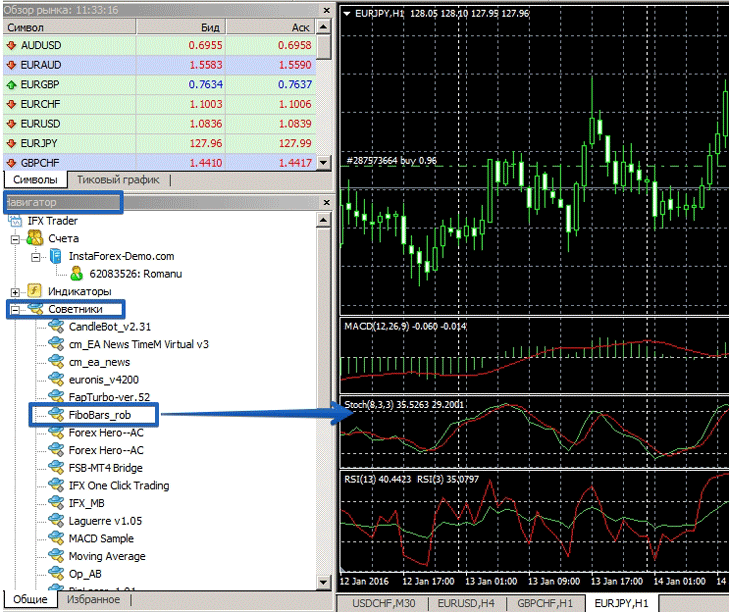
However, you can download and install any custom expert advisor from our website. To add an advisor to your chart, go to the "Navigator" panel and in the "Advisors" folder, click on the robot you want to use, then drag it onto the currency pair chart.
Trade Statistics. Self-Analysis from MT4
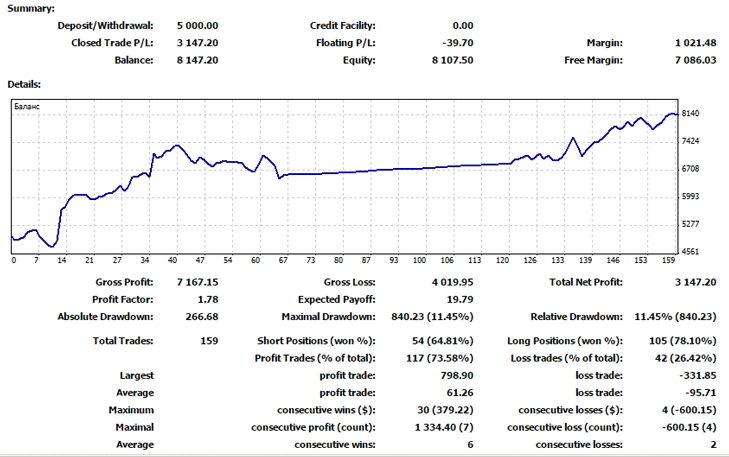
In addition to the obvious functions we use every day, the terminal allows you to analyze your trading strategy. Thanks to the creation of a detailed MT4 report, you can see balance dynamics, drawdowns, profit factor, and the percentage ratio of profitable and unprofitable positions.
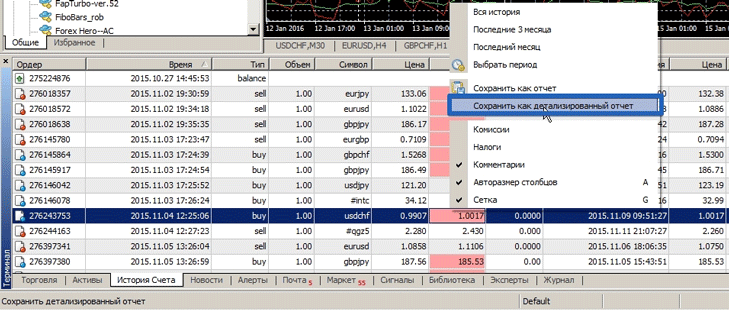
To generate a report, go to the “Account History” tab and right-click to open the menu, where you need to select “Detailed Report”.
 Once you generate the report, it will automatically open in your browser, where you can see all your transactions with dates and times, as well as additional details:
 Overall, this article only covers a few of the MT4 trading platform's capabilities, but once you're familiar with them, you'll understand that MetaTrader 4 is a professional platform that allows you to realize all your ideas and potential.

