Forex Strategy Testing Software - EA Analyzer
Developing a trading strategy requires considering many criteria we rarely consider. For example, when developing a trading strategy, the vast majority of traders focus on the entry point and, at best, the exit.

However, few of us think about the profitability of tactics depending on the trading session, day, and even season.
Few traders pay attention to the duration of a trade, a crucial characteristic mentioned in numerous trading books.
After all, it's quite simple: a successful trade is profitable almost from the very first minute, while orders stuck for days only result in losses.
Naturally, if we ignore all these factors during strategy development, the moment our tactics start to fail and cause losses, we immediately abandon them and look for something new.
However, if we had conducted a more in-depth analysis, we might not have been able to sufficiently address the issue. Forex strategy testing software can help solve this problem.
Installing EA Analyzer
EA Analyzer is a standalone program, so installing it is no different from installing games and other programs on your computer. Note that at the end of this article, you'll find a downloadable archive containing two versions of the program: for 32-bit and 64-bit Windows.
Be sure to install only the version that's installed on your computer, as the program will simply return an error and won't launch. It's also important to understand that EA Analyzer is an English-language program, so you may encounter some difficulties initially. After launching the program, you'll see something like this:
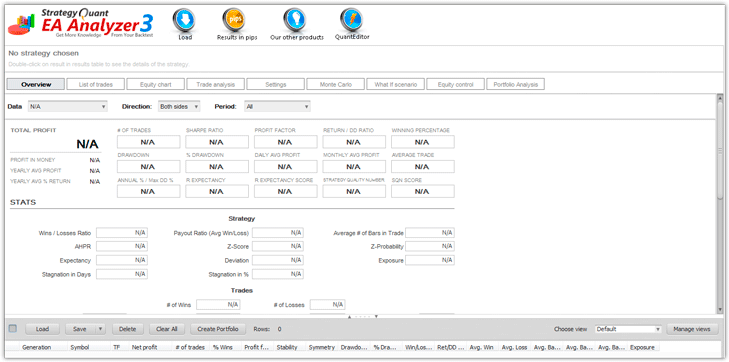
Working with the program. Basic functions.
For the program to begin analyzing your trading strategy, it requires historical trade data. You can download reports in either CSV format or the format provided by MT4. First, generate a report for the desired period in the MT4 trading terminal.
Next, click the "Load" button, which will open an additional window where you'll need to select the path to the MT4 report on your computer.
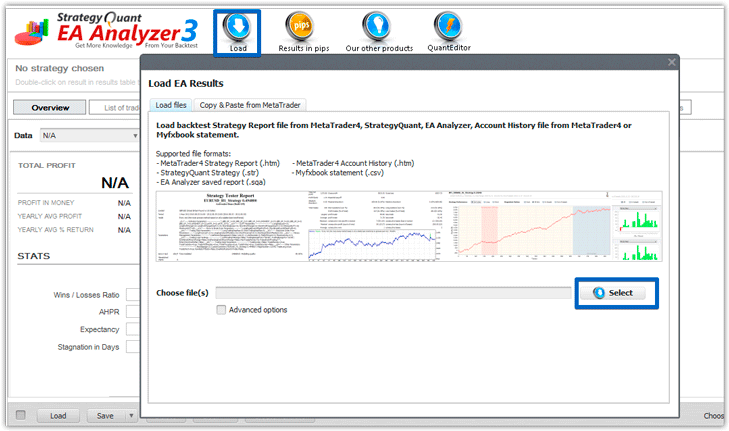
After loading, EA Analyzer will automatically analyze the strategy data. The top bar displays nine different tabs, which you can open to view important information and experiment with the strategy. Let's briefly review the main tabs and their purposes.
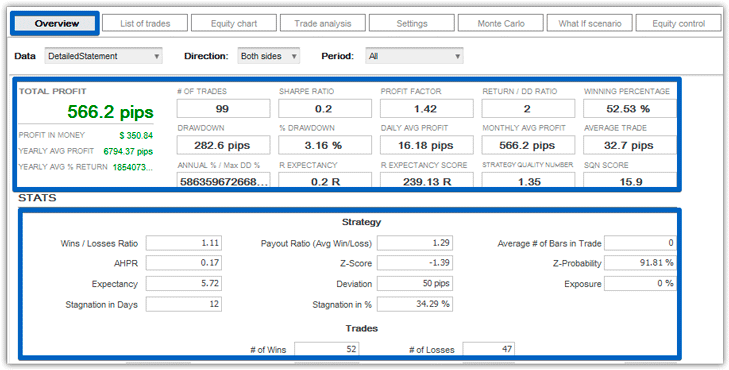
The Overview tab
is the first and most important tab, displaying basic account and strategy information, including various mathematical indicators. For example, you can view total profit, total number of trades, Sharpe ratio, drawdown in pips and percentage, average annual profit and average annual percentage profit, profit factor, average profit to drawdown ratio, and many other ratios and data not included in the standard report.
This tab also provides more specific information about the strategy itself, including the system's expected value, exposure, stagnation in days and percentages, standard deviation from expected value, and more.
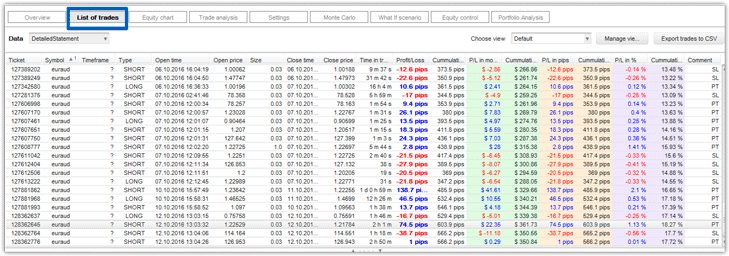
The List of Trades
tab displays a table containing all your completed trades and their results. This tab is only needed for editing trades, for example, if you want to delete or add data for a particular trade. Your future report directly depends on the number of trades in the table.
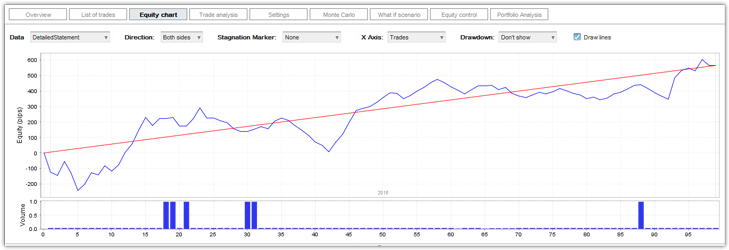
Equity Chart Tab:
This tab displays a graph of your balance and drawdowns. It's worth noting that this tab allows you to visualize your account's profitability by downloading multiple reports to see how a portfolio of strategies or advisors is performing.
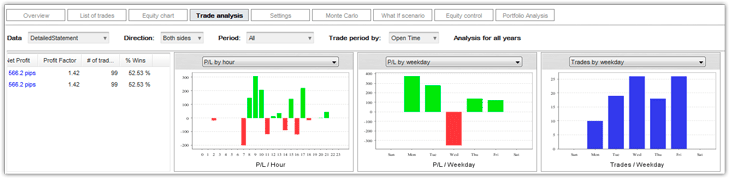
Trade Analysis tab
is especially useful if you want to understand all the intricacies of your strategy and see when it's profitable and when it's losing. In this section, you can view charts of trade duration, strategy performance at specific times and days, and the ratio of buy and sell positions.
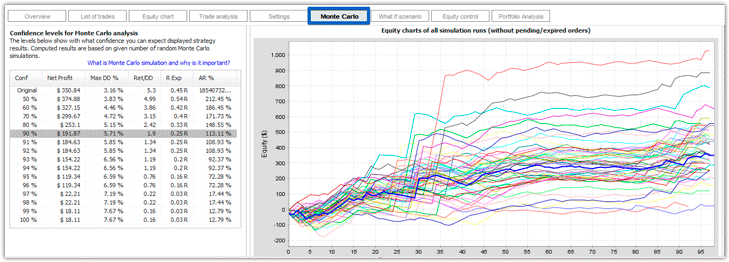
Monte Carlo Tab:
This tab allows you to test the stability of your trading strategy, specifically in the event of a dramatic change in market conditions. A special Monte Carlo calculation algorithm is used for this purpose, revealing the probable drawdown (the range within which the strategy will operate) and the potential profit.
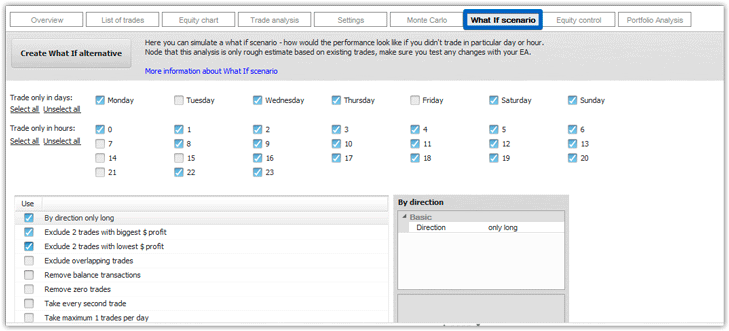
The "What If Scenario" tab:
If you'd like to experiment with your strategy, this tab is perfect for you. Here, you can run alternative scenarios, such as generating a report on trades opened on specific days or hours, viewing data for a limited number of trades, or visually demonstrating how the strategy would perform if you used a strictly static lot size.
In conclusion, I'd like to note that EA Analyzer is a very useful program for a professional trader. Its only drawback is the lack of a Russian language version, but most functions are easily understood in English.
Download EA_Analyzer

