The best software for Forex and stock market trading
A selection of Forex programs that will help make your trading more convenient and profitable. Almost all scripts are free and easily installed on any version of Windows.
Forex programs include advisor and indicator designers, non-standard trading platforms, programs for forex market analysis, and calculators for calculating important indicators.
Economic news and forecast calendar program for Forex
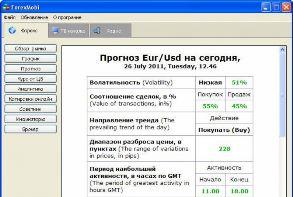 A small program called Forexmobi offers quite a wide range of functionality and is an excellent application for those who want to stay up to date with the latest news in finance and economics.
In addition, it has a lot of additional functions, which we will now review and test.
Forexmobi – allows you to track the Forex news feed, provides forecasts for several currency pairs, and displays the Central Bank exchange rate for the Euro and US Dollar.
Here you will also find prices for bank metals for the current date and see quotes for popular currencies.
It should be noted that the program has some other functions for the trader's work and leisure.
Trading session times, schedule, and informer
An excellent program for working on Forex, it displays trading session times. Now you don't need to check the schedule; you can immediately see which platform is currently trading.

The trading session schedule will always be at your fingertips, allowing you to develop the most effective trading strategy based on the trading instrument you use, making your work more efficient.
The main advantages of this software are that it operates independently of the trader's terminal, requires no installation, and is ready to use immediately.
You can customize your time zone, which means you can select a more accurate time that matches your broker's trading platform.
In addition, no changes are required when switching to winter time; everything will happen automatically.
Testing Forex trading strategies
Before using the developed trading system on a real account, you should first test your trading strategies.
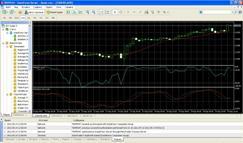
This can be done in two ways: on a demo account in the trader's terminal or using special programs that simulate market operations.
The first option is more reliable, the second is more effective, since in real time you will need more than one month for that.
To identify all existing shortcomings, the strategy tester allows you to solve this problem in just a few days.
Testing trading strategies using a demo account is carried out in Metatrader 4.If you want to test an automated advisor, then in this case everything is quite simple: you should launch and configure the strategy tester built into the terminal.
To do this, click on the View tab and select “Strategy Tester” in the menu that opens. Then, fill in all the necessary parameters.

