Make the wait more enjoyable with Game Fiftee Puzzle
In trading, there are often moments when you have to wait a long time for the price to reach a certain level on Forex.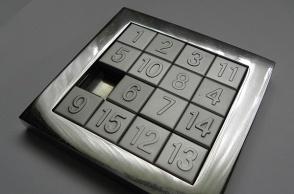
To occupy yourself, some people talk on the phone or listen to music, but you can also play a simple game right in the trader's terminal.
So to speak, you can usefully spend time training your mental and logical abilities, as this is precisely what this game is designed for.
We're all familiar with the offline version of 15 from childhood: you simply need to arrange 15 numbers in a specific order on a square field.
The game's developers have created a script that can easily be used in the MetaTrader 5 trading platform, directly on top of the currency pair chart.
Thanks to this, you can compete with yourself, trying to improve the result you have achieved previously.
Installation is available in two versions directly in the trading terminal via the "Market" tab. Here it is located in the "Snails" tab and the "Games" section.
Or, in the standard way, download the script at the end of the article and add it to the Experts (Market) folder in your MT5 trading platform.
Then we find Game Fifteen Puzzle among the advisors and add it to the currency pair chart. The result is the following image:
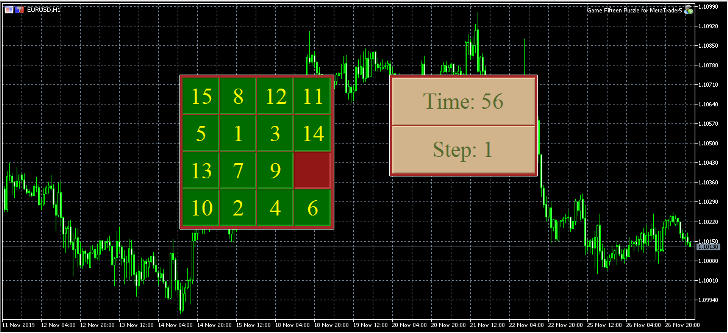 As for the settings, they all concern the visual appearance of the game and some of its features:
Game size: the size of the playing field. The standard size is 4 (four rows and four columns), but you can choose a different size from 3 (minimum) to 7 (maximum). If you choose the maximum option, the "fifteen" will become 49.
Text color: text color. By default, it is clrYellow.
Cell color: tile color. By default, it is clrGreen.
Tray color: box color. By default, it is clrBrown.
Cell size: tile size. By default, it is 60 pixels.
Sound effect: sound effect. Enable/disable the sound.
A new game starts after switching the time frame, that is, if you had H1 during installation, then to restart the game, simply switch to H4 and back.
Download Game Fiftee Puzzle

