A simple script for setting a trailing stop on Forex
There are many ways to make Forex trading more efficient and secure, and one such method is a trailing stop order.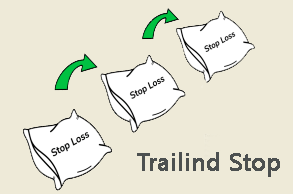 This trading platform feature allows you to maximize profits from an open order while simultaneously protecting against losses.
The only requirements for using this tool are that the open position is profitable and the trading program is running.
We previously described how to set a trailing stop directly within the trading platform.
However, many beginners still have questions about this topic. To simplify the process as much as possible, you can use the script below.
First of all, you should Download the Trailing Stop script itself
Then install it in your MetaTrader 4 terminal folder and restart the program. After that, in the "Expert Advisors" section of the navigator, find TrailingStop and run it:
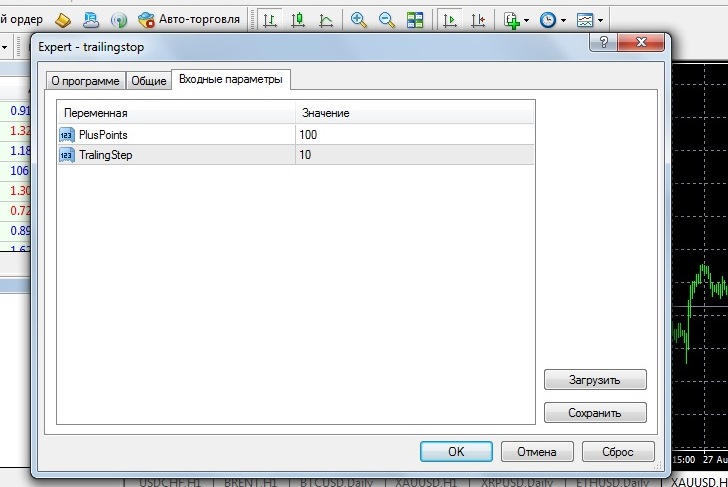
Switch to the "Input Parameters" tab and enter the initial settings:
PlusPoints – the distance in points at which our trailing stop will be triggered. The default is 100 points, meaning the script will trigger as soon as the price moves 100 points from the opening price.
TralingStep – the trailing stop movement step, the condition under which the move will occur. The default value is 10 points, meaning that after triggering, if the price moves favorably, the order will move 10 points in the desired direction.
The values specified are for a five-digit quote, so I would increase the specified parameters slightly, at least several times. This is especially true for the TralingStep parameter.
Before using, we recommend testing the script on a demo account and don't forget to enable AutoTrading in your trading platform.

