What can you see in the Market Overview window?
The MetaTrader trading platform offers tremendous capabilities for trading and technical analysis, but most traders only use a fraction of its available features.
It's just that newcomers to Forex tend to want to trade right away, rather than study the trading platform's instructions.
After all, mastering the order placement technique is sufficient to open trades, while other aspects seem unimportant.
In fact, sometimes just a few mouse clicks are enough to make your work more convenient.
The default settings set by the developers don't always fully utilize their functionality, and this applies to the "Market Watch" window as well.
By default, this window only displays currency pair quotes with the Bid and Ask prices:
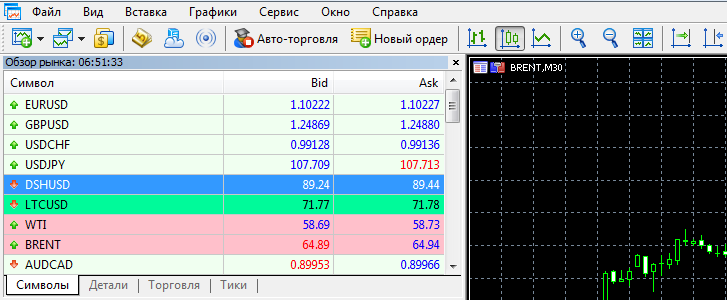
There are, however, several other tabs you can switch between to learn more about the price of a selected currency pair or other asset.
But if you want much more information at your fingertips, simply right-click on the window and select "Columns" from the menu that appears:
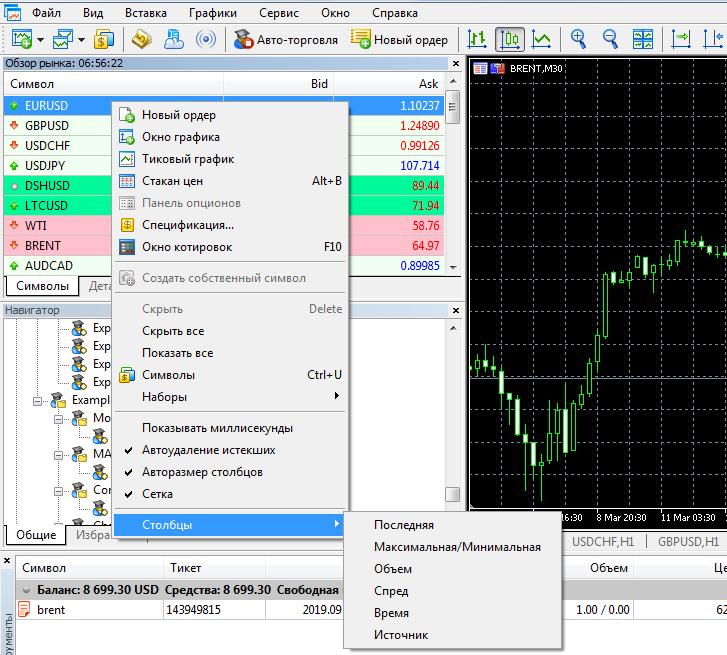
You can now display parameters such as maximum/minimum price, current spread, trade volumes, time, and source in the market window.
After adding additional columns, the window will look like this:
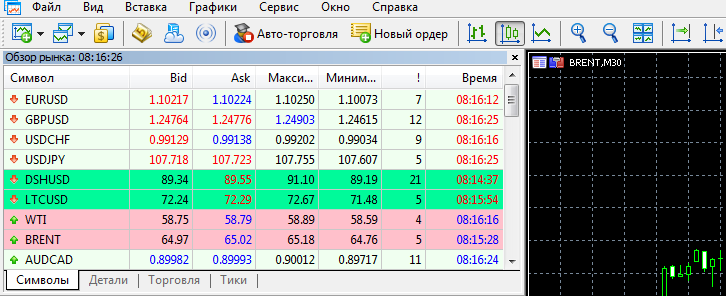
Unfortunately, not all data can be displayed. For example, I didn't see volumes. Perhaps they will work when trading securities or with a different broker.
The most useful available data is the spread size and minimum/maximum price. The spread column allows you to quickly monitor its size, while the minimum and maximum price values determine the current price position.

