Instructions for registering with a broker, using a specific example
Our website has already outlined the general process of registering a client with a brokerage company.
However, at the request of our visitors, we've decided to cover this topic again, using a specific broker as an example.
This means creating simple instructions that will help you complete all the steps in just a couple of minutes and avoid mistakes.
We'll use the well-known Alpari as our example broker to illustrate this process.
This company has been providing services to traders for over 20 years and is one of the largest brokers in the world, so we chose it for clarity.
Account opening steps:
1. Go to the Alpari website - https://alpari.com/ru/registration/ , go to the registration page, and begin filling out the form:
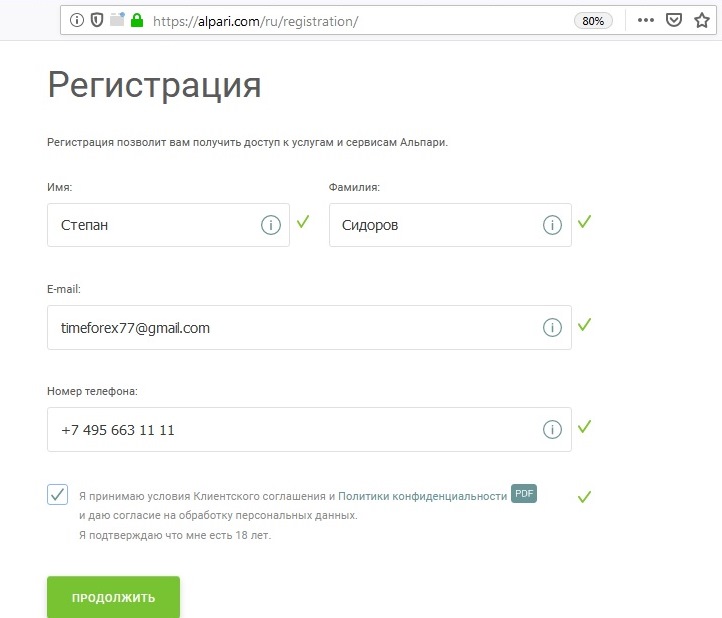 There's not much to tell you here; all fields are required. Provide your actual information and finally check the box next to accepting the customer agreement.
Click "Continue."
2. Location - on the next page, enter your "Country of Residence" and "City" where you are located:
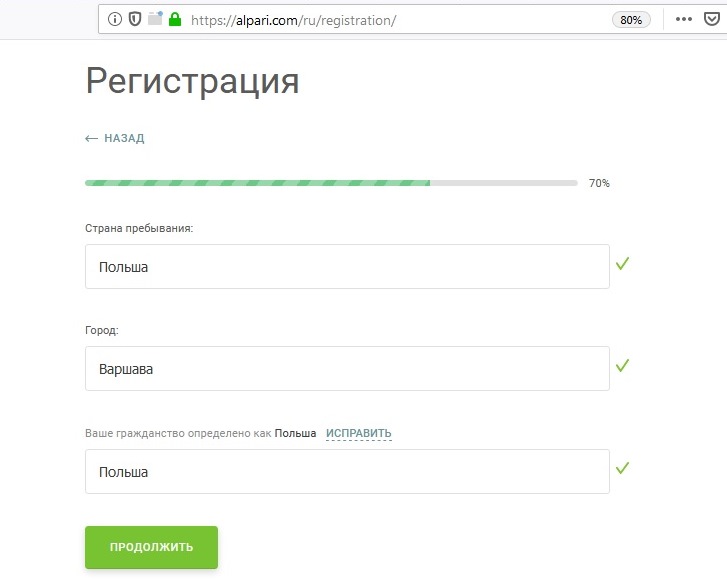 The registration form automatically detects your location and tries to fill it out, sometimes incorrectly. However, you can correct any errors yourself.
Click "Continue" again.
3. Data verification – this step requires you to confirm the accuracy of the information you provided earlier:
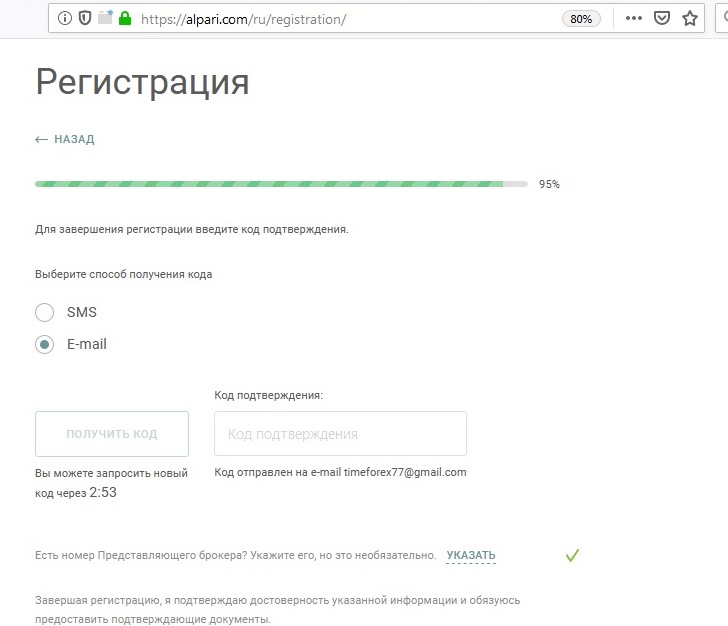 To do this, you will receive a message with a code via email or phone (optional). Enter this code in the "Confirmation Code" field.
You can choose whether to agree to receive company newsletters, or emails informing you of various promotions and bonuses.
Then click "Complete Registration."
4. Set a password – after registration, you will receive a generated password and login via email. Be sure to change your password.
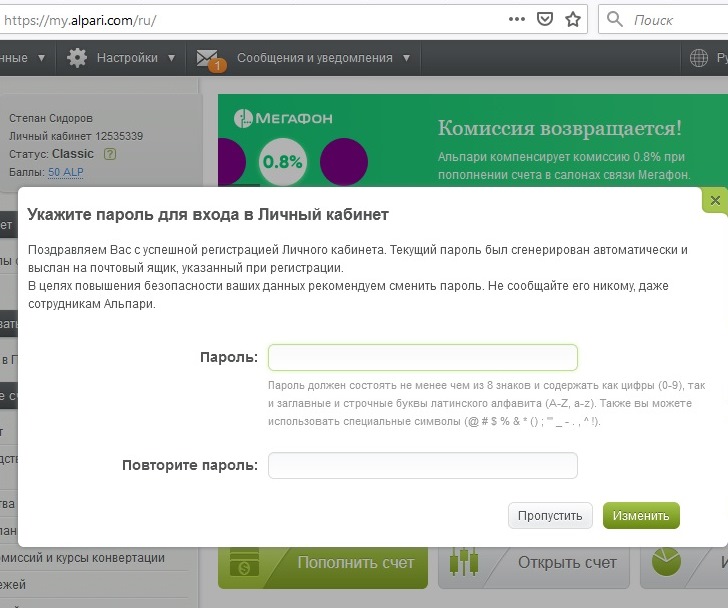 It's best to use a combination of numbers and letters that's easy to remember. The best place to store a password is in your head.
Click "Change."
5. Opening an account – to get started, you need to open a real or demo account:
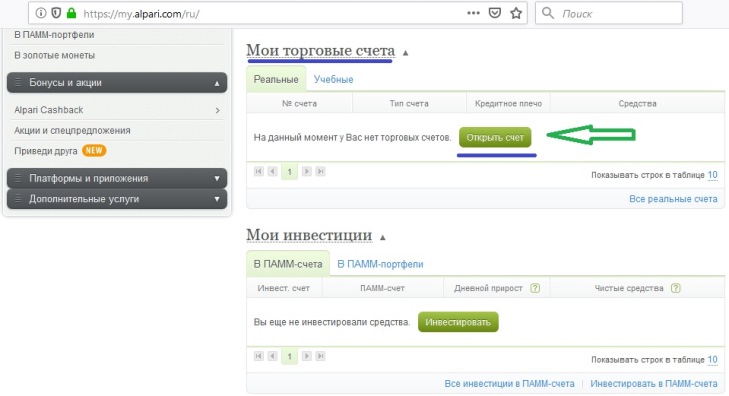 This can be done in the "My Trading Accounts" tab in your trader's account.
You might also be interested in:
- Which Forex account to choose - http://time-forex.com/sovet/vybor-schet-forex
- What to choose for training – a demo or a cent account - http://time-forex.com/vopros/demo-ili-centovyy-schet
- How to top up an account - http://time-forex.com/info/popolnit-schet-foreks choosing the best payment system option.

