BB Trend Flat. Identify flats in seconds
Trading financial assets always involves building positions in the direction of a certain trend.
However, the market isn't as linear as we'd like, characterized by range-bound movements, accumulations, and price movements into what's known as a Forex flat.
For most trend-following strategies, a flat is comparable to a loss, as the price can repeatedly break a trader's protective order, and re-entering the market from virtually the same point forces the trader to constantly reassess their signals.
Once caught in a flat cycle, a strategy can generate a huge number of false signals, and in the best-case scenario, the position will simply languish with fluctuating profits, accumulating negative swaps.
To avoid such situations, it's essential to correctly identify flats, and the BB Trend Flat indicator can help with this.
The indicator is essentially a universal tool, so the choice of currency pair and timeframe depends solely on the trader's objectives for this tool.
Installing the BB Trend Flat indicator
As noted at the beginning of this article, the BB Trend Flat indicator is a custom tool, so to use it, you'll need to download the file and then install it.
At the time of writing, there are two ways to install the BB Trend Flat indicator. The first method is to search for "BB Trend Flat" in your terminal's "Market" tab, then download it. The indicator will automatically appear on your platform.
If this method isn't practical, you can install it the old-fashioned way: download the indicator file at the end of this article and place it in a folder called "indicators."
Accessing the system "indicators" folder is easy. To do this, open the terminal and click "File" in the upper left corner, then select "Open Data Folder." After downloading the indicator file, close all folders in the data folder and restart your platform.
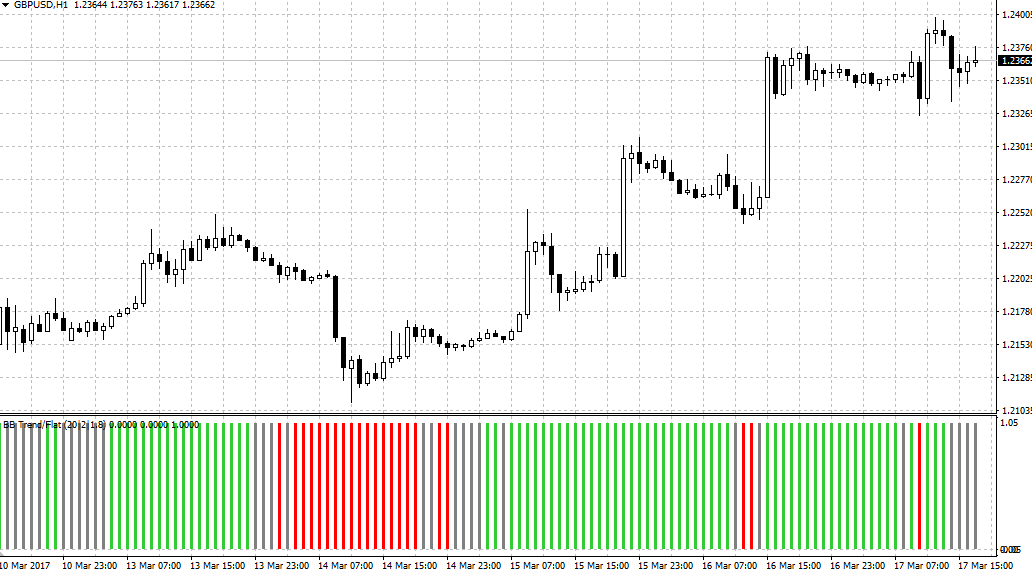
The BB Trend Flat indicator will appear in the list of custom indicators, and to use it, simply drag the instrument onto the currency pair chart.
The BB Trend Flat indicator's design principle. Signals
The BB Trend Flat indicator is based on the long-time favorite standard Bollinger Bands indicator. When the Bollinger Bands narrow to their maximum, the indicator interprets this market condition as flat and draws a gray bar.
The central line of the Bollinger Bands is the main indicator of a flat market: if the price crosses the central line from bottom to top and is above it, the indicator draws a green bar.
If the price crosses the central line from top to bottom and is below it, the indicator draws a red bar. An example of BB Trend Flat working in unison with Bollinger Bands can be seen in the image below:
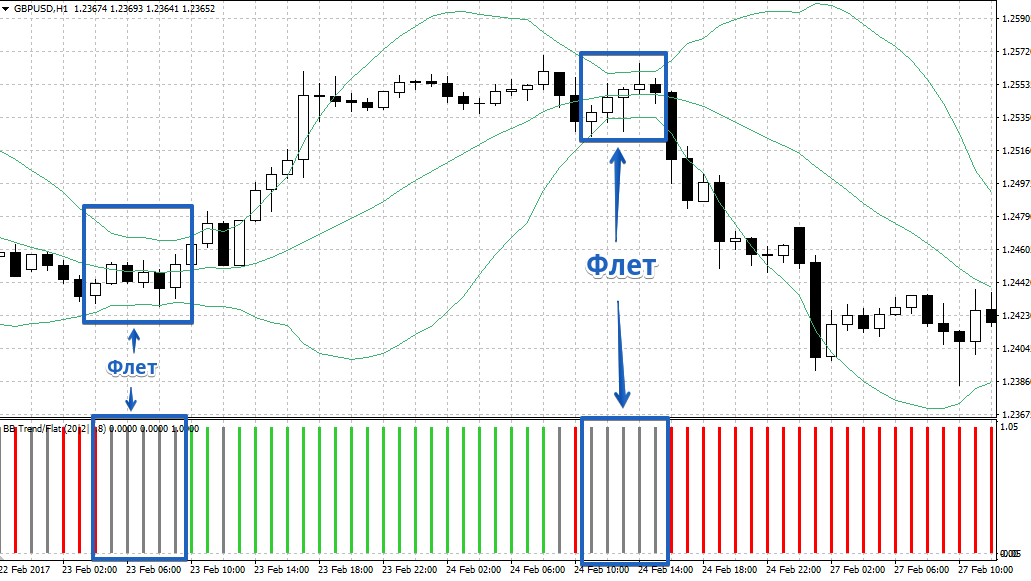
Regarding signals, it's worth noting that the BB Trend Flat indicator primarily serves as a trend filter and is used as an auxiliary tool for filtering out signals that emerged during a flat market.
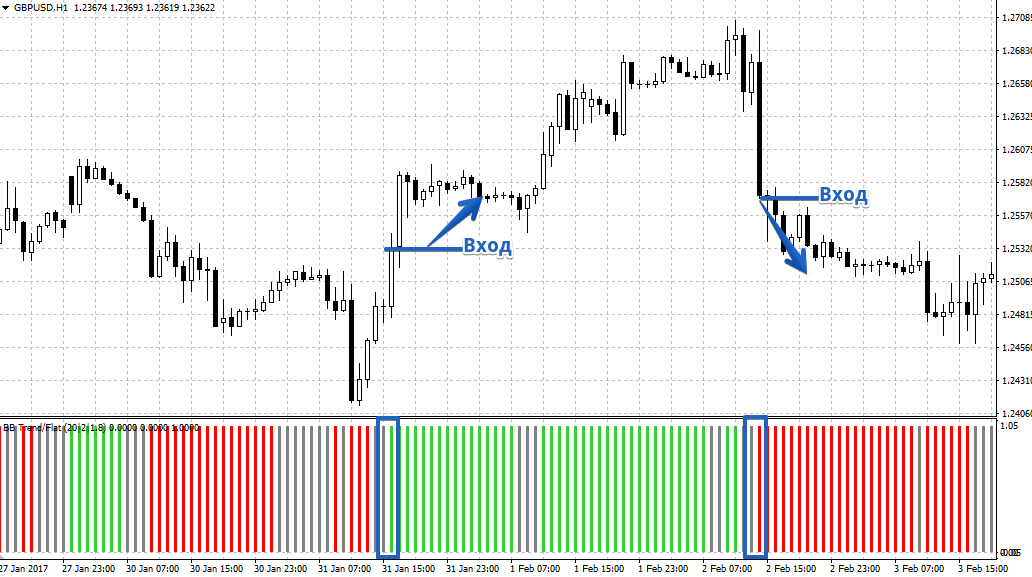
If you consider BB Trend Flat as a signaling tool, you should use it after breaking out of a flat market. Thus, you enter a buy position if the bar color changes from gray to green, and you enter a sell position if the bar color changes from gray to red. Example:
Indicator Settings
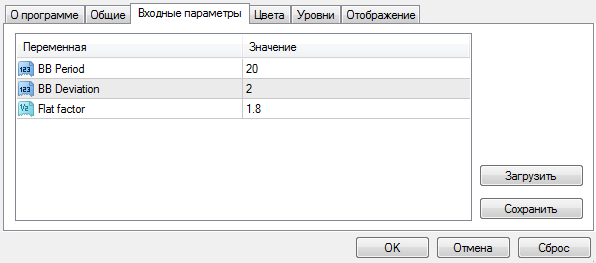
: Looking at the indicator settings, you'll find they're completely identical to those of the standard Bollinger Bands.
In the "BB Period" field, you can specify the Bollinger Bands period, and in the "BB Deviation" field, their divergence.
The only parameter that differs from the standard indicator is the Flat Factor, which is responsible for determining flat market movements.
In conclusion, it's worth noting that the BB Trend Flat indicator fully fulfills its intended purpose. This is why BB Trend Flat can be an excellent addition to any trend-following strategy.
Download the BB Trend Flat indicator.

