Breakout Panca Indicator: Trading the Morning Flat
Every currency pair has its own time zones of activity. This is due to the simple presence of trading Forex sessions, which arose because traders from different countries trade at completely different times of the day.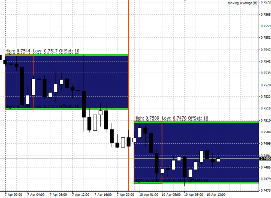
This characteristic creates certain patterns in the market. For example, the market always remains in a very tight trading range during the Asian trading session, which typically occurs overnight and early in the morning.
This is caused by the fact that Europeans and Americans are simply sleeping at this time of day, while Eastern countries are conducting their trades.
The established range of the Asian trading session serves as a kind of reference point for many traders, and a breakout of one of the range boundaries is an indicator that shows which direction the market will move throughout the day.
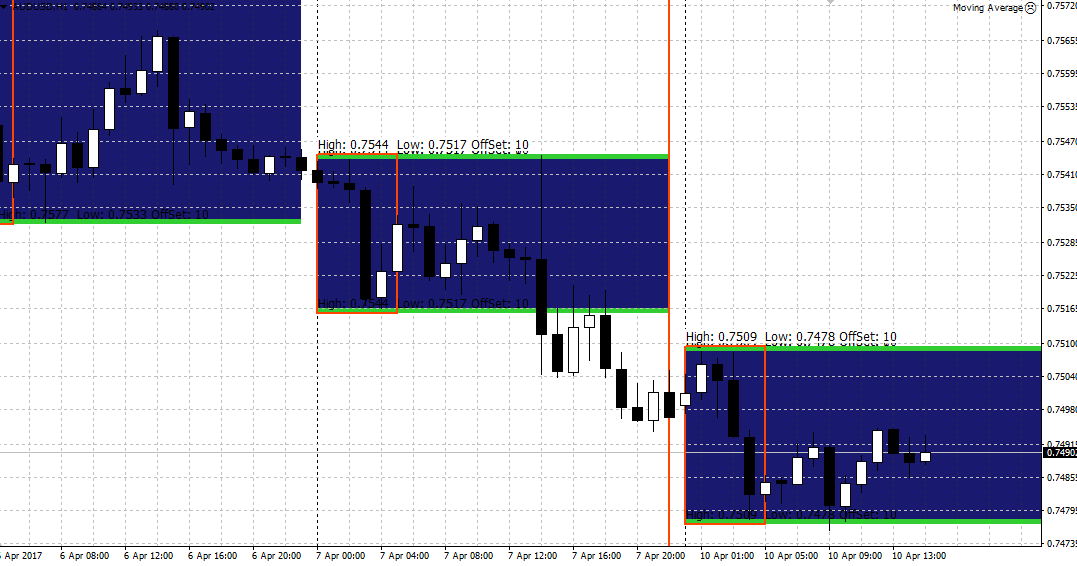
The Breakout Panca indicator is a technical analysis tool whose main purpose is to visually outline the morning range for the trader flatA.
It's worth noting that Breakout Panca is an excellent tool for building breakout trading strategies in the "Box" style and can be used on any currency pair and any time frame.
Installing the Breakout Panca indicator
Breakout Panca is a custom indicator for the MT4 trading platform, so to use it, you need to download the tool file at the end of the article and then install it on the trading platform.The Breakout Panca indicator installation procedure follows the standard procedure, namely, you need to copy the downloaded indicator file to the appropriate folder in the data directory.
To open the catalog, launch your trading terminal and open the "File" menu in the upper left corner.
A list of options should appear. Find and run "Open Data Folder." Once the folder opens, a list of system folders will appear on the screen. Find the folder named "Indicators" and drop the downloaded Breakout Panca file into it.
In order for the terminal to see the installed indicator, it must either be restarted or updated in the Navigator panel.
After restarting, Breakout Panca will appear in the list of custom indicators, and to start using it, simply drag the instrument name onto the chart.
Usage
Breakout Panca is a classic breakout indicator. The boundaries of the box containing the morning flat range act as support or resistance levels.
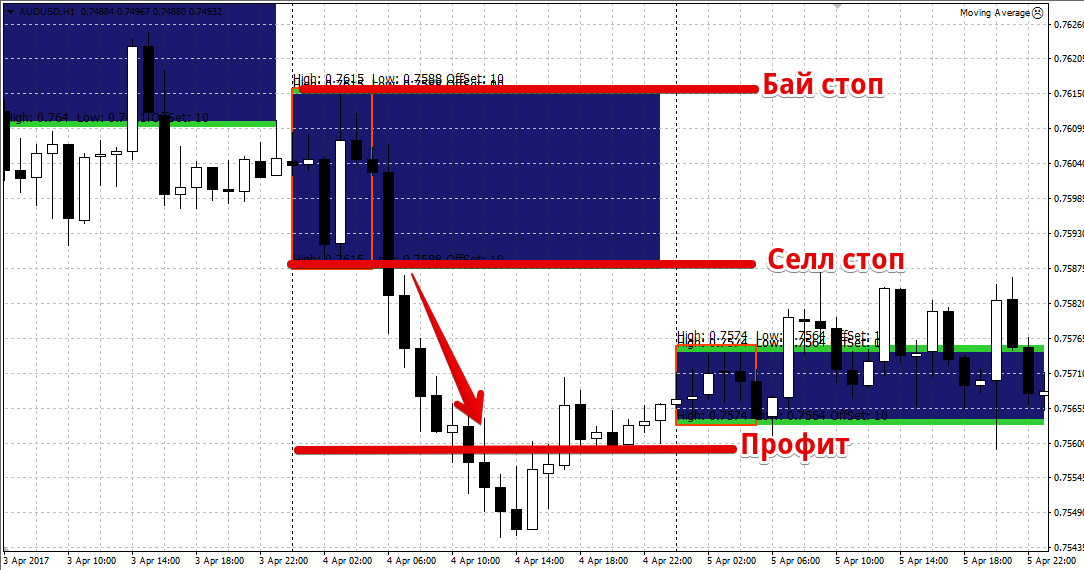
The principle of using the indicator is to open a position when the formed box is broken. To avoid missing the signal, pending orders should be used.
So, a pending buy stop order is placed at the upper border of the box, and a pending buy stop order is placed at the lower border pending sell stop order.
A stop order should generally be placed at the opposite end of the range, and it's crucial to set a profit target that's no less than the distance from the lower to the upper bound of the range in points. Example:
If you are directly at your desk, you can choose not to place pending orders and instead enter the market manually.
Breakout Panca indicator settings
Thanks to the indicator's settings, you can easily build a box for any trading session and timeframe you need.
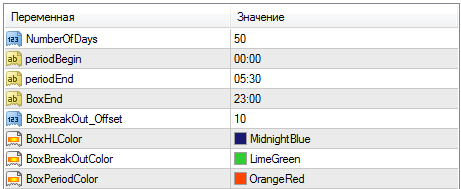
So, in the NumberOfDays line, you can specify the historical period on which you would like to see the box drawn by the indicator.
This parameter is especially useful for traders who want to test the indicator on history.
In the periodBegin line, you can specify at what time the indicator will begin to build its box, and in the periodEnd line, you can set the end time for building the box.
If you do not want the box to expand for the entire trading day, specify the end time of the box formation in the BoxEnd line.
In conclusion, it is worth noting that the Breakout Panca indicator is an excellent basis for constructing your own breakout strategies.
Remember, no indicator can provide consistent profits on its own, so it is best to combine it with other tools technical analysis.
Download the Breakout Panca indicator.

