The GentorCCI indicator. A multi-tasking forex indicator
Standard indicators are a great source of ideas for many traders and programmers who are trying to create technical analysis something newer, unique and inimitable.
However, it's not always necessary to completely alter standard indicators to create something unique. Sometimes, it's enough to take a creative approach to their use, and most importantly, their combination.
One of these extremely common approaches to creating custom indicators is combining oscillators of different periods in a single window, which produces a completely new type of signal when they cross.
In this article, you will learn about one such indicator, the basis for which was a non-standard approach to using a standard indicator.
The GentorCCI indicator, like all oscillators, is a universal and multi-purpose technical analysis tool, so you can use it on absolutely any pair and time frame. Furthermore, the indicator can serve as both a signal and a filter for your trading strategy.
Installing the GentorCCI indicator
Despite the fact that GentorCCI is a simple combination of two standard CCI in one window with some modernization, it is considered a custom indicator.
That's why, if you want to use this tool in practice, you'll need to download the indicator file at the end of the article and then install it directly into the MT4 trading terminal.
The installation process for the GentorCCI indicator follows the standard procedure and is no different from installing any other custom indicator. You will need to copy the downloaded indicator file to the appropriate folder in the terminal's data directory.
To access the data directory, launch your trading terminal and go to the File menu in the upper left corner. In the list of options that appears, find and select "Open Data Directory.".
After launching the data directory, a list of the platform's system folders will be displayed on your monitor screen. Among these, find a folder called Indicators and drop the previously downloaded GentorCCI indicator file into it.
In order for the trading terminal to be able to see the installed indicator file, it should be updated in the navigator panel, or simply restarted.
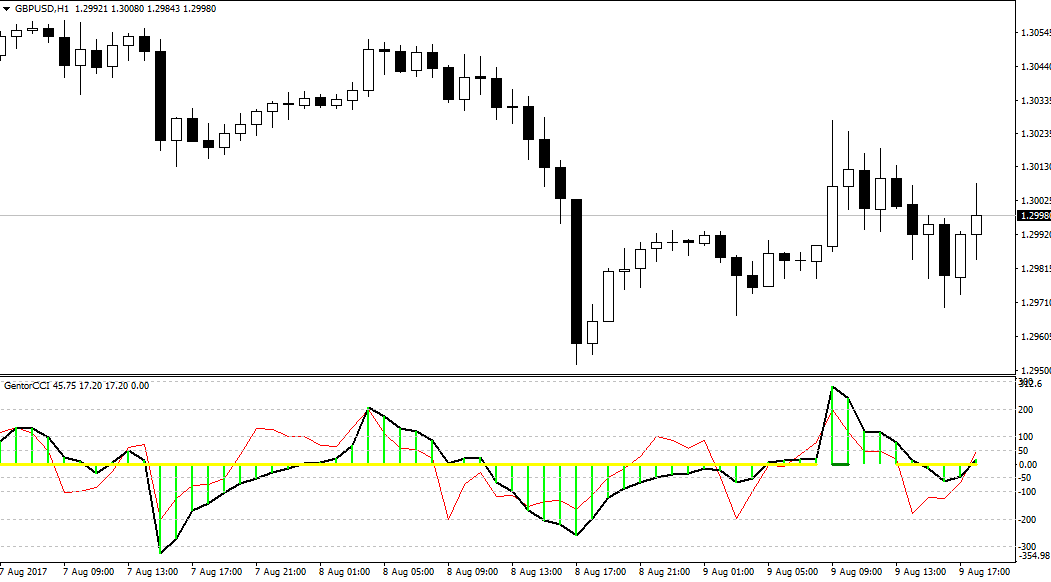
After restarting the trading platform, GentorCCI will appear in the list of custom indicators. To start using it, simply drag the instrument name onto the selected currency pair chart.
The principle of using the indicator. Signals
The GentorCCI indicator can be used as a filter for your main Forex strategies, and as a signal indicator.
If we talk about the filter function, then level 0 serves as a kind of trend equator, namely, if the lines are above it, the trend is bullish and positions can only be opened for purchase, and if the indicator lines are below it, the trend is bearish, and positions can only be opened for sale.
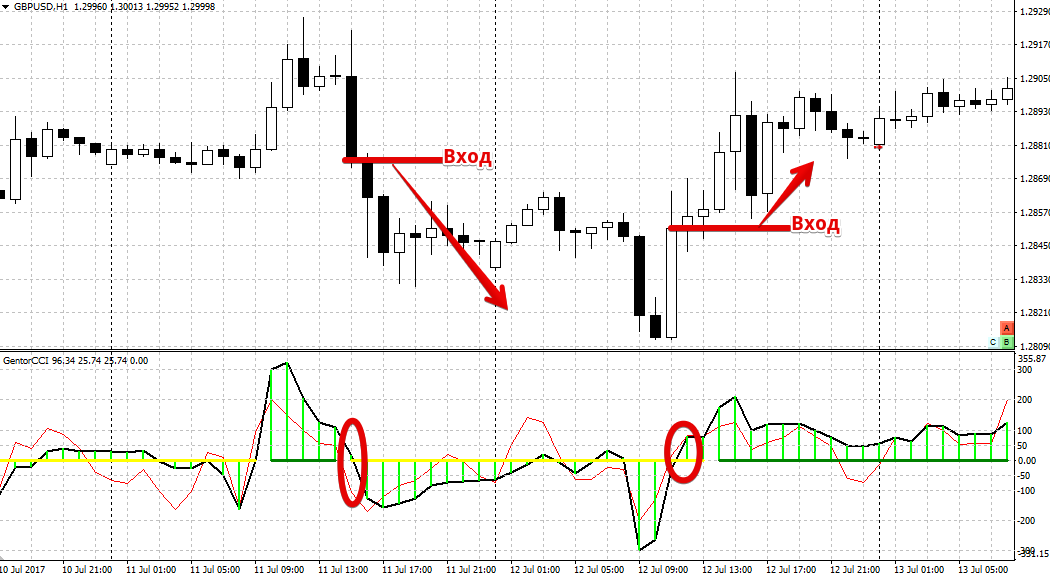
Regarding the signal function of the GentorCCI indicator, it generates three different types of signals. The first signal, which is also often used in trend-following strategies, occurs when a trend reversal is detected, namely when the histogram crosses the zero line.
So, if the histogram crosses level 0 from bottom to top, we open a buy position, and if the histogram crosses level 0 from top to bottom, we open a sell position.
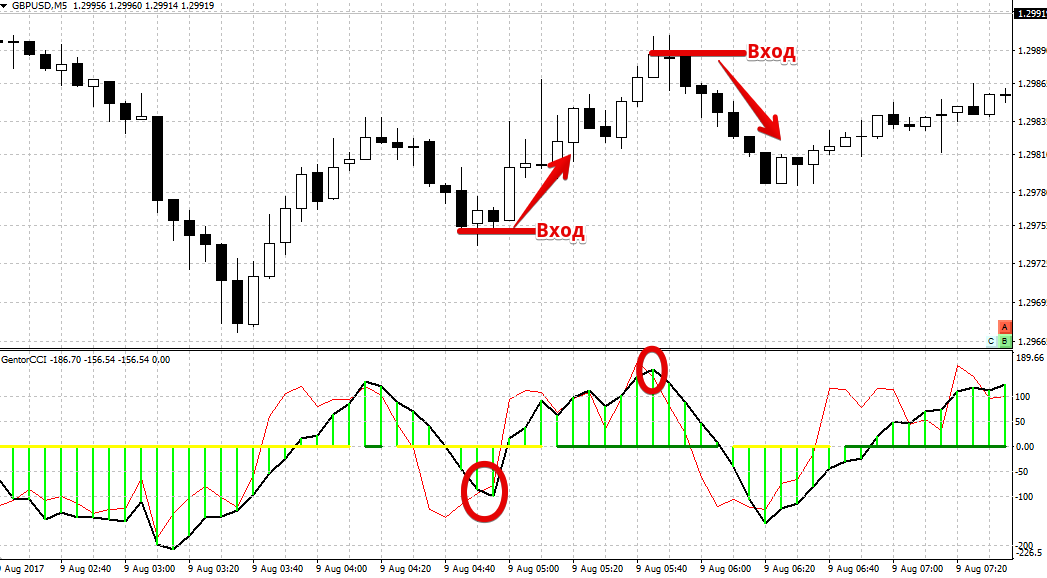
The second type of signal, most often used in scalpinge and occurs when the slow CCI line crosses the fast CCI line.
If the indicator's red line crosses the black line from the bottom up, open a buy position. If the indicator's red line crosses the black line from the top down, open a sell position. Example:
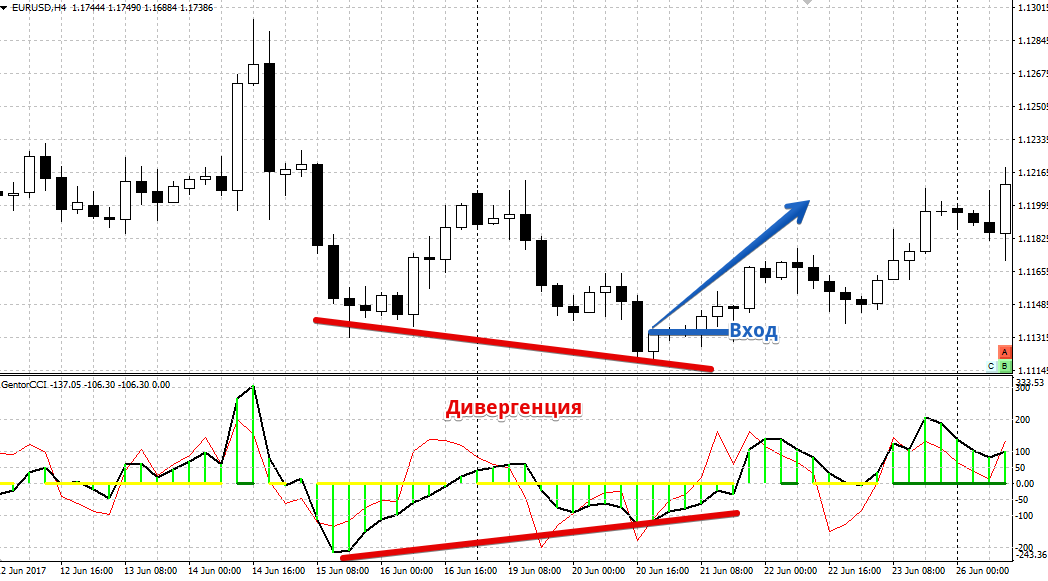
The third type of signal is a divergence between the histogram bars and the price. This type of signal is considered the strongest, as it early indicates a possible price reversal.
So, if the indicator histogram has updated its maximum, and the price is actually lower than the previous maximum, we open a sell position.
If the histogram bar has reached a new low, but the price is actually higher than the previous low, open a buy position. See an example of divergence below:
In the indicator settings, you can set the period of the fast and slow lines of the CCI indicator, as well as enter the number of history bars on which the indicator itself will be displayed.
In conclusion, it is worth noting that the GentorCCI indicator is an excellent source of market signals, but in order to exclude false ones, it should be used with trend indicator in a pair.

