GeoInfo5, an asset information indicator for MT5
One of the most common types of indicators for a trader's trading platform are information scripts.
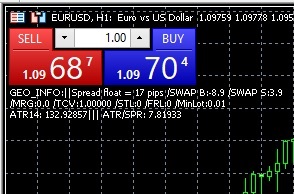
Thanks to them, you can quickly obtain information on a selected asset, or obtain any other information that helps in trading.
I've already provided examples of similar indicators several times, and today I came across a rather interesting tool whose main advantage is its extensive information content.
The GeoInfo5 script, after adding the selected asset to the chart, displays the following information: the current spread and swap size, the margin size, the tick size, stop order levels, the minimum lot size, and the ATR/SPR ratio.
After you install the indicator on the chart, the following information will appear in the upper left corner:
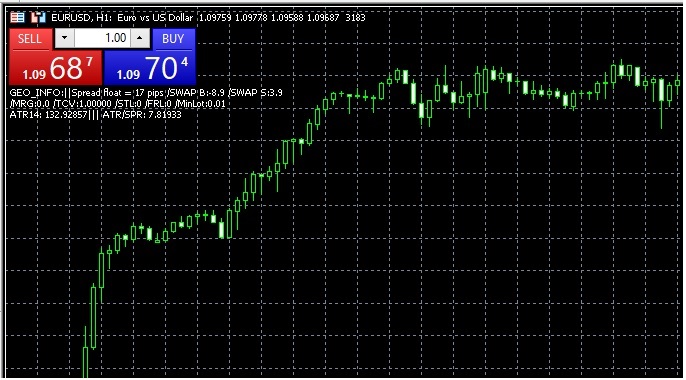
The example for the EUR/USD pair shows the following parameters:
- The spread size is currently 17 points
- Swap for rolling over positions for a buy transaction is -8.9, and for a sell transaction +3.9
- The minimum lot for a currency pair is 0.01
- The price volatility indicator - ATR14 is 132
- The ATR/SPR price change rate is 7.81, the higher the rate, the more the price changes
As for the settings of the presented tool, there are not so many of them:
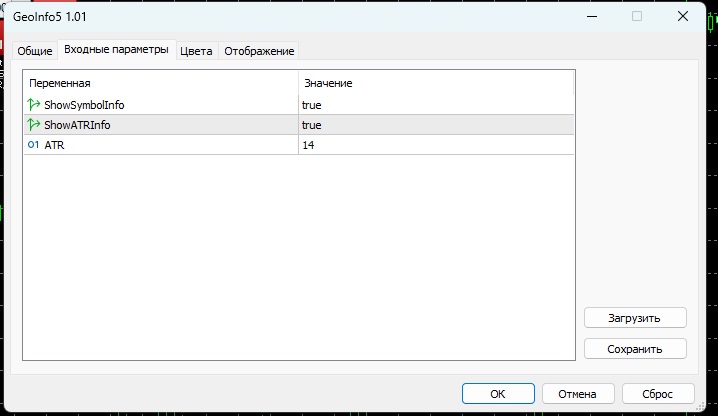
GeoInfo5 indicator settings affect only three parameters:
- ShowSymbolInfo = true - true or false – enable or disable display of information on the chart
- ShowATRInfo = true;
- ATR = 14 – that is, volatility is calculated on a 14-day basis
Overall, this rather simple yet interesting tool allows you to not only control the spreadbut also obtain market information for the selected asset. Furthermore, you can quickly find out the expiration date for the selected futures contract and take it into account when opening a new trade.

