Trend Catcher trend reversal indicator
As you probably already know, the most popular trading strategy on the stock exchange is the trend trading strategy.
 And it is best to open new trades when the trend changes and a new trend is formed, only in this case you will get the maximum profit before the next reversal.
You can find the right moment using a trend change indicator; one such script is Trend Catcher with Alert MT5.
The trend reversal indicator allows you to quickly identify favorable market entry points or receive signals to close existing trades.
Setting up, installing and using the trend change indicator
To install the indicator on your MT5 trading platform, simply download Trend Catcher with Alert MT5 at the end of this article and add the MQL5\Indicators\Market folder or install it automatically directly from the MT5 Market - https://www.mql5.com/ru/market/product/103004
After this, we add the script to the chart of the selected asset – currency pair, cryptocurrency, stocks, etc.
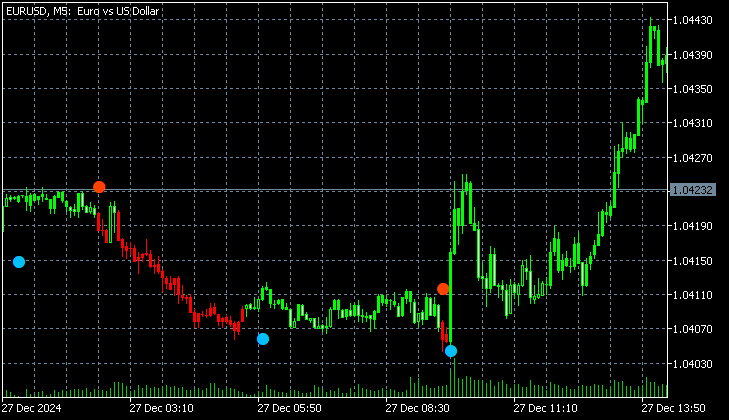
The indicator signals will be displayed on the chart as multi-colored dots:
- Blue ones for purchase
- Red ones for sale
By default, signals for opening and closing positions are the same color, so it's recommended to change the colors in the indicator settings to avoid confusion. You can also enter your email address; in this case, notifications from the trend change indicator will be sent via email.
If we talk about additional parameters:
- Cost: Free
- Currencies and pairs: EURUSD, AUDUSD, XAUUSD
- Timeframe: H1.
- Account type: ECN account or other with low spread
If we take an objective look at Trend Catcher, we can say that it is a rather useful tool that in most cases gives the right signals.

