Identifying Elliott Waves with ELWAVE
A market pattern that almost all traders notice over time is that price movements create a wave-like structure.
Almost every strong movement is followed by a pullback, and after every pullback of the trend and market wave, another renewal of highs and lows begins.
Naturally, this obvious pattern of price movement in any financial market simply could not remain unexplored.
The pioneer who was able to structure all the observations turned out to be the famous financier Ralph Nelson Elliott, thanks to whom the world was able to learn about the wave theory and the practice of its application.
It's worth noting that the theoretical part of wave theory is very easy to understand even for beginners, since in books, waves are depicted as ideal curved lines.
But it's worth noting that progress doesn't stand still, and today, thanks to special programs, even a person completely unfamiliar with Elliott Wave Theory.
The ELWAVE program is a specialized trader assistant application that allows traders to receive automatic Elliott Wave markings, as well as clear trading recommendations based on them.
The ELWAVE program has been in development since early 1996 and its progress continues to this day, making it the most powerful application in the field of wave theory forecasting.
ELWAVE can utilize multiple sources to obtain initial data, making the application an indispensable assistant for both forex traders and those trading futures, stocks, and other assets on the stock exchange.
Installing the ELWAVE program
Unfortunately, ELWAVE is a paid foreign product, so to use the program's full functionality, you'll need to purchase a license or find a freely available cracked version.
We're not pirates, so to experience the program's functionality and decide for yourself whether it's useful, we recommend downloading the trial version from the developer's website with a thirty-day license.
ELWAVE is a standalone program, so after downloading the trial version, you only need to run the setup file to install the app. The installation procedure is identical to installing any other program or game.
After running the installation file, select English, select the installation location on your computer, and agree to the license agreement. After a minute, the program will install, and its icon will appear on your desktop.
After the first launch, the program will look like this: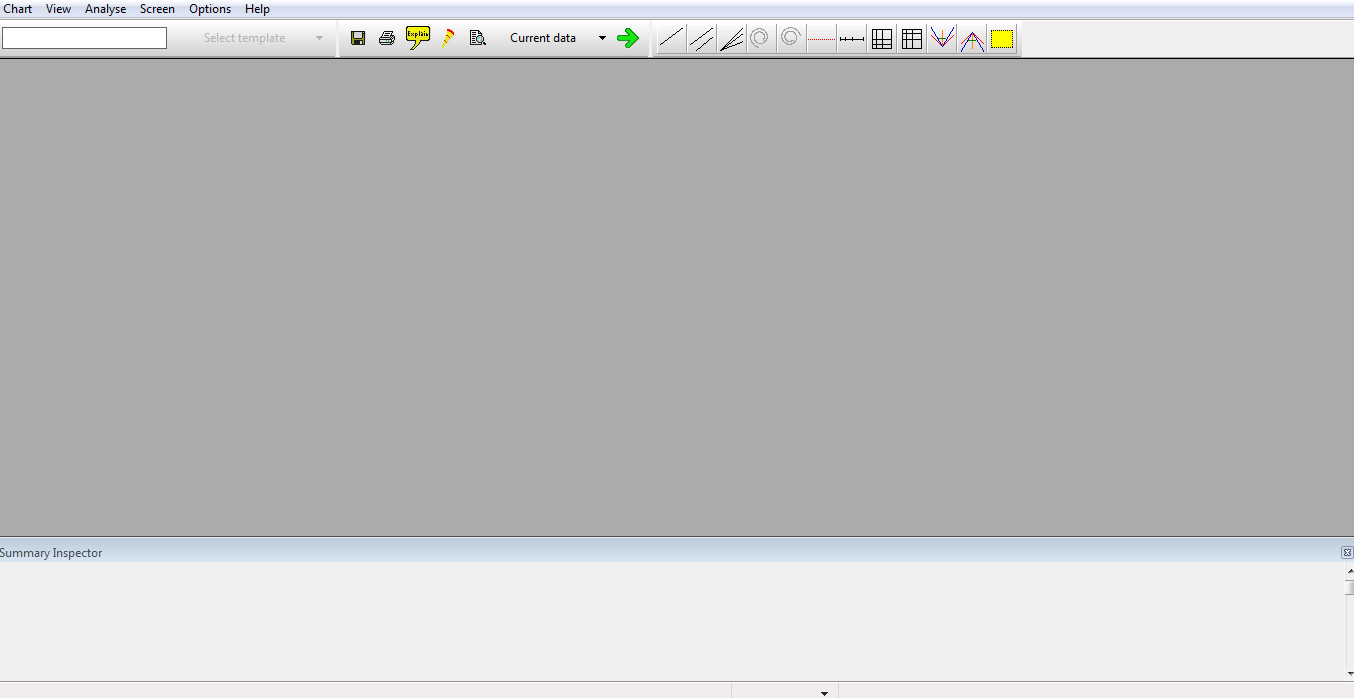
Working with the program. Functionality
After launching the program for the first time, the first thing we need to do is load a chart. To do this, open the "Chart" menu item and select "New Chart" from the list of options. A window will appear with the "Provider" line, where you can specify the source of the quotes.
The program supports over 20 quote providers, including MT4 and even news aggregators like Yahoo and Google. Next, select the desired asset from the list and click "Open.".
Also in this window you can specify the time frame and the time period of history on which you want to conduct the analysis.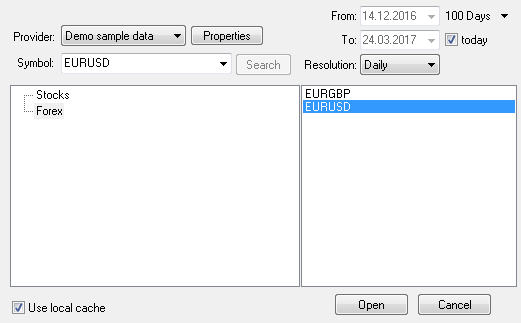
In order for the program to create an analysis and apply Elliott wave markings automatically, you need to click on the green arrow in the toolbar.
It's worth noting that the program does both global marking, highlighting waves in green, and micro marking.
After the analysis, all waves will appear directly on the chart, and underneath it you will be able to see a table indicating the trend direction, how far the last wave has been completed and its number, two profit targets, and a stop-loss exit point.
ELWAVE also assesses the risk of entering the market based on a specific signal, allowing traders to choose the degree of risk they are willing to accept when choosing a forecast. Example: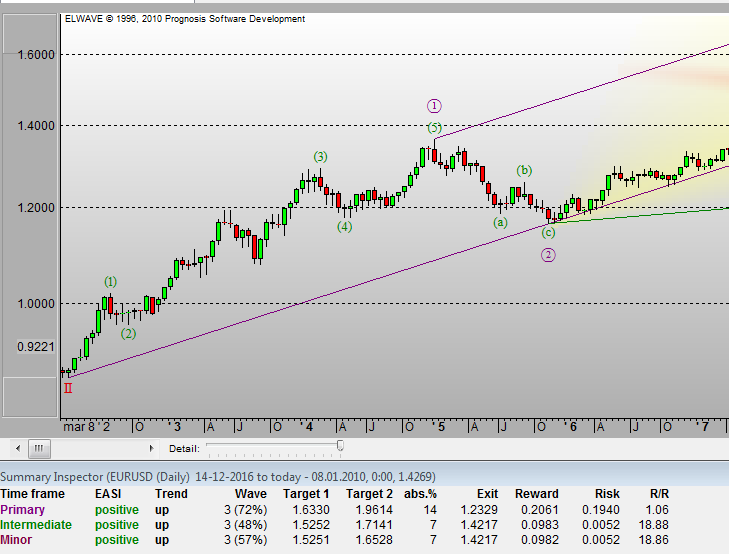
To make the forecast easier to understand, the developers have created a report function for the completed analysis. To view it, click the yellow callout on the icon panel.
A window will appear in front of you, in which you can choose two options for interpreting the report, namely Trader and English.
The Trader window will display clear targets in mathematical form. In the English window, the program will generate a verbal report and describe the full algorithm of your actions. Example: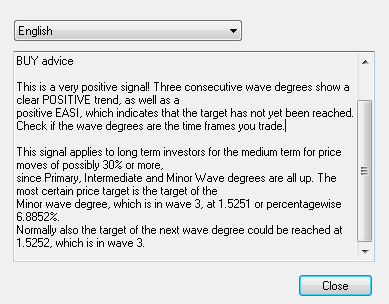
In addition to the analysis of the Elliott Wave Theory, the program contains a number of other auxiliary technical analysis tools.
Thus, you can apply popular standard and non-standard indicators, Fibonacci tools, Gann tools, trend lines, vertical horizontal lines and footnotes to the chart.
In conclusion, it is worth noting that ELWAVE is a full-fledged program for technical analysis, and identifying Elliott waves with it makes the trading process a pleasure.
One minor drawback is the lack of Russian language support.
Download the ELWAVE program.

