Metatrader Indicator Generator
When creating their own trading strategy, any trader faces enormous difficulties in selecting such important elements as indicators.
To date, progress in the field technical analysis has advanced so much that the number of indicators is measured in hundreds, if not thousands.
Naturally, it's quite easy to get lost in such a huge selection, because in practice, no one except the authors themselves knows for what purposes these tools were created, what formula they are based on, and what the initial data for their construction is.
Of course, if you understand programming, you can easily determine what is behind a particular arrow on a chart, but if you do not have such knowledge, you need to be prepared for the fact that the arrow can disappear at any moment.
That's why it's often easier to create your own trading indicator, and a special Metatrader indicator generator can help you with this.
The Metatrader indicator generator is a specialized program that allows you to generate technical indicators based on digital filtering using two different methods.
The generated indicators are very easy to interpret, as they usually give a signal when the central line is broken.
Installing the Digital Method Generator program
The indicator generator is a program independent of any trading terminal that allows you to generate and save indicators directly to your trading platforms or anywhere else on your computer.
To use the Digital Methods Generator program, you need to download the installation file from the website page and then run it.
After running the installation file, the program will prompt you to select a language, namely Russian or English.
After selecting the language, you will see a user agreement, which you must agree to and continue the installation.
After you have agreed to the user agreement, a window will appear in which you must specify the location where the Digital Method Generator will be installed.
The next step during installation will require you to specify the system folders for your platforms. This is necessary so that the indicator is automatically saved to the terminal you selected. If you completed the installation correctly, you'll see the following program:
Working with the Metatrader indicator generator. Creating your first indicator
To create your first indicator, you'll first need to select a filter type. The program allows you to generate an indicator based on a low-pass filter (FATL/SATL, RFTL/RSTL, KGLP), a high-pass filter (KGHP), a bandpass filter, and a notch filter.
It is worth noting that the FATL filter allows you to create an indicator based on the suppression of high-frequency noise and cycles with a short oscillation period, while SATL is for a longer range.
While the first type of filter creates a more dynamic indicator, the second covers more global price areas.
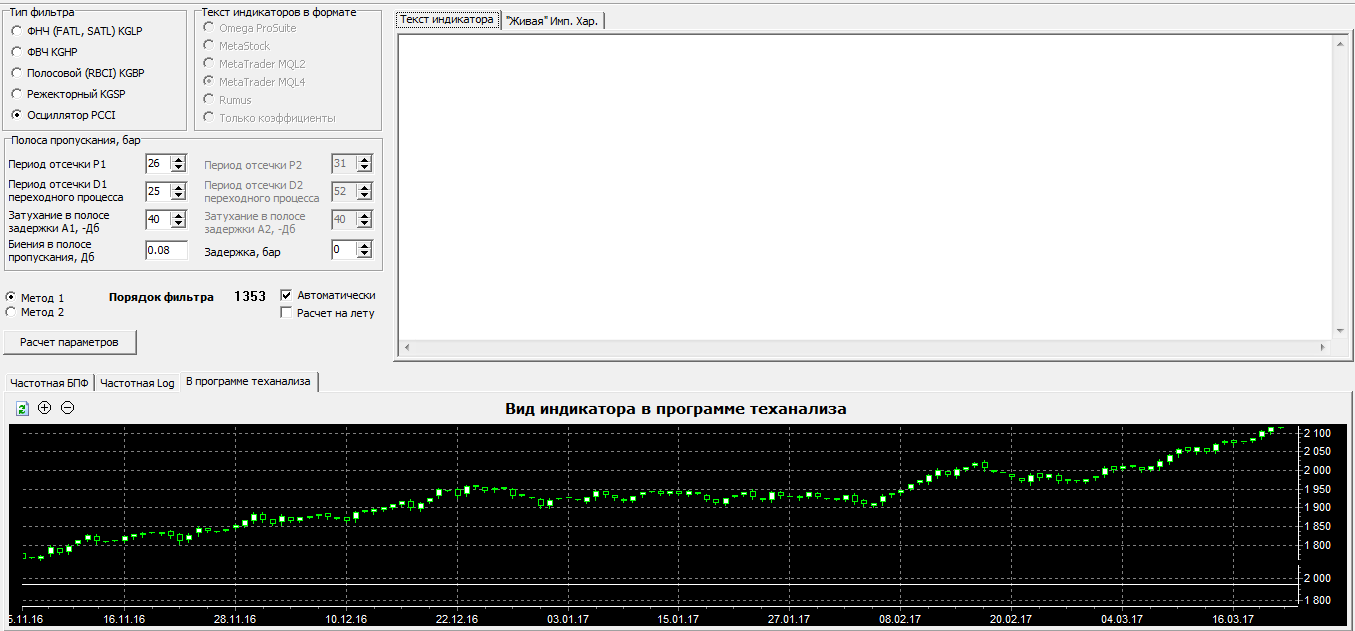
Once you've decided on the filter type, you'll need to adjust the bandwidth, which means you'll need to set the cutoff period, attenuation, and beats in the delay band, as well as the delay in bars.
Having limited the filters, the final step is to select the indicator creation method itself.
The program allows you to build an indicator using two methods, namely the first method was developed in 1995 by a certain Jake Janovetz, and the second one is based on the libraries of the MtxVec digital filtering library.
After selecting the creation method type, click the "Calculate Parameters" button. The indicator will be generated, and both the tool code itself and its visual representation will be displayed in the lower additional window. Example:

In conclusion, it's worth noting that the Metatrader indicator generator is an excellent tool in the hands of a professional trader, as it allows you to create your own indicators without extensive programming knowledge.
Download the Metatrader indicator generator

