Technical Analysis with Fibonacci Trader
For day-to-day trading on the exchange, a trader must have an effective trading platform, or more precisely, a professional trading environment that contains a wide range of functional capabilities.
The fact is that markets change daily, while the platforms familiar to traders are updated extremely rarely, not to mention that in many cases the functionality of the programs is morally outdated.
Naturally, a trader must be able to adapt to changing conditions, but to do this effectively, they need a wide range of tools that would allow them to conduct technical analysis.
That's why using specialized programs that expand the functionality of basic trading platforms is an integral part of any professional's trading routine.
The Fibonacci Trader program is a professional platform for conducting technical market analysis, both in real time and on historical periods.
It's worth noting that the platform will primarily be useful to traders who practice using Fibonacci tools and technical indicators in their trading.
Installing Fibonacci Trader
To use Fibonacci Trader, you must have an account on the developer's official website.
It's worth noting that Fibonacci Trader is a paid software, but you can easily try out all the features by downloading a thirty-day trial version.
The registration process is straightforward, as you'll need to enter your name, email, and password, then confirm your registration via email.
After registering on the official website, you will receive a link to download the program. Fibonacci Trader is independent from other platforms, so to use it, simply run the installation file and specify the installation directory.
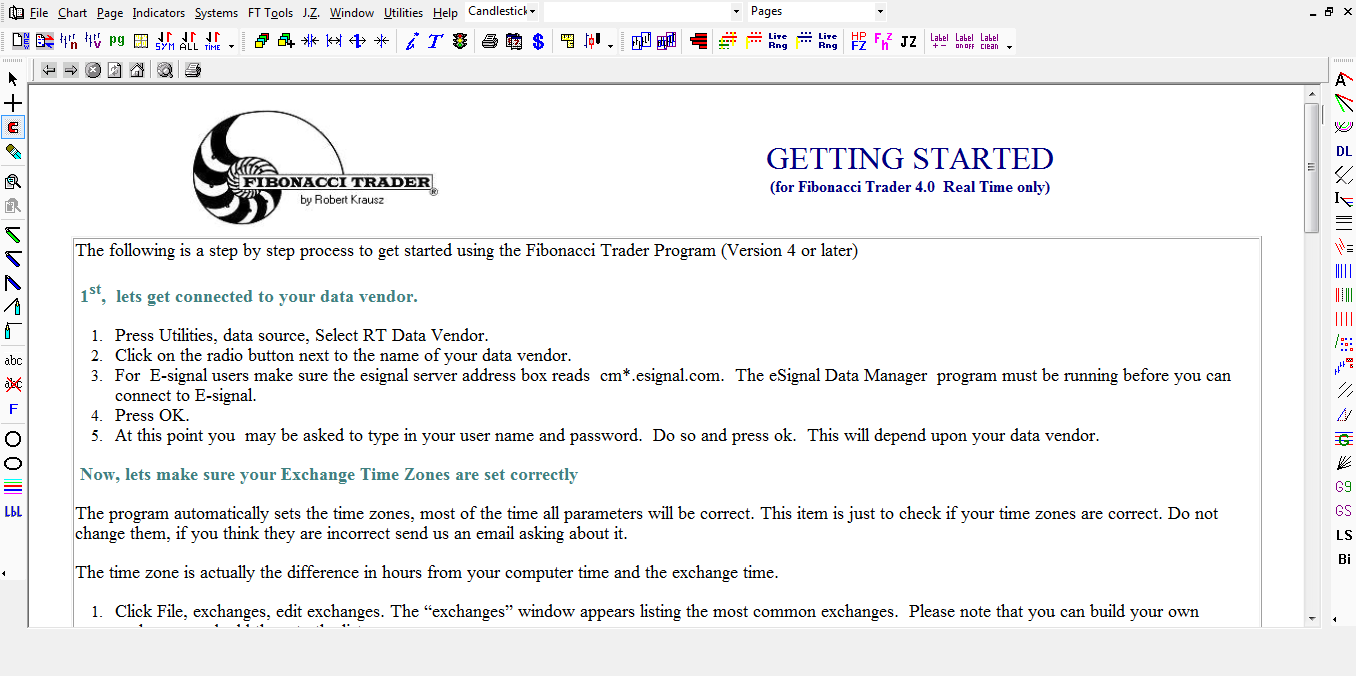
After installation, the first time you launch the program, you'll be prompted to enter your username and password, which you registered on the official website. The program will display the following screen:
Working with the program
Once you launch the program, you'll see three workspaces: left, right, and top. The top section contains the main menu, which allows you to add indicators to the chart and perform various program configurations.
The left panel contains the most basic tools, which allow you to mark horizontal and vertical levels, draw trend lines and shapes, as well as make notes on the chart and perform additional calculations.
In the right toolbar, you can find all sorts of Fibonacci extensions, including levels, fans, and time zones. In addition to Fibonacci tools, you can also find all sorts of Gann Theory tools, as well as graphical and technical analysis.
Adding a schedule
After launching the program, you'll need to add a chart of the currency pair you're interested in. To do this, open the File menu in the top panel and select Symbols.
You'll see three options that allow you to add quotes from Yahoo, exchanges, or download historical data. It's worth noting that the program allows you to download any quotes, including indices, stocks, currency pairs, and other assets.
If you decide to add tools from Yahoo, you just need to enter the symbol name of the tool you want.
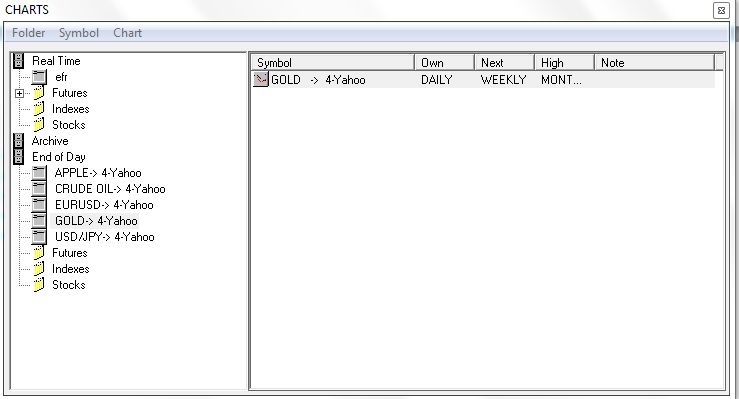
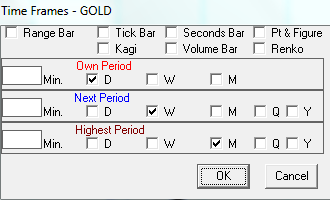
After adding a currency pair, the chart will appear in the central area. To change the time frame and chart properties, right-click and open the additional menu and open the Time Frame line.
Once you launch this feature, you will be able to convert it yourself time frame depending on which one you need, and you can also choose the type of chart.
Adding indicators
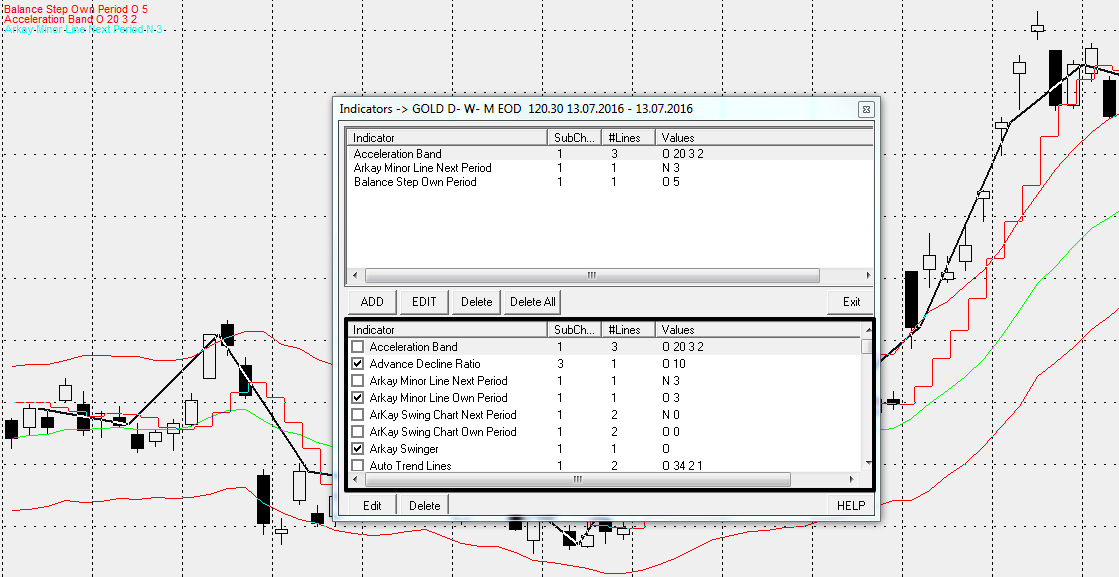
To add indicators to the chart, go to the top panel and open the menu called Indicators.
By launching this menu, you will see an additional window in front of you, at the bottom of which are all the indicators (by default there are more than 100 of them).
For convenience, the developer suggests simply checking the boxes next to the instruments you want to see on the chart:
In conclusion, it is worth noting that Fibonacci Trader allows for a broad analysis of selected currency pairs, and its functionality is an order of magnitude broader than that of MetaTrader 4 and other similar platforms.
Among the disadvantages, one can note the lack of a Russian-language version of the program and its high cost.

