Script for determining the amount of slippage when opening orders
Market orders placed are not always executed at the price we see when opening a trade; the opening price may differ by several points from the quoted price.
This process is called slippage; there are many reasons for slippage, but the size of the price deviation is more important.
Since this deviation can affect the financial result of the transaction when opening short-term transactions using the scalping strategy.
Therefore, it is important to know how many points the price deviates in your trading platform, and if the amount of slippage is quite large, then you may want to consider changing your account or broker.
This script is called "Slippage Calculator" and is designed specifically to obtain data on the average amount of slippage on your account:
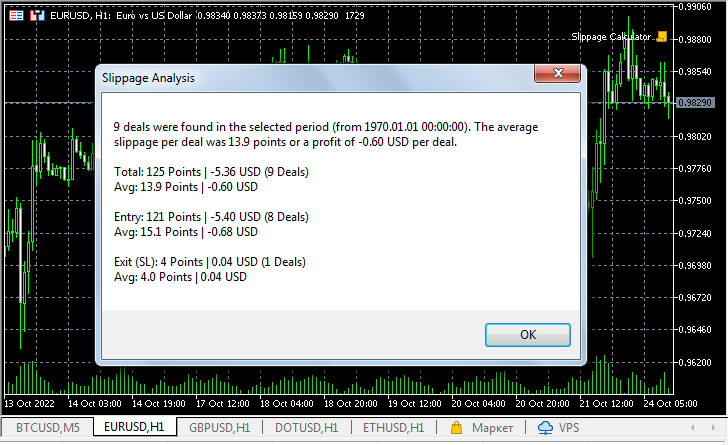
As it turns out, my broker's slippage rate is quite low and doesn't particularly affect trading results.
The tool not only displays data on all buy and sell orders, but also displays information on the slippage with which stop-loss orders were triggered when closing positions.
The information is displayed both in points and in the currency of your account, which in the example given is US dollars.
Speaking of settings, they are extremely simple and there is no need to dwell on them in too much detail.
Days – the number of days for which the calculation is made; if the value is 0, the entire account history is shown.
Only Chart symbol – use for calculations only data for one asset, the chart of which is currently open, or calculate for all symbols.
The Slippage Calculator turned out to be quite functional on the MetaTrader 5 trading platform, but you can try using it in MT4 as well.

