Forex margin calculation script.
To open a new Forex trade, you first need to calculate the available volume of the transaction, that is, the amount of funds required as collateral to maintain the position. This calculation can be done manually, or you can use a Forex margin calculator script. The latter option is clearly preferable, as it will avoid potential errors and save you time.
As the image below shows, this program is quite simple to use. It simply displays a number of necessary parameters on the MetaTrader 4 trading terminal screen. All data is displayed in a small pop-up window, which contains the following set of parameters.
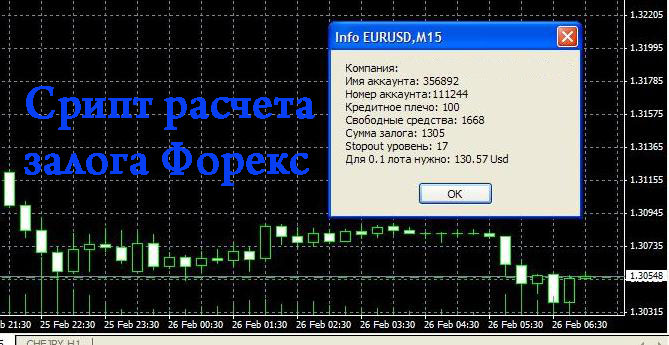
1. The name of the brokerage company where the trader's account is opened. 2. Account name. 3. Leverage used . 4. Free funds available for opening new orders. 5. The amount of margin for existing positions. In this case, it is EUR/USD and the margin is $1,305 based on the current exchange rate. 6. Stop out – the stop out level, upon reaching which the broker will forcibly close the transaction. 7. The amount of funds required to open a new transaction of 0.1 standard forex lot, i.e. 10,000 units of the base currency. To use this script, you need to complete a few simple steps. Download the forex margin calculation script. Unzip the existing archive to your computer. Copy it to the experts\scripts folder of your trading terminal, restart the trader's terminal and click on the "Info" script, which is located in the "Navigator" panel window, scripts folder. After this, the long-awaited window will appear. The amount of the margin is influenced by several key factors, including the leverage applied and the currency pair being traded. For more detailed information on the calculations, see the article " Forex Margin ."

