Macroeconomic indicators in MT5 and how to use them in trading.
Fundamental analysis, unlike technical analysis, provides a clear understanding of the underlying causes of price movements, as investors and bankers are guided by economic indicators, not trends and indicators. 
Thus, macroeconomic indicators provide the vector and message that both traders and investors must follow.
However, fundamental analysis requires traders to constantly monitor the news release time, making decisions based on the release of macroeconomic indicators.
Unfortunately, the traditional MT4 platform is far from ideal for news trading, as traders must rely on third-party information sources, which inevitably slows down their reaction times.
News Trading Strategy - http://time-forex.com/skalping/skalp-nov
Therefore, when MT5 was created, developers created the most convenient functionality for fundamental analysis, as macroeconomic indicators and news are now available in real time directly on the trading platform.
News in MT5: Setting up, sorting, and display
The news feed in MT5 is largely similar to MT4. Several news aggregators are used, providing interesting information in various languages, excluding Russian, of course.
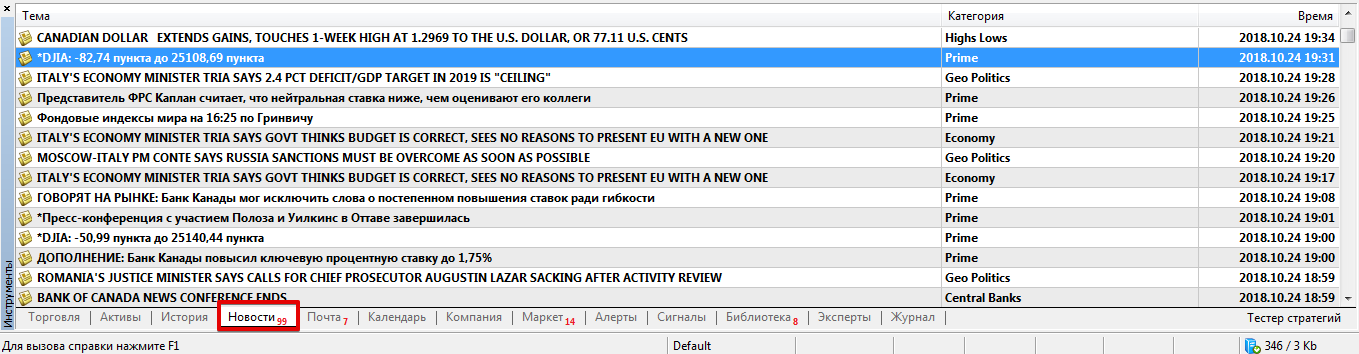
In MT5, the news section is located directly below the price chart, or more precisely, in the "Tools" window. Incidentally, to access the news, simply open the corresponding tab in this panel. News views in MT5:
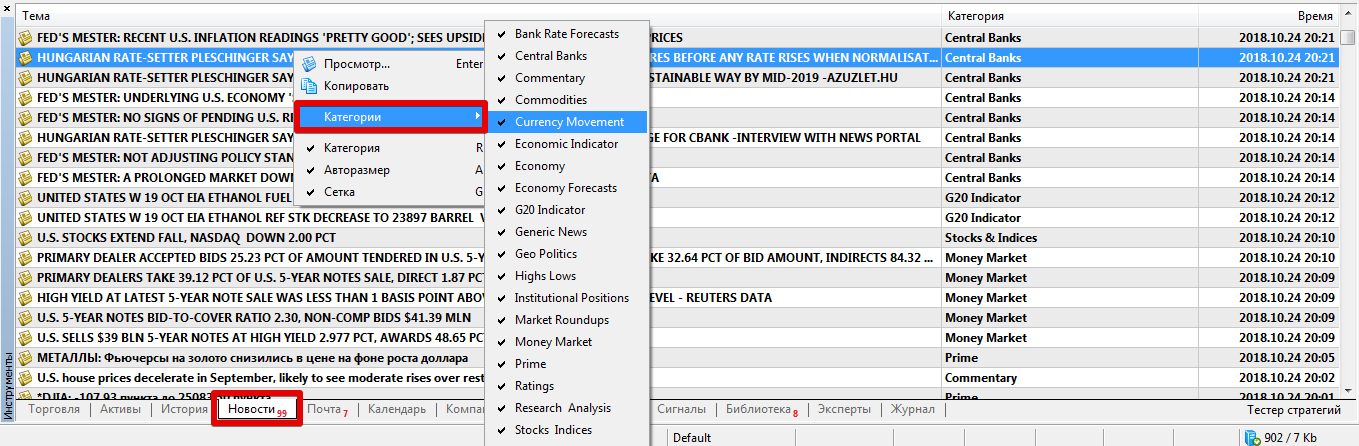
 One of MT5's features is the ability to sort news by category and display only the relevant news, rather than all of it, as is the default. Within categories, you can select news from central banks, technical analysis, economic analysis, and so on.
To sort news in this way, simply right-click and highlight the row containing the desired publication to bring up the additional menu.
 Incidentally, few people know this, but the list only contains clear, concise news titles that briefly convey their essence.
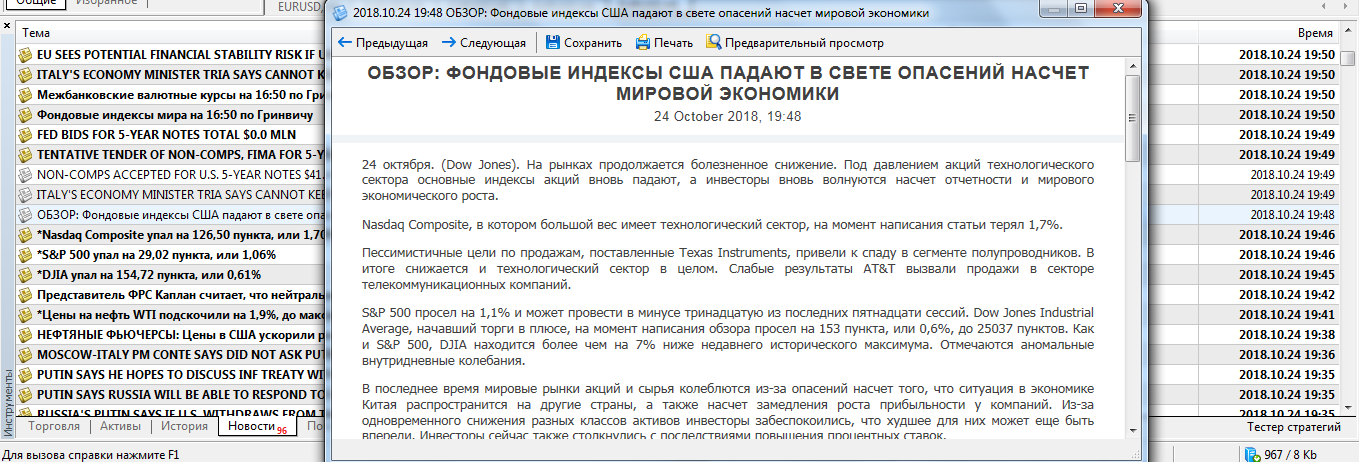
However, to fully understand a publication and accurately determine its content, you need to double-click on the title. A window will appear displaying the news itself:
 One of the main reasons traders don't use the news block is the lack of Russian news, which is replaced by English or other publications.
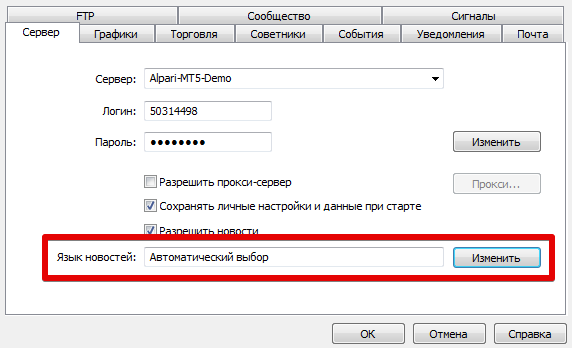
This happens because the language isn't selected in the settings. To do this, go to Tools – Settings. Then, open the "Server" tab and set the languages you want to see news in in the News Language field.
Macroeconomic News and Calendar.
The built-in economic calendar will help you track macroeconomic news, including previous values, projected values, and, most importantly, the current value at the time of publication.
It's worth noting that the MT5 developers followed a well-trodden path: the calendar has a standard format that displays the time and date of the news release, the currency affected, the event name, and, most importantly, the priority, which allows you to estimate the degree of market impact.
Therefore, thanks to the calendar's integration into MT5 and its location in the same panel as the News section, traders avoid delays in opening positions, and trade execution is accurate, ensuring the most favorable price.
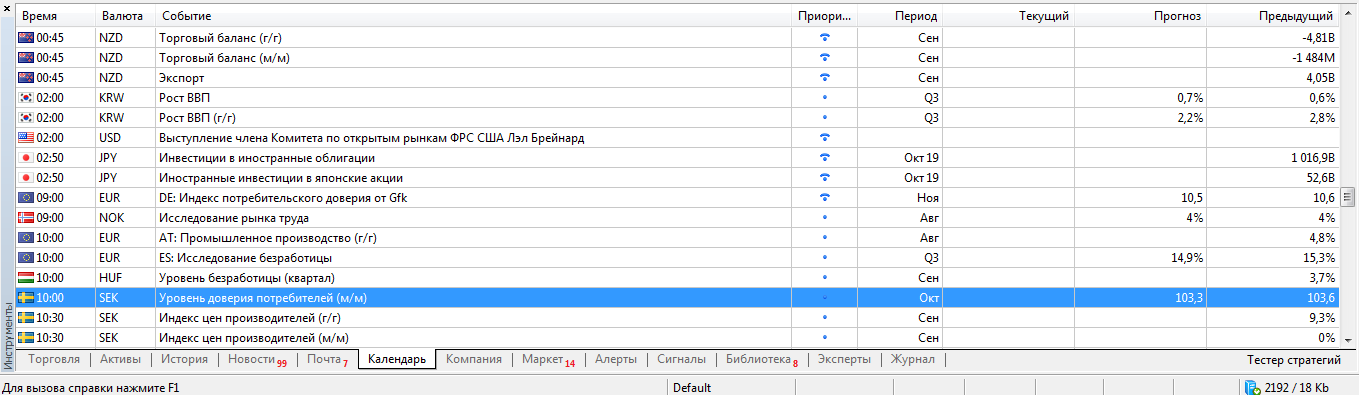 To avoid missing a macroeconomic indicator release and visualize it on a chart, you can enable alerts.
To do this, open the additional menu next to any news item and select "Show on charts" and "Add all events" in the pop-up window.
If everything is set correctly, you'll see flags under the price on the chart. Hovering your mouse over these flags will display the news title and the time it will be released.
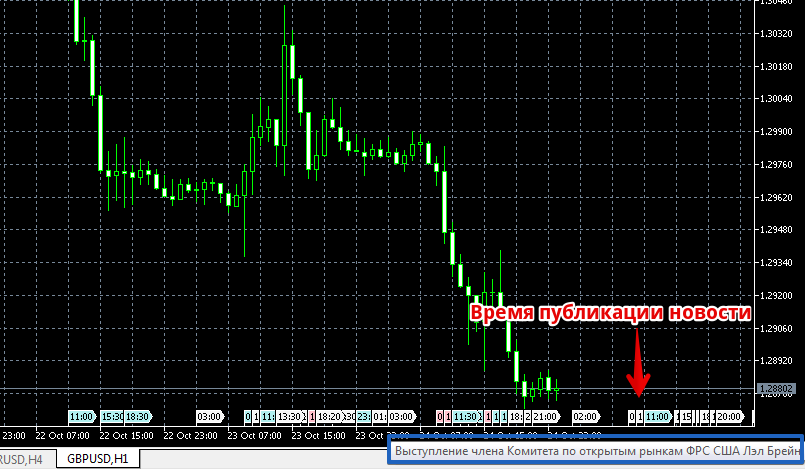 In conclusion, it's worth noting that MT5 is the best environment for trading using fundamental analysis.
Because macroeconomic indicators in MT5 can be tracked using both news and the calendar, traders will not only be aware of scheduled events but also be able to react quickly to unexpected developments.
Thus, without resorting to auxiliary tools or third-party applications, MT5 fully meets the needs of news traders.

