Setting up 3 screens in the MT4 platform
Trading using the well-known strategy of Soviet-born American trader Alexander Elder involves simultaneously using three charts with different timeframes for the same asset. 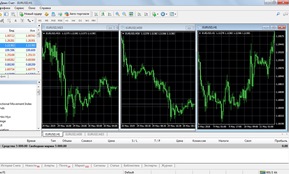
According to the strategy's developer, working with multiple timeframes allows for effective filtering of false signals for opening trading positions.
For a comfortable visual perception of the charts, it is recommended to configure the platform so that all three timeframes are displayed in a single terminal window.
However, many novice traders experience difficulty setting up charts, although there are many options for doing this quickly and easily.
How do I add three charts for the same currency?
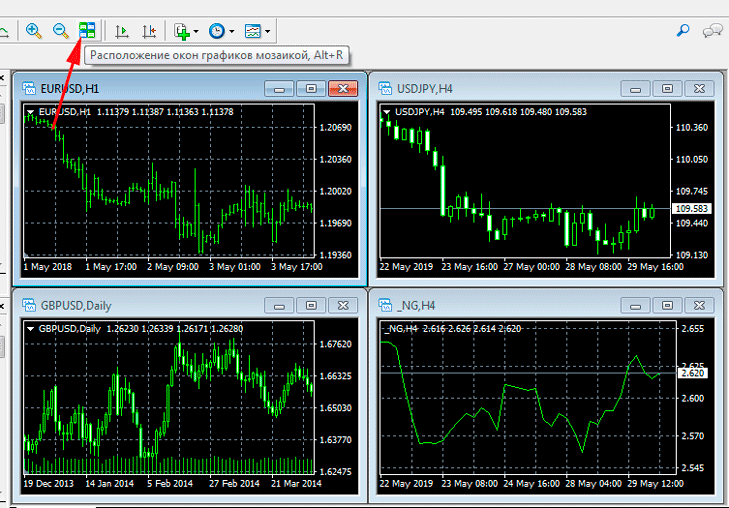 After this, all currently open charts will be displayed in the terminal window. It's important to close any windows that don't display the price dynamics of the instrument you want to trade.
 For example, if the EUR/USD pair is being analyzed, the charts of other assets should be closed.
Next, you will need to open 2 more charts of the desired currency pair by selecting EUR/USD in the “Market Watch” window and right-clicking, then select the chart window from the submenu.
Once the graphs appear, you should adjust their size by setting the following parameters:
• Timeframe;
• Display type – Japanese candlesticks;
• Transfer the indicators needed for analytical work to the chart.
The result should look something like this:
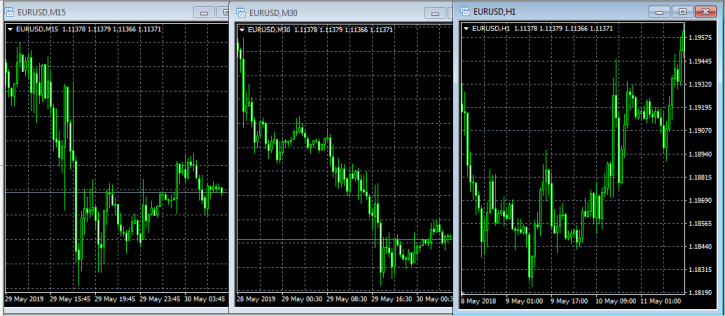 It's worth noting that for comfortable trading, traders recommend arranging charts in ascending timeframes from left to right.
The logic behind this filter is clear: a market entry is only permitted if the indicator signal is confirmed on all three timeframes.
Important! Alexander Elder's 3-Screen Method can significantly improve trading results even when working with chart or candlestick patterns.
To expand a chart to fill the entire screen, simply click the corresponding button.
Experienced traders use A. Elder's Triple Screen method when using multiple trading systems in combination. Furthermore, this chart layout allows for the simultaneous analysis of multiple financial instruments.
This is especially relevant when opening medium- and long-term trading positions based on fundamental analysis. The Triple Screen method also allows for assessing market reaction to economic news releases.
An alternative is to use three monitors or three trading terminals running simultaneously, but this is a more complex solution.
Three-screen strategy - http://time-forex.com/strategy/strategiya-tri-ekrana-eldera step-by-step description with recommendations
The three-screen indicator - http://time-forex.com/indikators/tri-ekrana allows you to do everything automatically, the best assistant in this strategy.

