Setting up ZuluTrade
Lately, I've been increasingly seeing websites offering various miracle courses on automated trading. Once  purchased, you'll immediately become a super investor and start making big money.
Typically, these courses cover copying signals from successful traders through the ZuluTrade platform and how to choose a manager.
Since I have encountered more than one such course, I can tell you right away that you should under no circumstances buy these courses, because after reading this article, most of the questions related to copying and choosing a manager will disappear.
ZuluTrade is a universal platform where successful traders gather to distribute trading signals in exchange for system fees.
Moreover, the number of such traders is simply enormous, which will allow you to find a truly worthy candidate and multiply your profits several times over, without knowing how to trade.
Registering with Zulu shouldn't be difficult, as in addition to the standard registration form, you can log in via social media (I used Facebook). The system will immediately prompt you to open demo account, in order to try copying trades and see what can be achieved without investment.
Simply put, we'll build a portfolio of managers on a demo account, and then, if we're satisfied, you can fund the account. This approach allows you to monitor the managers' trading and identify any pitfalls without breaking the bank.
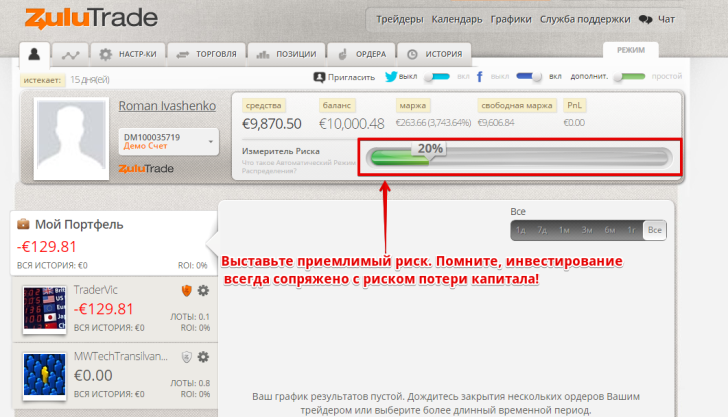
Before you begin selecting a manager, I recommend setting up a risk line. It's displayed in your personal account as a percentage bar. This is used to limit your losses, and after selecting this percentage, the system will calculate the lot size to open positions with relative to the manager. Personally, I chose 20% to start, as this is an amount that, if lost, wouldn't have a significant impact on my capital.
To select a manager, click the "Traders" option at the very top of the menu. You'll see a large ranking list featuring hundreds of managers. However, the ranking also includes traders who provide signals from a demo account.
Personally, I recommend you avoid them, as these managers are completely out of touch with the ground beneath their feet. For them, it's just paper money, but for you, it's real money. Therefore, I recommend switching immediately to the $ LIVE Traders tab.

To filter out novice managers, you can also use the filter (the icon next to the search bar) and specify additional parameters such as account age, profitability, and so on. This filter calculates the set's age in weeks, so I recommend filtering traders by an account age of at least 20 weeks.
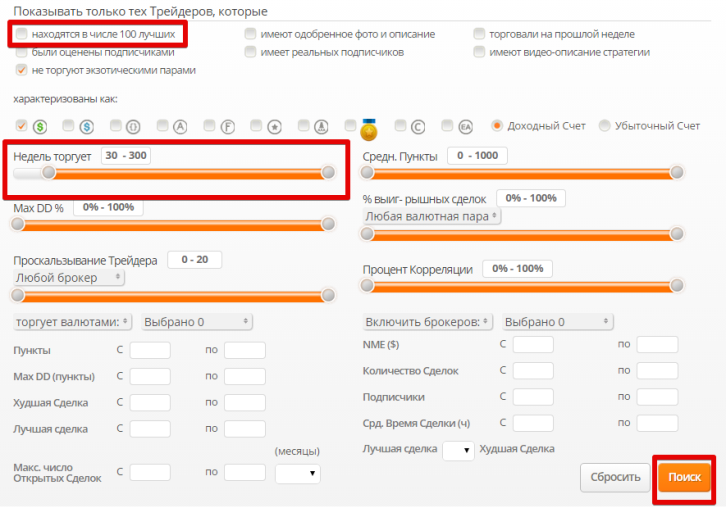
After you filter the managers by your desired parameters, a list of accounts matching the specified criteria will appear. To learn more about the manager's tactics and key indicators, simply click on the account number. You'll be redirected to a page where you can view their key indicators, view their account drawdown, the currencies they trade, and see their previous trades.
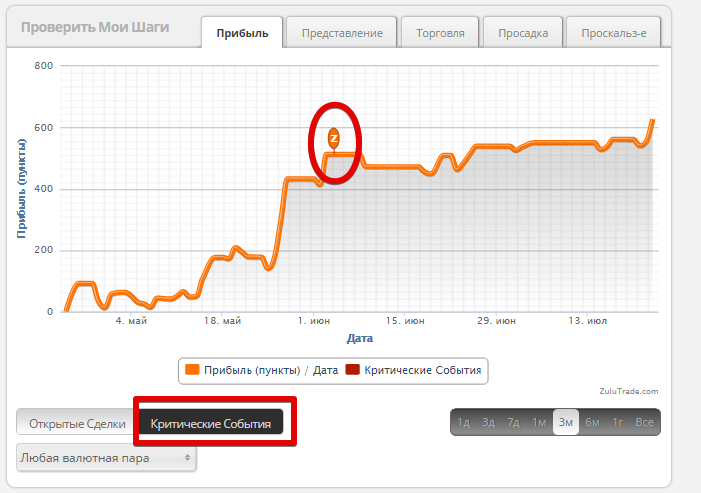
On the "Profit" chart, you can see how quickly a trader's profit grew by date, and you can also enable the display of critical events using the bottom tab. A critical event dot may indicate that the account was on the brink of collapse or that there was a significant deviation from the trading strategy.
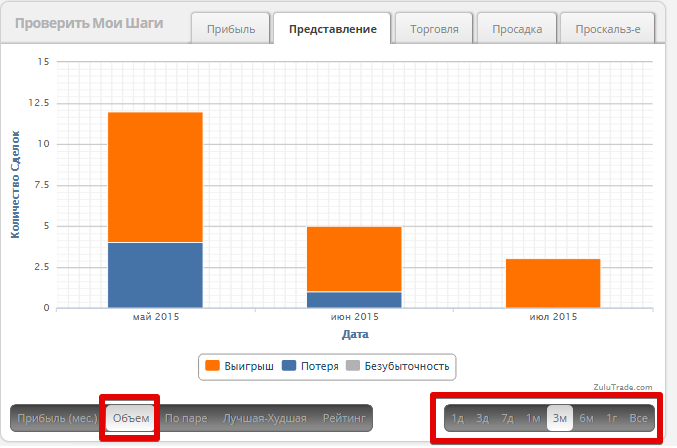
In the "View" column, you can see the number of winning pips, as well as the number of pips that were lost due to the stop order being triggered.
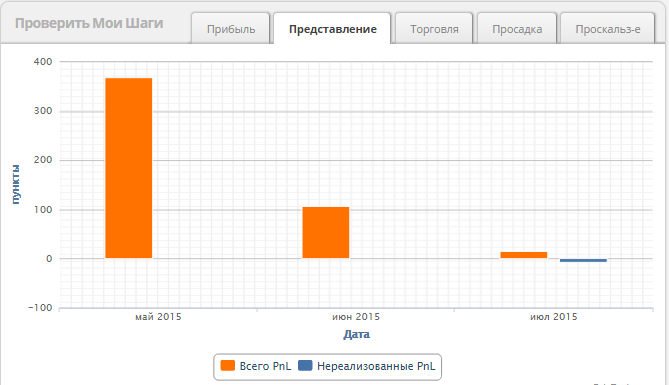
In this same column, you can also view information on the volume of profitable and unprofitable positions on your trading account for a specific period.
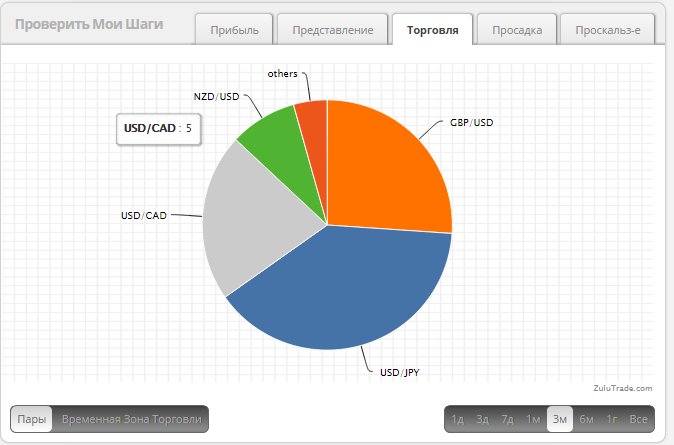
In the "Trading" column, you can see which currency pairs the trader is trading and their percentage ratio.
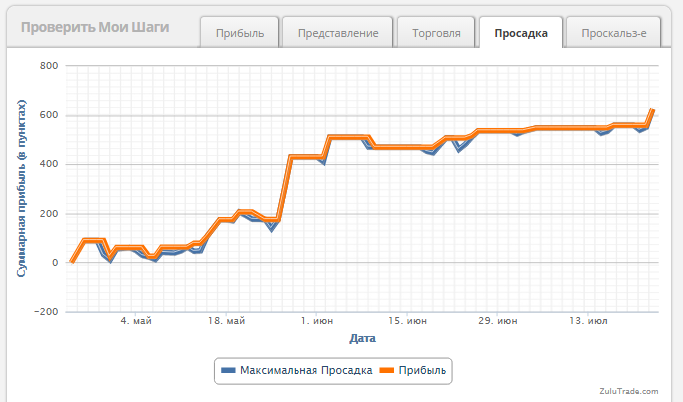
One of the most important indicators when choosing a manager is drawdown. If a trader uses risky money management methods, the drawdown line will be significantly separated from the profit line. Therefore, if you see such a large distance, it may indicate that the trader is using a martingale. The example below shows the ideal drawdown-to-profit ratio:
If all the trader's indicators suit you, simply click "Follow" under their photo (nickname)! Given that we configured the risks at the very beginning, the system will automatically select the appropriate lot size for you to open relative to the manager's trades. The system will then open trades fully automatically, without your intervention, and your task will be to monitor the account situation.
Thank you for your attention, and I hope you'll be able to find a good manager yourself without any purchased courses, especially since you have all the necessary tools at your disposal!

