Volatility indicator "Extremum"
Volatility is one of the most underestimated market characteristics, and a trader pays for it with their deposit.
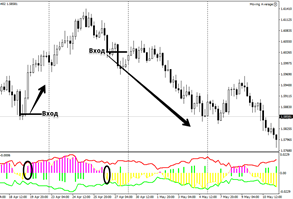
Volatility, and specifically its proper calculation, allows you to avoid false stop-loss orders, set appropriate targets, and achieve them.
This indicator can be used not only as a filter but also as the basis for developing a trading strategy.
For example, it is well known that before any strong reversal or price movement, the market contracts, after which the price springs up like a spring, covering vast distances in a matter of seconds.
Thanks to volatility, a trader can identify such market conditions and be prepared for the price to soon rebound.
To measure this indicator, forex indicators of the same name are used, one of which is the Extremum indicator, which you will learn about in this article.
The tool itself can be considered universal, since it combines the characteristics of an oscillator, which is responsible for determining volatility, and a trend indicator, which clearly outlines the trend.
The Extremum indicator, like any other technical indicator that combines these two important market characteristics, can be used on all trading assets available in your broker's terminal.
Extremum will also be of interest to almost all traders, as it works with a historical period in bars and evaluates its extremes, allowing the indicator to provide an objective assessment of what is happening on any time frame you choose.
Installing the Extremum indicator
Extremum is a time-tested tool that was created for the MT4 trading terminal back in 2010, when new developments were appearing almost daily.
It's worth noting that Extremum was published in the official MT4 trading terminal library from day one and was distributed free of charge, meaning you have two options for installing this tool.
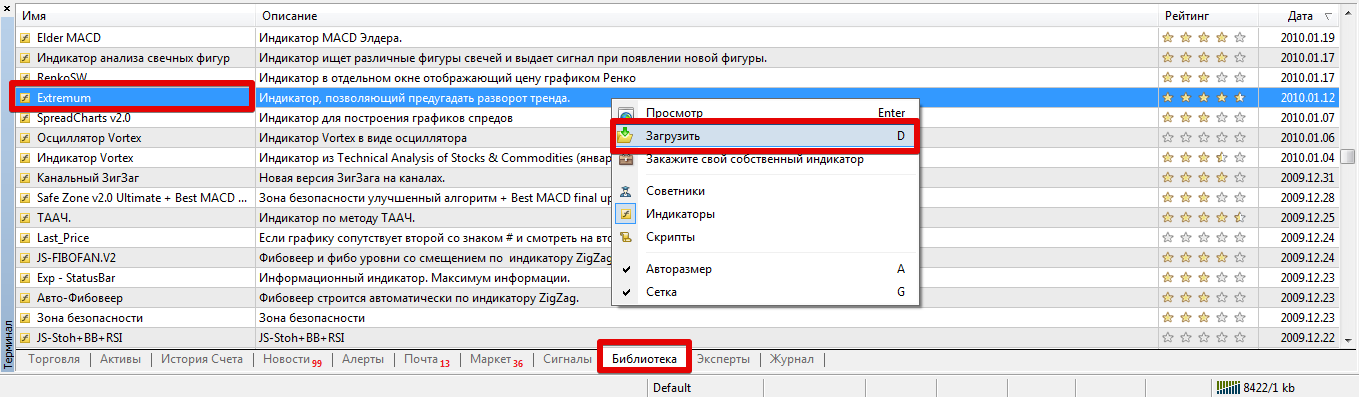
The first and easiest installation method is to download it directly from the library. To do this, launch your trading terminal and go to the "Terminal" panel, where you can find up-to-date information on your trades.
Then, the next step is to go to the Library tab and perform a simple sort so that only indicators appear in the list.
Find Extremum in the sorted list and download it using the additional menu as shown below:
If installing via the library is difficult, you can use the second installation method.
To do this, scroll to the end of the article and download the indicator, then place it in the appropriate folder in the terminal data directory, specifically the "Indicators" folder.
After installation, refresh your trading terminal in the "Navigator" panel or restart the trading terminal, otherwise Extremum will not appear in the list of custom indicators.
Using the Extremum Indicator
: The main purpose of the Extremum indicator is to filter trades for reversal strategies, as well as positions for momentum strategies.
The corridor or boundaries shown by the indicator in green and red represent the volatility channel. The principle of using this channel is very similar to Bollinger Bands.
Specifically, as the bands narrow, volatility decreases, while as they widen, volatility increases. If your strategy is reversal trading, then patterns typically play out during a narrowing of volatility during what's known as consolidation.
If your strategy is momentum-based and aims to open trades as the market moves, you need high volatility.
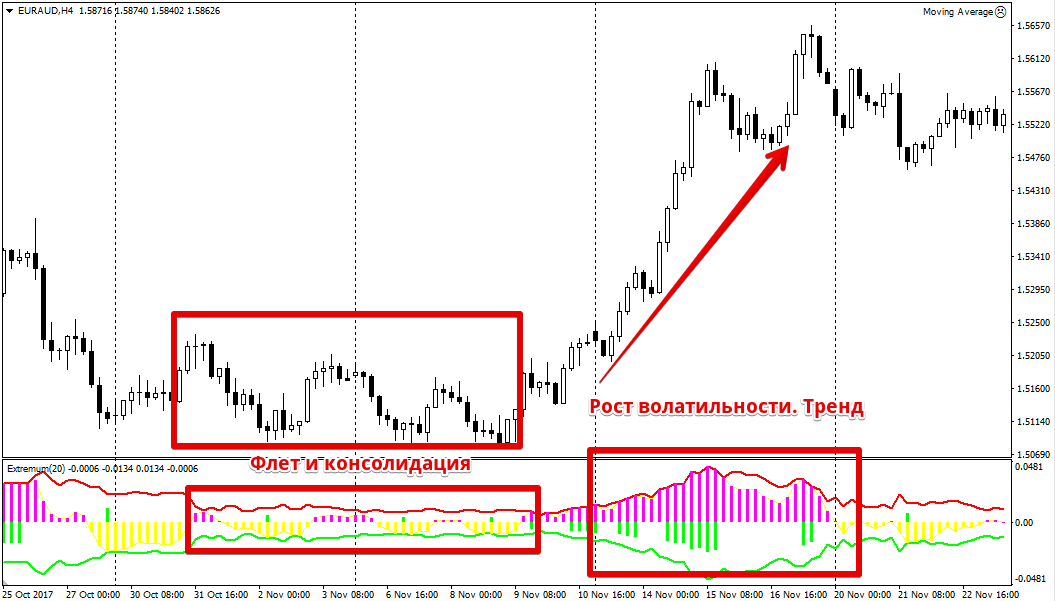
When considering the secondary signaling function of this indicator, pay attention to the indicator's histogram. Purple bars indicate an upward price movement, while yellow bars indicate a downward price movement.
The histogram is divided by the zero line, which acts as a sort of trend equator. Therefore, if purple bars appear above the zero line, we open a buy position, and if yellow bars appear below the zero line, we open a sell position.
Green bars can appear either above or below the zero line, as they only indicate the presence of a trend, not its direction.
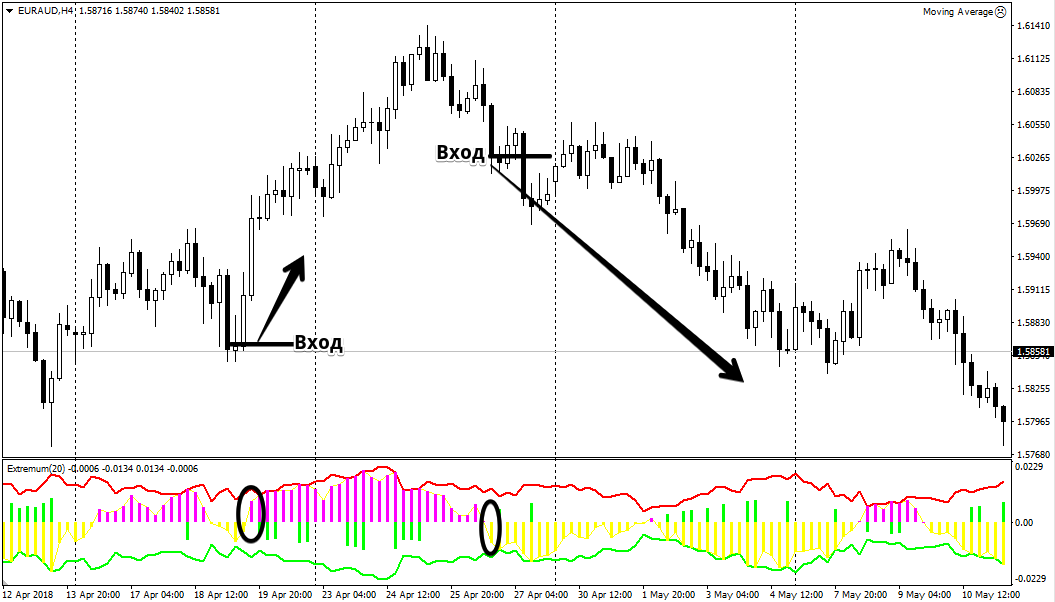
In conclusion, it's worth noting that Extremum excels at its basic function of measuring volatility, as the channel allows you to visually monitor its changes and identify points of market consolidation.
Download the Extremum indicator

