Trend channel construction indicator.
This latest script continues the series of price channel. It not only  plots channels but also determines their direction.
The tool allows for smooth adjustment of the displayed trend channel scale without using the trading terminal.
Overall, this is a user-friendly, easy-to-configure script that even a novice trader can use.
Download the trend channel indicator.
After downloading, unzip it and copy it to the indicator folder. Find the script in your trading terminal, and begin running and configuring it. You can add the indicator to the chart first and then edit all the settings as needed.
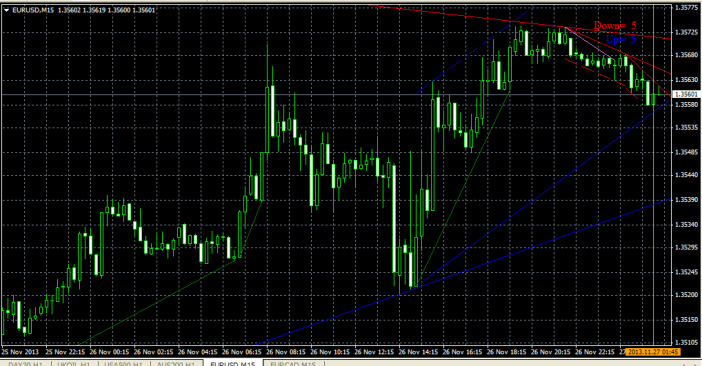
Settings.
• Display – here you choose on which time frames the lines will be built, it is advisable to select no more than two or three time intervals, so as not to get confused by unnecessary lines.
• FirstBar – from what moment to start building, by default it is 1, but you can change this value upwards, it is recommended for trading on short time frames.
• DeltaBar – the time of the first time interval, when trading on M1, it is recommended to reduce it to 1.
• InsLine – turn on and off the additional line.
In addition, you will see two inscriptions in the upper right corner of the screen - Dowh and Up, they show the current direction of the trend. And by moving the orange line with the date, you can change the visual display of the trend channels.

