Spearman indicator
Traders who often criticize technical indicators and refuse to use them, pointing out that they are not based on an effective algorithm.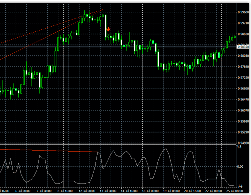
Also critics technical analysis They argue that indicators use historical prices in their calculations, so the signals will always be lagging.
The development of Forex trading has given rise to the creation of thousands of ridiculous tools that are quite colorful in appearance but offer no practical benefit, but not all indicators are as toothless as critics paint them.
For example, the Spearman indicator contains a complex mathematical formula that is designed to search for rank correlation.
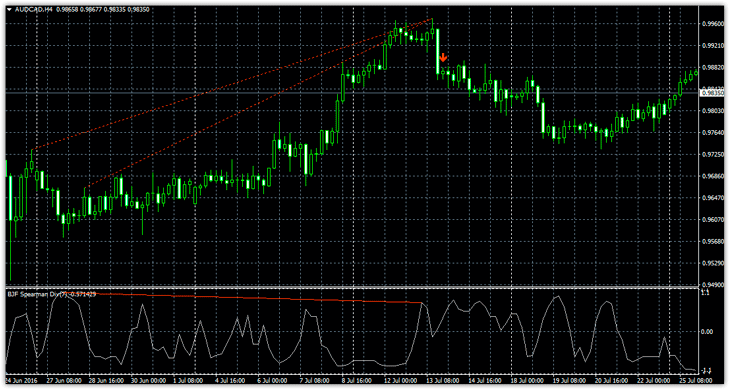
Therefore, the Spearman indicator is a multi-currency and multi-timeframe tool, and the version we will consider in this article not only displays correlations graphics with the instrument, but also indicates turning points.
Installing the indicator
There are two ways to install the Spearman Divergence Indicator on your MT4 trading terminal. The first is to log into the MT4 market via your terminal and enter "Spearman Divergence Indicator" in the search bar.
Once you find the indicator in the market, simply click "download" and the tool will automatically appear in the list of indicators.
The second installation method follows the standard procedure, namely, you will need to download the indicator from the page of this site and place it in the appropriate directory of the data catalog.
To access the data directory, go to the file menu in your terminal and click "Data Directory" in the list of options. After opening the directory, you'll see a list of folders. Find "indicators" and drop the Spearman indicator into it.
Next, you need to restart the trading terminal, after which you just need to drag the indicator onto the chart.
Application Features. Signals
The Spearman indicator in question is an improved version of the simple Spearman oscillator. A signal is generated when a divergence is detected between the price chart and the Spearman oscillator.
To identify a signal, the indicator considers a price fractal. Therefore, if a Spearman fractal is below the previous one on the chart, a downward divergence is confirmed. Traders don't need to search for divergence themselves, as the Spearman indicator will visually indicate it.
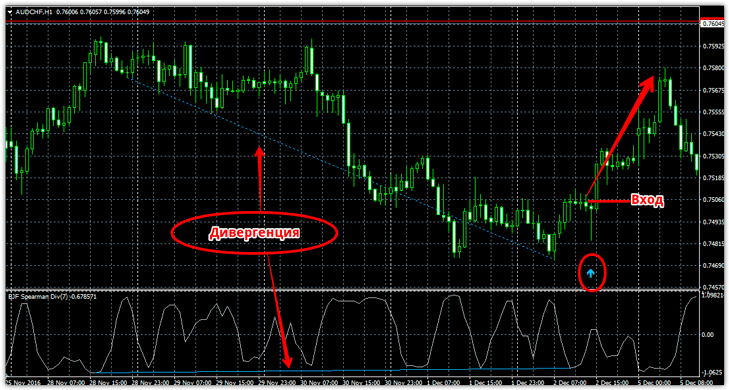
Buy signal
1) The Spearman indicator finds a bullish divergence and displays a blue upward arrow.
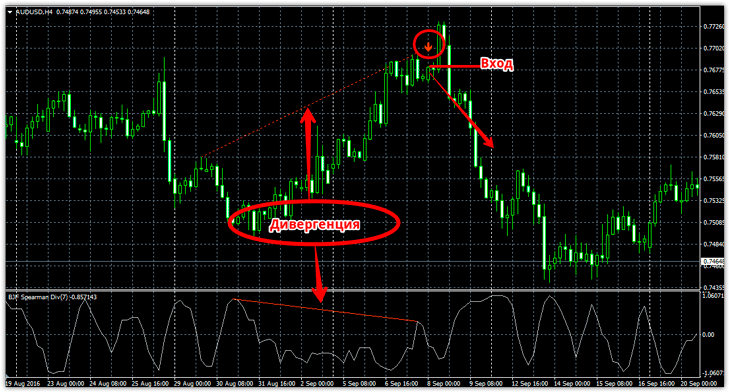
Sell signal
1) The Spireman indicator finds a bearish divergence and displays a red downward arrow.
When entering the market, there's no need to wait for the candle to close, as the indicator arrows don't repaint. Furthermore, the signal is sent with a shift of several bars. Example:
Settings
The Spearman Divergence Indicator in question has a wide range of settings that affect both the Spearman construction itself and the detection and display of divergence signals.
In the Spear Range N line, you can change the indicator period, specifically the number of bars on which the Spearman rank correlation is calculated. The Max Bar line sets the limit on the candlesticks on which the divergence is displayed.
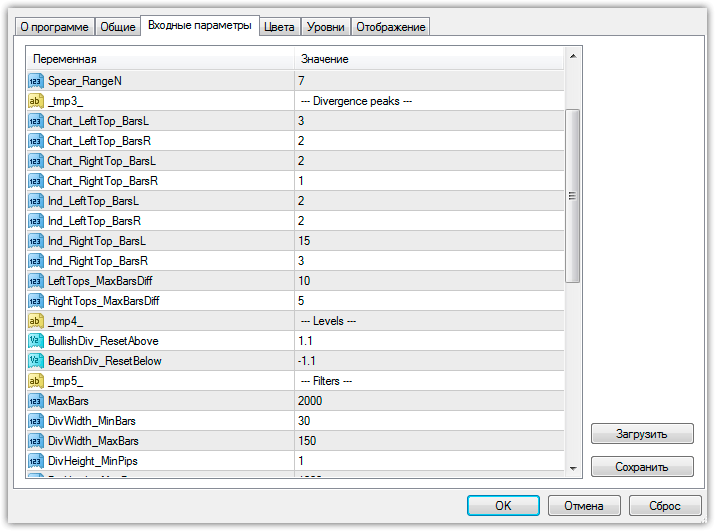
The DivMinBar and DivMaxBar values specify the minimum and maximum number of bars to determine the divergence, and the DivMinPips and DivMaxPips lines specify the minimum and maximum value of the divergence in points.
You can also enable sound alerts, pop-up windows, and even email notifications when a signal appears in the indicator settings.
In conclusion, I would like to note that the Spearman indicator is an excellent reversal tool for technical analysis (http://time-forex.com/tehanaliz/instrumenty-teh-analiz), however, in order to cut off the maximum number of false signals, you should monitor the news background.
Download the Spearman indicator.

