Price Dynamics Indicator. Assess overbought and oversold prices in seconds
Not only is a trading strategy the key to success in Forex, but the asset being traded also plays a significant role.
Any story of a successful trader, film, or interview about how they conduct their trading begins not with trading, but with carefully selecting and compiling a list of promising currency pairs in which to expect movement.
You're probably wondering, quite logically, what criteria do traders use to evaluate assets?
Typically, they first evaluate price dynamics, specifically calculating the percentage the price has increased relative to the previous day, week, or month.
This allows you to quickly assess how overbought or oversold the market is and whether you should expect activity from the currency pair.
The indicator is primarily an auxiliary tool and is used to assess market conditions, so it can be applied to absolutely all trading assets - stocks, currencies, indices, or commodities.
The indicator can also be applied to any time frames, since the data obtained by this tool will be identical due to the tool’s features.
Installing the Percentage indicator
Most modern web platforms, as well as stock exchange platforms, have a default sorting function by percentage gainers and decliners. Furthermore, you can view similar data for each specific asset.
At the same time, the most popular trading platform among Forex traders, MT4, does not have this function, but rather it is implemented using the auxiliary indicator Percentage.
It's worth noting that the indicator is distributed completely free of charge; moreover, it was published in the official MT4 library in 2016.
So, you can install this tool in two ways, namely through the built-in library or by downloading the file and installing it through the data directory.
To install the Percentage price dynamics indicator through the library, launch your MT4 trading terminal, then in the "Terminal" panel, where your balance information is located, go to the "Library" tab.
Once the list appears, perform a simple sort to ensure only indicators are included. In the resulting list, find Percentage and use the additional menu as shown in the image below to load it:

If installation via the library fails, you can use the standard method. To do this, scroll to the end of the article and download the indicator. Then install it by dropping the file into the appropriate folder in the terminal data directory, specifically the "indicators" folder.
After installation, be sure to restart the trading terminal or refresh it in the navigator panel, otherwise the indicator will not appear in the list of custom instruments.
Practical Application. Appearance
As we already noted, the Percentage price dynamics indicator measures the percentage difference between the current daily, weekly, or monthly closing price and the price.
This information is displayed as text at the very bottom of the chart, specifically in the left corner. If the values are shown in red, we see the percentage difference between the price drop and the percentage difference between the price rise and the price increase in blue.
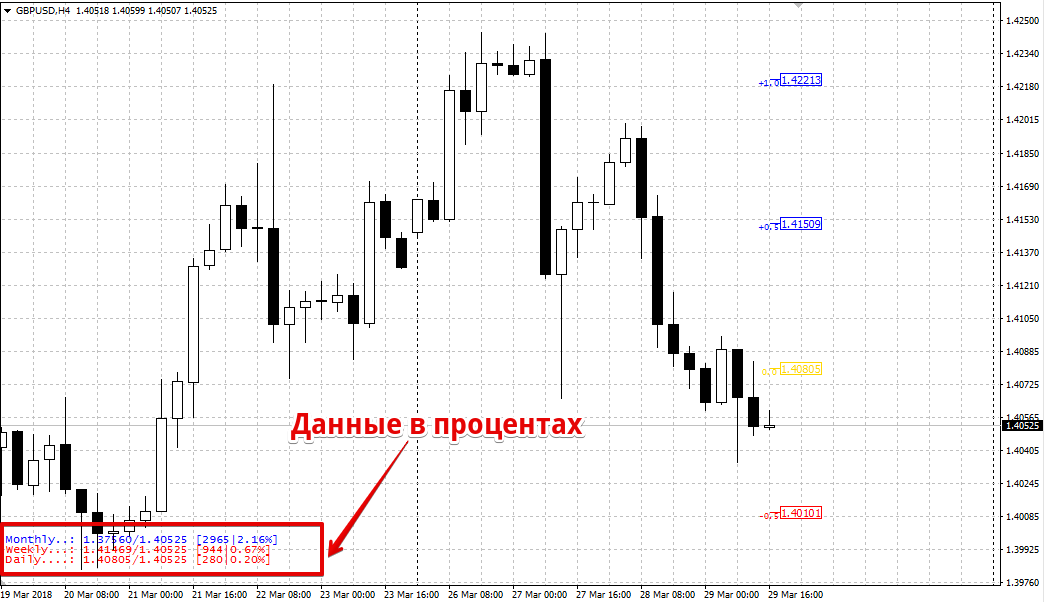
The price dynamics indicator can also be used as a signaling tool. On the chart, in addition to the current price percentage change, you can see price bars in blue, yellow, and red.
Each bar indicates the percentage level by which the price may deviate. Draw horizontal lines through these bars and treat them as support and resistance levels.
Trading should be done not on a breakout, but on a return to some average value, especially if the price has deviated significantly.
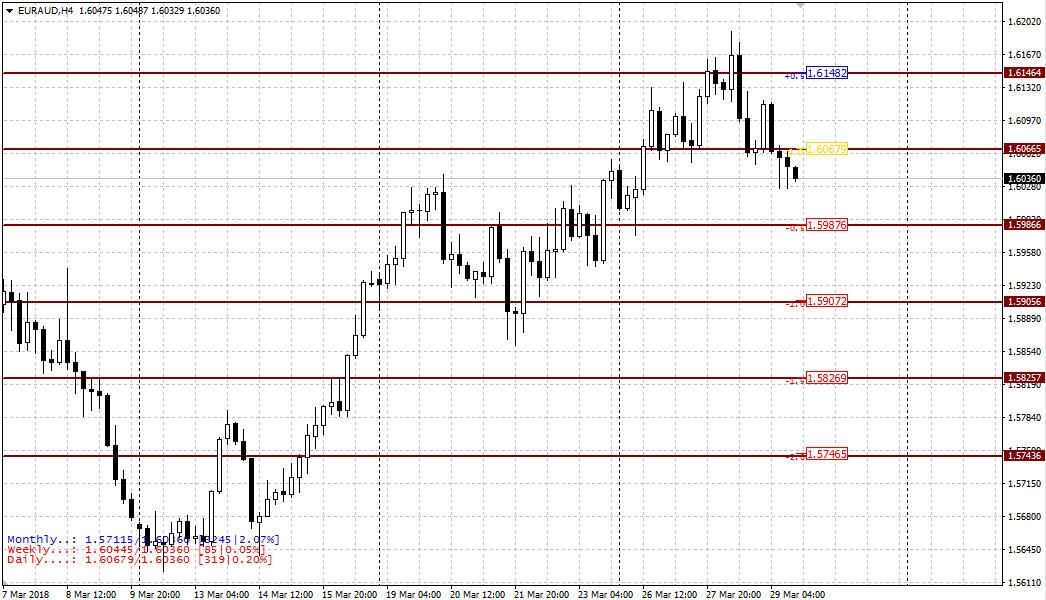
In the indicator settings, you can change the color scheme and display location, as well as enable or disable chart labels in the ShowPriceLabe line, which are disabled by default.
In conclusion, it's worth noting that the price dynamics indicator significantly expands MT4's functionality, allowing you to spot strong deviations that indicate overbought or oversold assets in seconds.
Download the Percentage price dynamics indicator.

