ForexClock program
It's no secret that the activity of certain assets is typically timed to coincide with a specific trading session, or more precisely, the opening and closing of various exchanges around the world.

Thus, the dollar and euro exhibit increased trading activity during the European and American trading sessions, while they enter a narrow sideways range during the Asian session. As for the yen, currency pairs involving this currency are active during the Asian trading session.
Almost all traders know about the pattern of increased activity during the opening hours of certain exchanges, but few apply this knowledge in practice. This is due to a simple lack of knowledge of the opening times of certain exchanges, as well as an incorrect comparison of their own time zone with the exchange's time zone.
Knowledge of the activity of a particular exchange allows traders to determine precise market exit targets, since if the activity of a currency pair directly depends on the trading session and the exchanges where trading occurs, it is possible to clearly identify moments when asset activity fades.
With the program, you will be aware of both the activity of certain global exchanges and economic news.
Installing the program
ForexClock is a standalone application, so you don't need a trading terminal to install it. The installation process is quite simple: just run the setup file on your computer, agree to the license agreement, and specify the path to the folder on your computer where the program's system folders will be located.
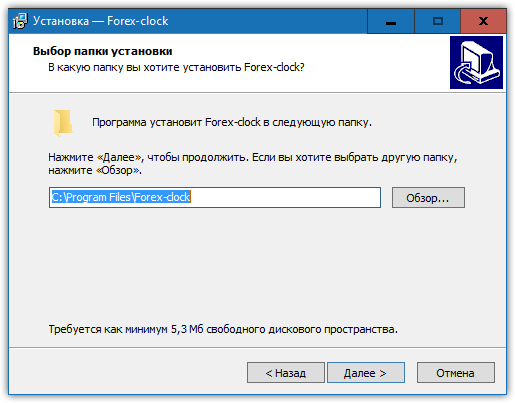
It's worth noting that for the program to function fully, you'll need an internet connection, as it reads information from third-party resources.
ForexClock features
When you first launch the program, a clock window will appear. The names of the exchanges are displayed as sliders, and a vertical line indicates the currently active exchanges. On this page, you can see both currently active exchanges and those that have recently closed or are about to reopen.
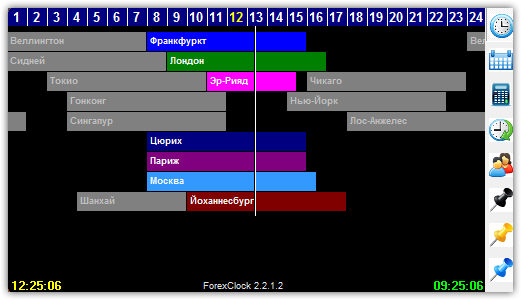
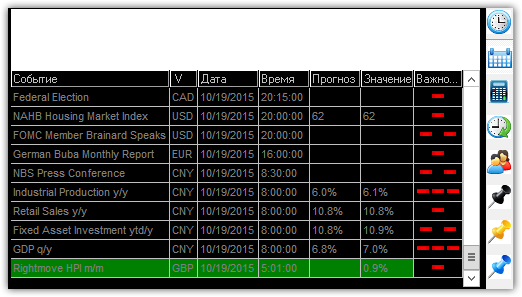
The right column of the program contains additional application features. For example, clicking "Calendar" opens a window with economic news, which, like an economic calendar, displays the priority list, the country for which statistics are being released, the previous and current value, and the news title itself.
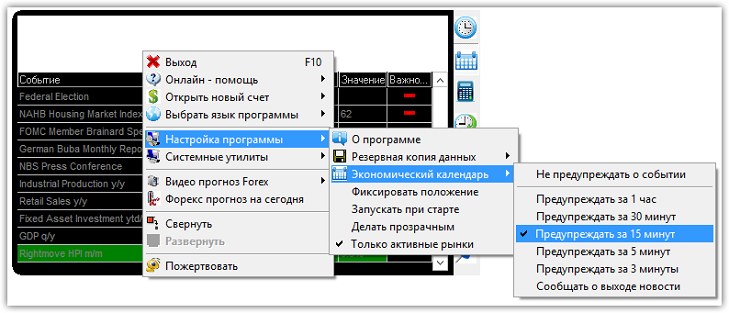
In the program settings, you can enable a sound alert for a specific time before a news release. To do this, right-click on the calendar and select "Program Settings." Next, select "Economic Calendar" and specify how long before the news release you want the sound alert to sound.
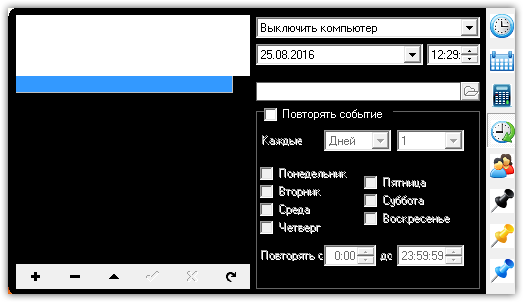
In addition to the calendar, the program has a built-in event scheduling feature. By selecting this feature, you can set up a notification for a specific day and time. In addition to notifications, you can also use the program to launch the application, shut down the computer, or put it to sleep. You also have the option of repeating events on specific days.
The reminder feature is especially useful for those who are completely immersed in trading. A simple reminder will help you avoid awkward situations, such as forgetting to pick up your child from daycare.
In addition to the features discussed above, you can use a calculator that allows you to quickly calculate a trading lot. ForexClock also includes a simple notepad and address book. The notepad is particularly useful, allowing you to keep a trading journal and record the reasons and consequences of opening certain trades.
In addition to the basic functionality, the app allows you to communicate with support from various brokers, watch their video tutorials, and even see forecasts.
Finally, I'd like to point out that this seemingly simple and unassuming program is packed with a wealth of additional functionality, allowing you to perform a range of tasks without resorting to third-party internet resources or additional applications.
Download ForexClock

