What is the MT4 web terminal?
The vast majority of traders have, in one way or another, encountered various web 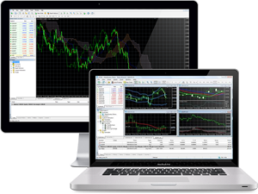 terminals from their brokers. Looking at all these developments, they were, to put it mildly, crude, lacking functionality, and lacking confidence.
The thing is, almost every broker's web terminal is developed by them personally, so their shortcomings are always obvious. Moreover, when compared to desktop platforms like MT4, it's quite difficult to put them on par as professional tools.
However, the rapid growth of web-browser trading has been a powerful boost for the Meta Trader development team, so we're entering the new year with a new web version of the MT4 trading terminal, which even the most ardent skeptics have no confidence in.
Unlike other brokers, Alpari makes it possible to trade through a web terminal without opening a separate account, so you can try out the program's functionality even on a demo account.
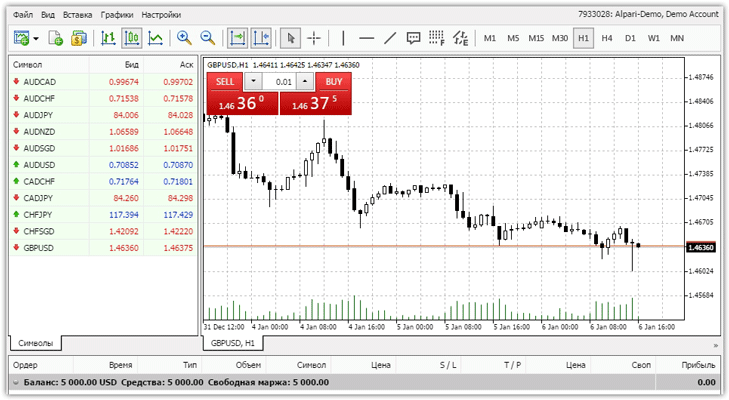 The first thing you'll notice is the web version's design. The first impression upon opening the platform is quite positive, as even the naked eye can see its almost identical design to the desktop MT4.
Therefore, you shouldn't experience any discomfort when using the MT4 web version. However, let's take a closer look at this version's functionality.
This version has five menu items: "File," "Insert," "View," "Charts," and "Settings." In addition to the main menu items, there are buttons that control key functions, such as chart type, time frame, and popular technical analysis tools.
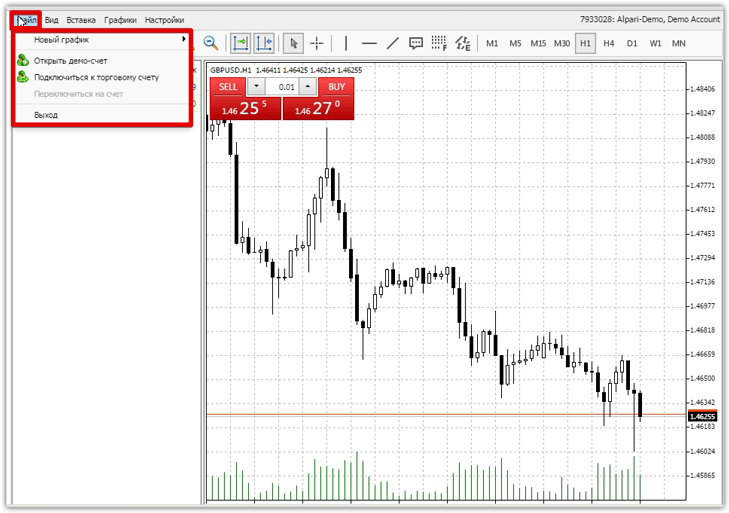
In the "File" menu, you can open a new demo account, connect to an existing one, or add a new chart. Note that adding a new chart via the "File" menu will open a second tab on the main chart, allowing you to switch between them.
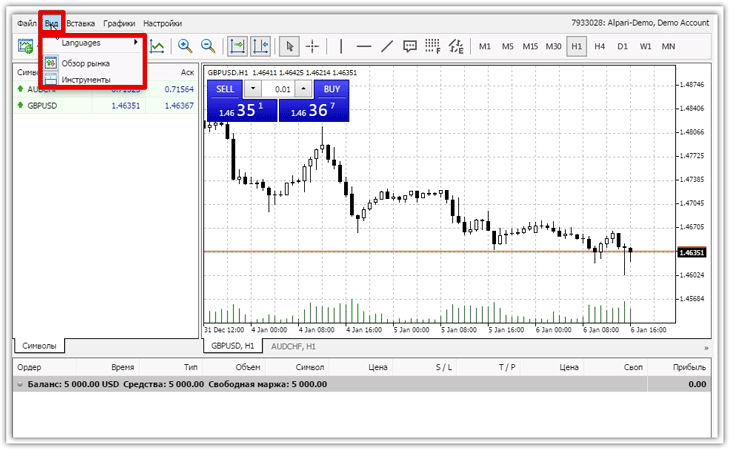
 In the "View" menu, you can select a preferred language and enable or disable the Market Overview and Tools panels. Unfortunately, in the web version, you can't resize or resize panels, drag them to a different location, or delete them entirely. The only interface controls you can access are clearly outlined in the "View" menu.
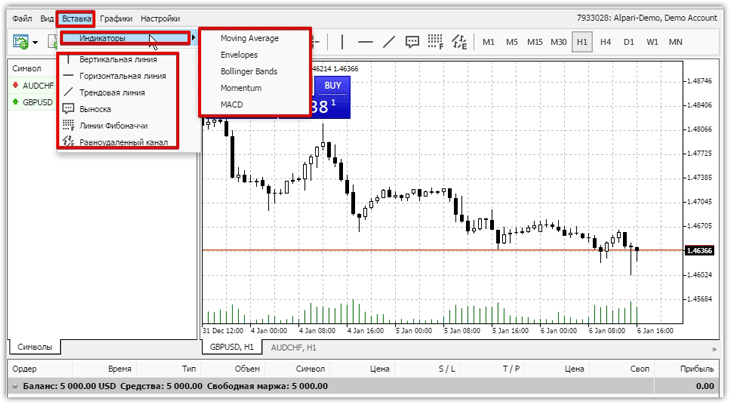
 In the Insert menu you have the opportunity to use standard indicators and technical analysis tools.
Only five indicators are currently available: Moving Average, Envelopes, Bollinger Bands, Momentum, and MACD. Technical analysis tools available in the MT4 web version include: vertical line, horizontal line, channel, trend line, and Fibonacci grid.
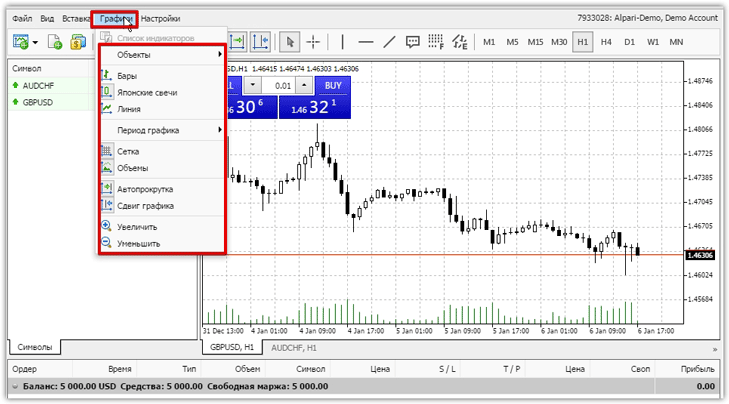
 In the "Charts" menu, you can switch the chart type to candlestick, bar, or line. This menu also allows you to change the time frame from minute to monthly. In addition to the above functions, this menu allows you to add a chart grid and volume, and also allows you to zoom in and out of the chart using the "Magnifying Glass" tool.
 In the "Settings" menu, you can enable or disable one-click trading. When enabled, you'll see a window on the chart displaying the currency pair, direction, and lot size.
In addition to one-click trading, you can open trades using the standard method, including both standard buy and sell orders and pending orders. I was very pleased that the developers retained the ability to move stop orders and profit targets directly with the mouse, dragging the level on the chart. This also applies to pending orders.
Advantages and Disadvantages of the MT4 Web Version
A review of the MT4 web version revealed that the developers forgot to include at least all the standard indicators and technical analysis tools, not to mention the ability to use custom indicators and expert advisors. Also noticeable is the lack of interface customization, which makes the program less user-friendly.
Speaking of advantages, its very existence is a huge plus. I'd also like to point out that the program is now accessible even on the most limited computers, as its web version means it's not tied to a specific operating system. All you need for effective operation is an internet connection and a browser.
Overall, the program is clearly unfinished, but given how frequently the standard MT4 is updated, new features won't be long in coming. In the meantime, I recommend keeping an eye on the new features in this version and honing your skills.
Go to the MT4 terminal www.alpari.com
The web platform is available in the trader's account after registration.

