System Creator. Automatic robot generation
Automating trading strategies is the only path to progress. When the market became hyper-liquid and robots entered the trading arena, it became very difficult for ordinary people to compete with machines.
Naturally, automation and progress have made the market more unpredictable, and it is becoming increasingly difficult for traders to profit from specific algorithms year after year.
Constant variability and cyclicality makes any Forex strategy and the advisor are fickle, so any trader is in a constant state of searching for a working algorithm.
Creating strategies on a regular basis isn't easy, so special programs come to the rescue, allowing you to generate robots automatically and without programming knowledge.
System Creator automatically generates advisors and optimizes them based on forward testing, saving significant time and resulting in a ready-to-use robot.
Installing System Creator
System Creator is a program independent of MT4 and any other platforms, so after you download all the necessary files, simply run the installation file and install the application like any other program or game on your personal computer.
After you first launch the program, the entire menu will be in English. To switch to Russian, select the English View option at the top.
After that, a menu will appear in front of you, in the list of options, find Language and among the suggested languages, click on Russian.
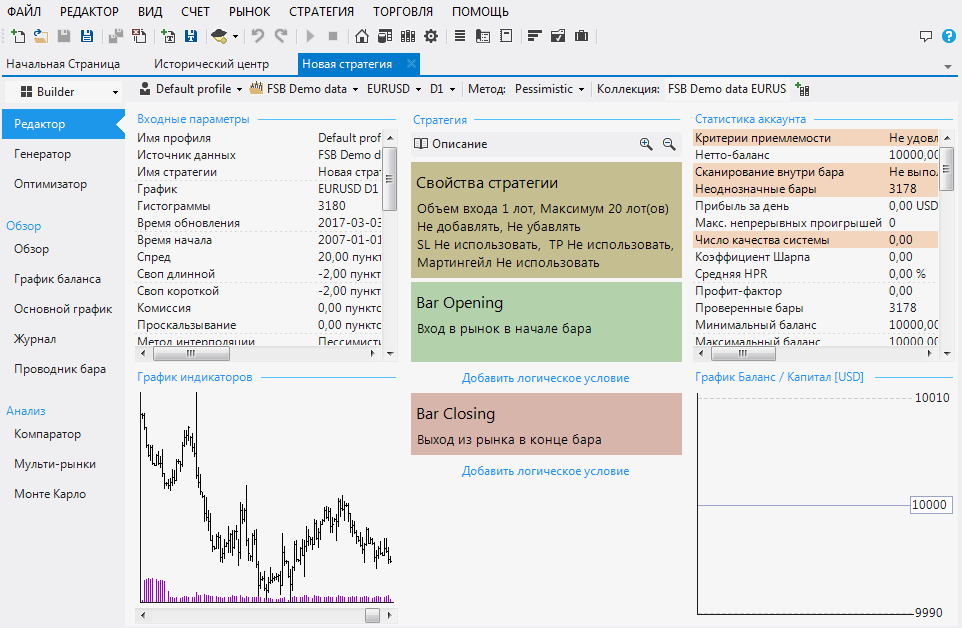
To switch the program to Russian, restart System Creator. If you've done everything correctly, you'll see a workspace like this:
Working with the program
To start using the program, you'll need to upload quotes to the app. To do this, select "Historical Center" in the top tab and choose one of the three available quote download options.
System Creator allows you to download quotes from a server, your MT4, or the JForex terminal. It's crucial to fill the program with as much data as possible, as the higher the quality of the quotes, the more tailored the resulting algorithm will be.
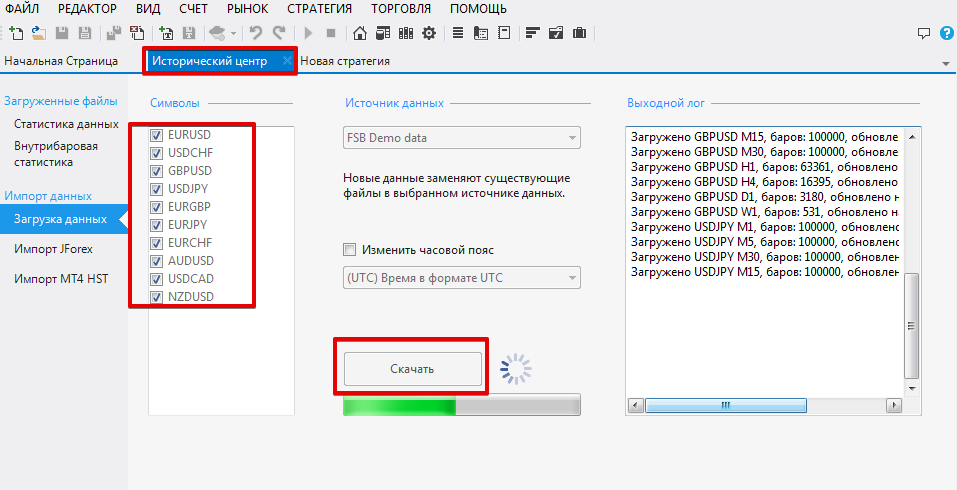
Once you've downloaded all the necessary quotes, you can confidently move on to creating your first robot. First, in the "Editor" tab, set all the necessary criteria, namely the currency pair, time frame, deposit.
Also set criteria for using stop orders and profit targets, as well as position exits. As you enter criteria, the program will draw a profitability chart for your strategy in the lower right corner.
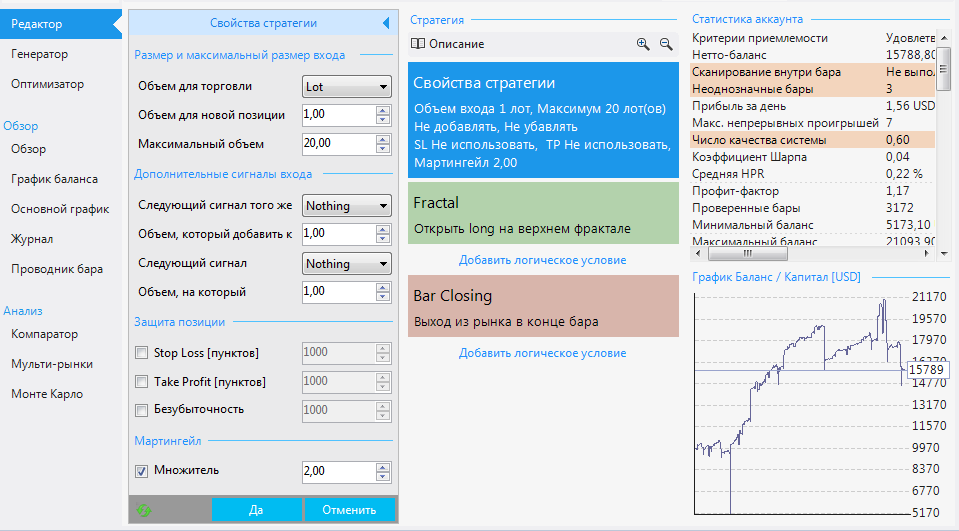
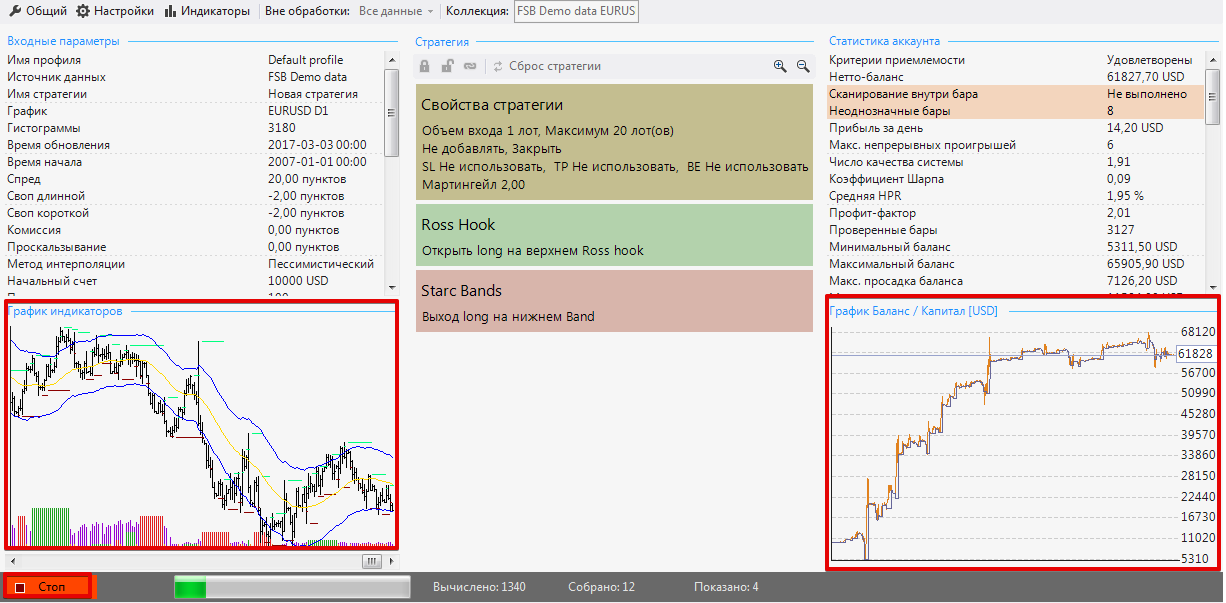
In this section, just like the previous one, select all possible criteria, use the maximum number of additional indicators and input data, and then click the "Start" button at the bottom of the chart.
As the strategy is generated, the yield curve will change in the right corner, and in the left corner, you will be able to observe the strategy formation directly on the price chart:
Once the algorithm is created, you can optimize it. To do this, go to the "Optimizer" tab.
In the center are the criteria by which the program will optimize the indicators and data generated during the algorithm's creation. To begin optimization, simply select the criteria and click "Start.".
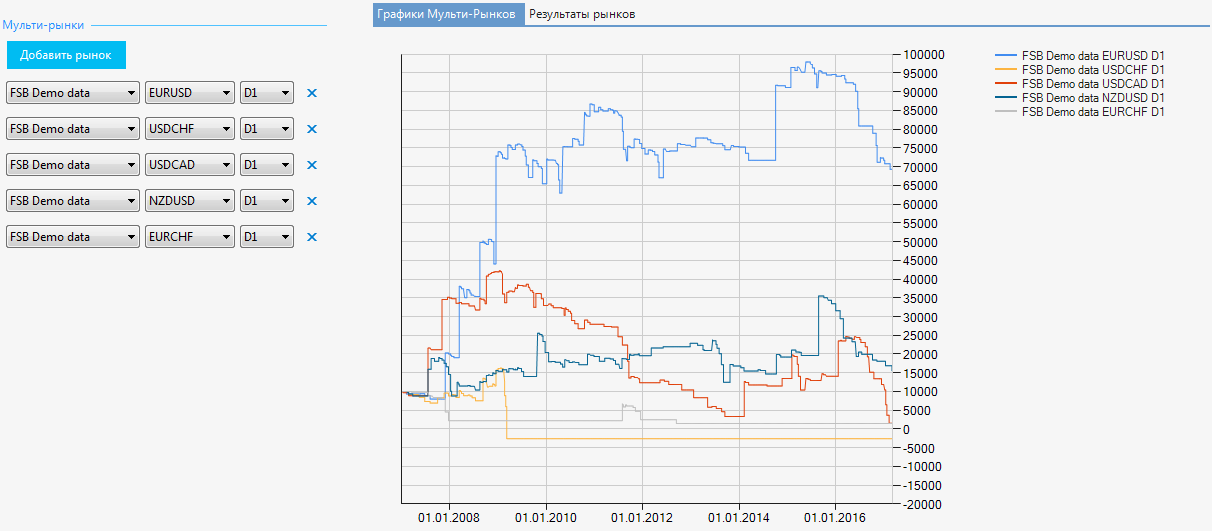
To test the created algorithm on several currency pairs simultaneously, the program includes an analyzer called "Multi-Markets," which you can launch in the "Analysis" column.
Once you open the analyzer, add a few currency pairs and click "Start." After launching the tester, you'll be able to see balance curves for different currency pairs in the right chart window.
In conclusion, it is worth noting that the System Creator program allows you to create a portfolio of robots in a very short time without any programming knowledge.
Remember, any advisor based on Forex technical indicators Sooner or later, it will start to generate losses, so don't forget to optimize in a timely manner and track the weak link in your future portfolio.
Download Forex-System-Creator

