ActTrader Terminal
The variety of different trading platforms that provide the opportunity to conduct convenient  trading via the Internet is simply enormous.
Unfortunately, almost all brokers in our segment prefer MT4 exclusively, so many don't even realize how much they're losing without trying trading through other advanced platforms.
Most brokers are likely simply saving money by purchasing only one license from a software provider, but as the saying goes: "A miser pays twice.".
ActTrader is a professional trading platform that is widely used abroad and offers excellent functionality for Forex trading.
Installing the program won't take you more than five minutes, as it installs like a regular program. Upon first launch, you may see an unfamiliar interface, but you'll quickly get used to it, as all the main functions are clearly visible and easy to understand.
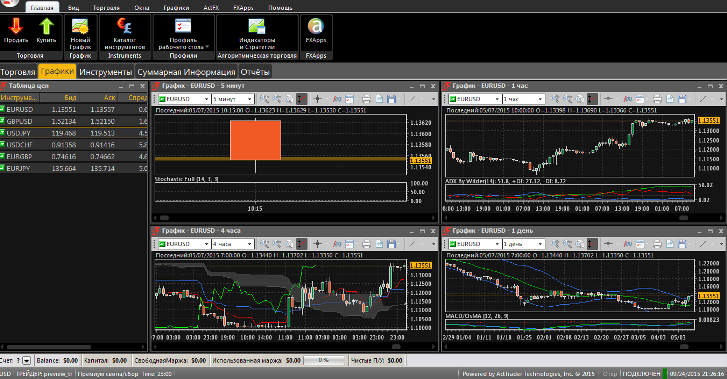
At the very top of the terminal are eight tabs where you can select specific tools and customize how your workspace works.
- The first tab is called Home.
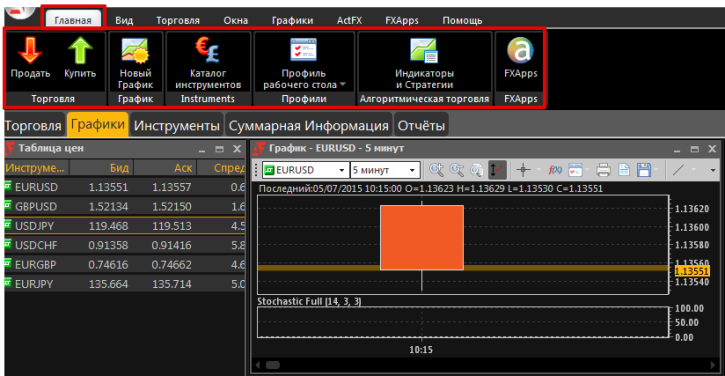
It contains the basic functions for making transactions. For example, you can click on the arrow to buy or sell currency, open a new chart, access the catalog of trading instruments, and also access the menu of indicators and strategies.
- The second tab on the panel is View.
It allows you to customize the appearance of your trading terminal by selecting options for the arrangement of the main windows or by setting specific settings for your convenience.
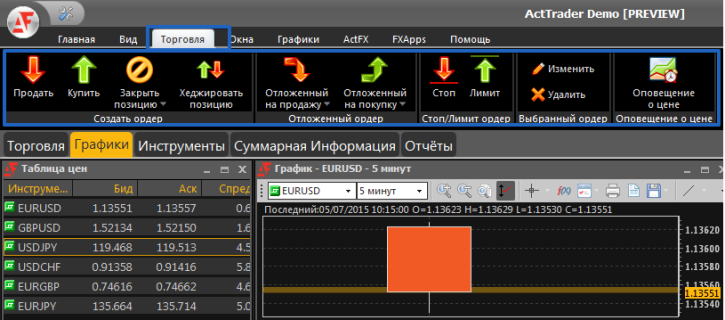
- The third and one of the most important tabs, without which it is impossible to conduct your trading operations, is Trade.
Here, you can click the up or down arrow to buy or sell an asset, close a position, set buy-stop and sell-stop pending orders, and set limit orders. A very interesting feature you won't find in the MT4 trading platform is Hedging.
By clicking it, the terminal will open a position with the same lot size as the previous one, but in the opposite direction, creating a sort of lock. This allows you to use various hedging trading tactics with the click of a button. Another nice feature is the ability to enable a sound alert when the price reaches a specified level.
The fourth, equally important technical tab is Windows. Here you can change the view of trading instruments, view data on open positions, open the order menu, enable or disable graphical display of news on the live chart, generate a report on your trading for a specified period, and integrate with the Zulu platform.
The fifth auxiliary tab is Charts. Here you can open a new chart, set a default one, save it, and perform various manipulations.
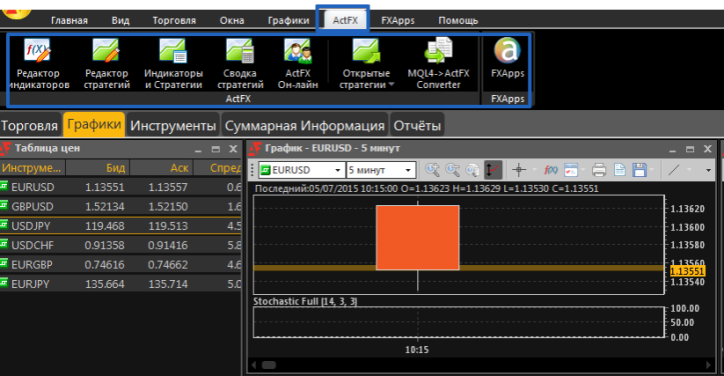
- The sixth auxiliary tab, called ActFX, is responsible for editing and creating indicators, editing and saving various trading strategies, a summary of the performance of trading strategies, and a converter.
A nice feature of this platform is that, thanks to the converter, you can convert any indicator created for the MT4 platform to this terminal, allowing you to use your familiar indicators on this platform without contacting a programmer or programming knowledge.
The number of indicators built into the trading platform by default is quite large, with the most popular custom indicators selected, such as automatic trend line drawing and others.
On the trading chart, you can use various graphical analysis tools, just like in the standard MT4 terminal. You can also change the time frame from minute to monthly, and change the chart type from candlestick to bar charts. Overall, the workspace itself is fairly basic, as the tool set is the same as in MT4.
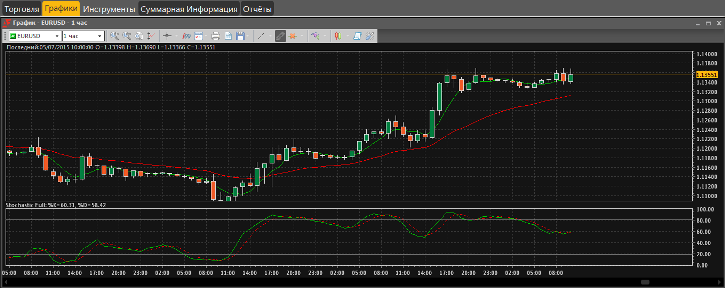
Finally, I'd like to point out that the ActTrader platform is Russian-language and features large navigation icons, making it easy for even a child to navigate. The platform's integration with Zulu Trade, the largest signal copying service, allows you to automatically copy signals from successful traders. Overall, the platform's simplicity and functionality are a clear path to achieving your goals.

