Umstel Trading Platform (Stocks)
Today, traders have access to a wide range of trading platforms, making trading convenient not only for conducting transactions, but also for conducting in-depth technical and fundamental analysis.
In the forex market, the MT4 and MT5 trading platforms are considered the flagships, allowing traders to trade directly through the program on their PC, tablet, or smartphone.
Web versions of these programs are particularly popular, as traders don't need to be tied to a desktop or specific software.
However, despite the web versions being very convenient from a practical standpoint, they have one major drawback: the lack of automated trading and a tester.
The Umstel trading platform is a professional web terminal developed specifically for the Roboforex Stocks division.
It allows you to trade stocks, ETFs, and approximately 8,700 instruments listed on the stock exchange through a simple web platform from virtually any device with internet access.
A notable feature of Umstel is its ability to conduct automated trading. It has a simple designer built in, allowing you to create your own advisors, test them, and use them in real time.
First Launch: Umstel Design and Functionality
To use Umstel, you need to register a personal account with Roboforex - https://my.roboforex.ru/ru/register/.
To access the platform, enter your username and password, or register directly on the platform by entering your email address, username, and password.
After launching, switch the platform language to Russian for convenience. This will allow you to quickly navigate the interface using tooltips.
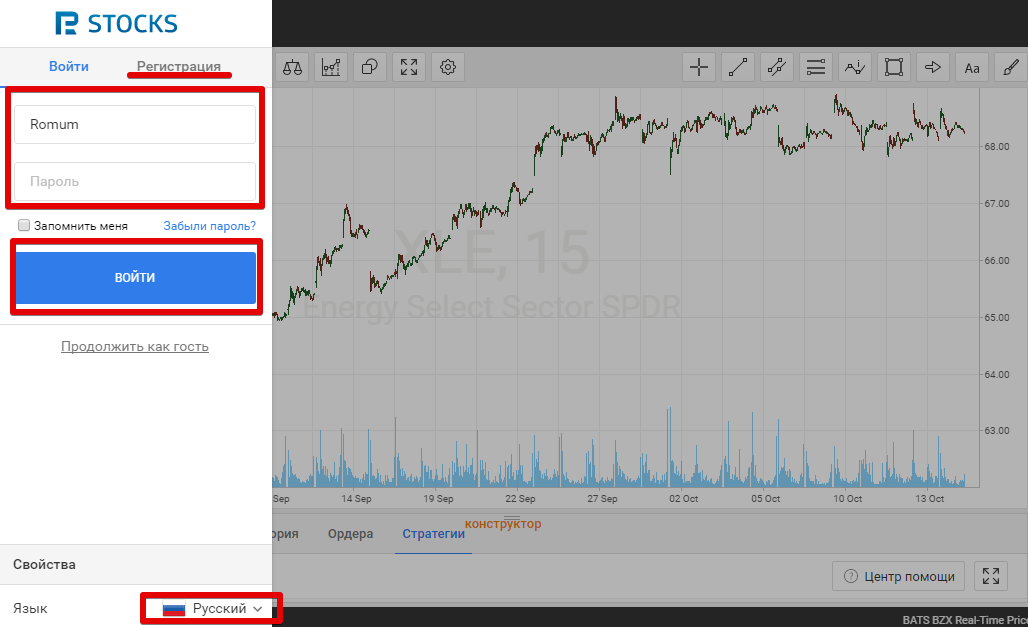
In terms of appearance and functionality, the platform can be roughly divided into three areas.
The first area is located in the center and features a chart and toolbar.
It's worth noting that the platform supports four chart types: candlestick, bar, line, and line with zone highlighting.
In terms of technical and graphical analysis capabilities, the platform supports 33 of the most popular technical indicators, as well as 30 graphical objects (Fibonacci levels, Elliott Wave, and a range of graphical tools for plotting patterns).
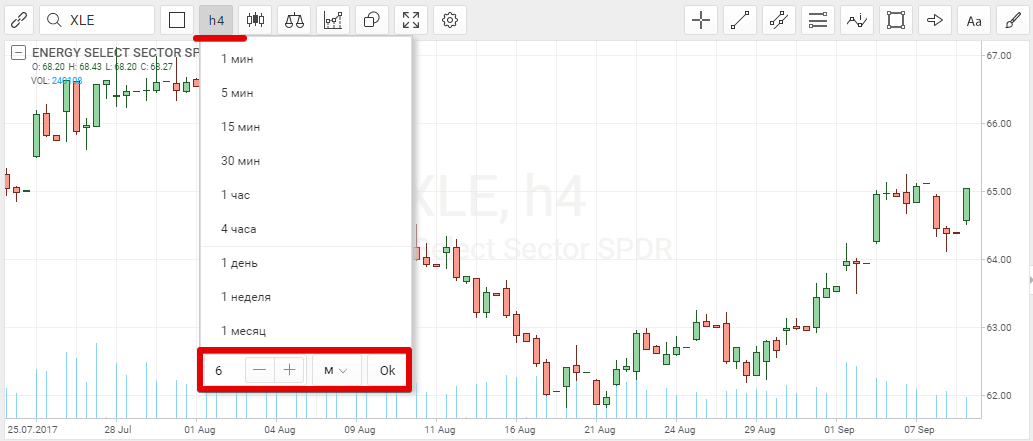
The Umstel trading platform supports nine time frames by default, similar to MT4 and many other platforms. However, a notable feature is the ability to create custom time frames of any period.
To do this, click the interval icon in the top toolbar and select the day, hour, or minute from the list at the bottom, then enter the interval itself.
To the right of the platform's chart is a window with the one-click trading module and a list of available trading instruments. A notable feature of the One-Click module is that you can open orders in seconds.
This window contains three buttons: "MARKET," "LIMIT," and "STOP." Clicking "MARKET" opens a window for market execution, "LIMIT" opens a window for placing limit pending orders, and "STOP" opens a window for placing a stop pending order.
It's worth noting that when working with a pending order, you can set cancellation conditions and place a pending order on the weekend, which will be triggered when the forex session.
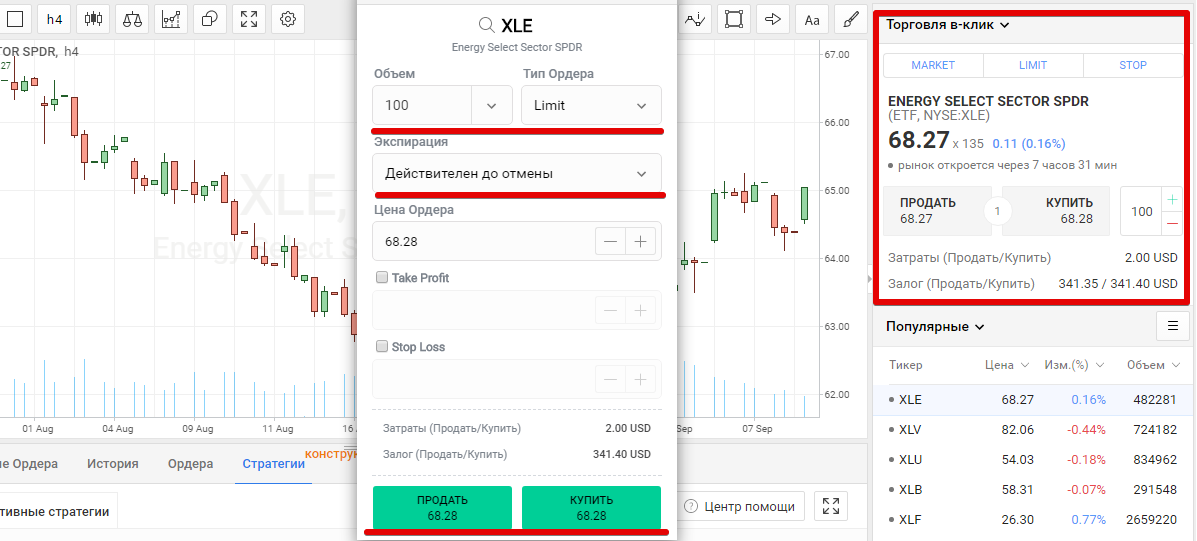
You can sort the asset list and create your own list. Another notable feature of the quotes window is the ability to filter symbols by top gainers and bottom losers, as well as automatically find assets with the highest volume.
At the very bottom, below the chart, is an information panel with a list of all positions, open orders, trade history, and a list of your automated strategies.
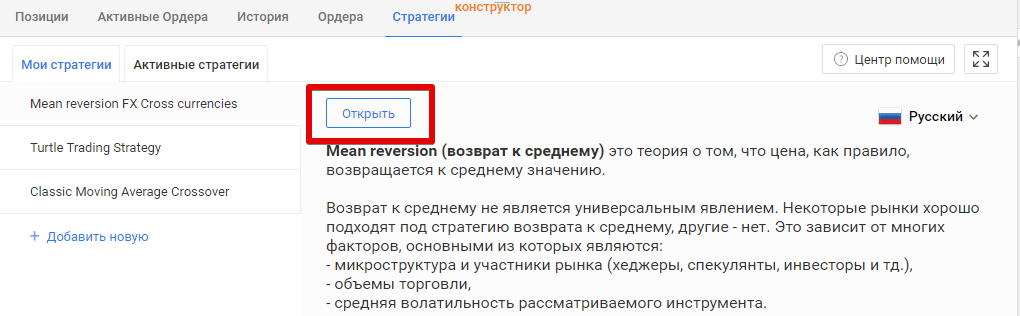
Three automated strategies developed by the broker are included by default. Clicking on a strategy name displays a full description. To activate the strategies , click "Open" and then select "Run."
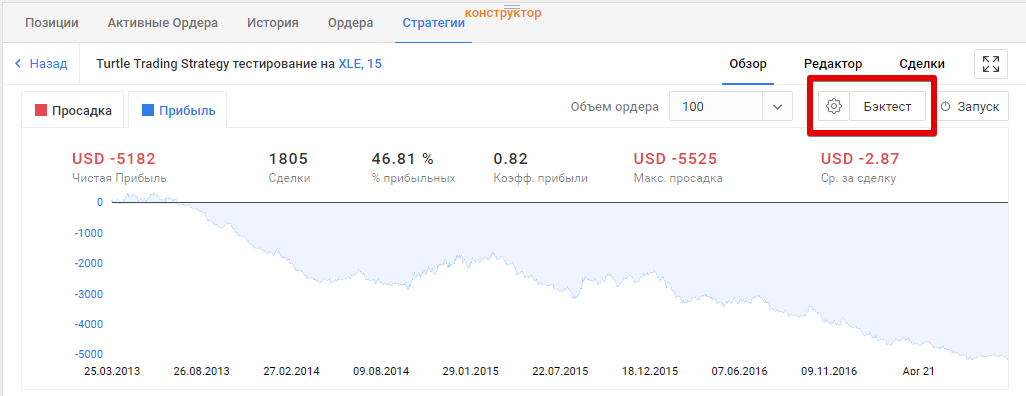
After opening the editing window for a specific strategy, you can test it on your asset (the test is performed on the asset chart that is open). To do this, click the "Backtest" button in the right corner and see the results.
In conclusion, it's worth noting that the Umstel trading platform is a multifunctional, innovative platform with extensive technical analysis capabilities.
The platform allows you to create your own automated strategy that will open trades for you and automate the trading process.
RoboForex broker website: http://www.roboforex.ru/

