XMT SCALPER Advisor
Trading on the stock exchange always requires progress from the trader, his strategy, advisor, and, most importantly, mental ability.

However, progressing in a particular field, even technical analysis, isn't so easy, as all the effective tools have long been invented and available for everyone to see.
Of course, introducing something wildly new and effective to the world in trading isn't easy, and let's face it, not all of us are scientists with phenomenal inventive abilities.
However, almost anyone can build on someone else's idea or development, address its shortcomings, and add something completely new.
The XMT SCALPER advisor is an excellent example of how a forgotten expert advisor was revived and refined by a foreign programmer, ultimately resulting in the creation of a fundamentally new scalper.
Naturally, having his own ideas and seeing options for changing the basic version, the author made his own changes, which led to the creation of a completely new robot XMT SCALPER.
The XMT SCALPER advisor is designed for trading only on the Euro/Dollar currency pair, and its most important condition for use is the presence of a real ECN accounts with the narrowest possible spread.
Installing the XMT SCALPER Advisor
To use the XMT SCALPER expert advisor and conduct your own testing in the strategy tester, you'll first need to download the expert advisor file at the end of this article and then install it on your MT4 trading terminal.
Installing the expert advisor is straightforward; you'll need to copy the XMT SCALPER expert advisor file downloaded at the end of this article to the appropriate folder in the platform's data directory.
To access the directory, launch your trading platform and go to the File menu in the upper left corner. A list of options will appear, including "Open Data Directory," and launch it. Once
the directory is opened, a series of system folders will appear on your screen. Find the "expert" folder and copy the expert advisor to it.
After you've copied the file to the appropriate folder, restart the terminal. XMT SCALPER should then appear in the list of advisors.
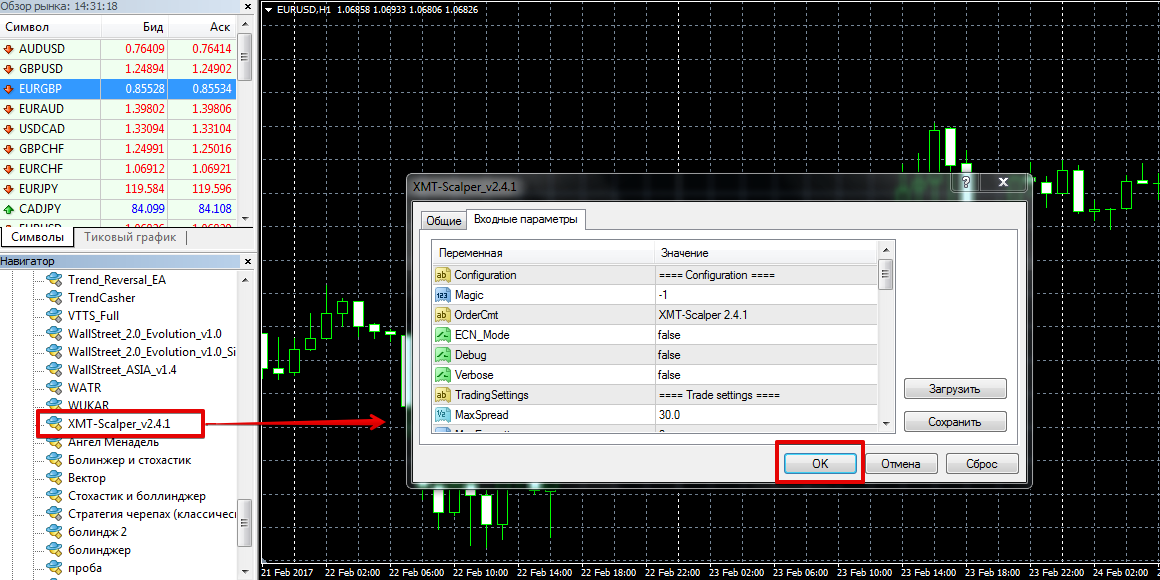
To start trading, drag the expert advisor to any time frame of the EUR/USD currency pair. Advisor Strategy. Settings As we already noted, the XMT SCALPER expert advisor was based on the Million Dollar Pips expert advisor. The XMT SCALPER strategy uses three standard indicators: Bollinger Bands, Envelope Channel, and moving averages. To find a profitable entry point, the scalper also takes into account market volatility, which it calculates using its own algorithm. The entire trading process is carried out using pending buy-stop and sell-stop orders .
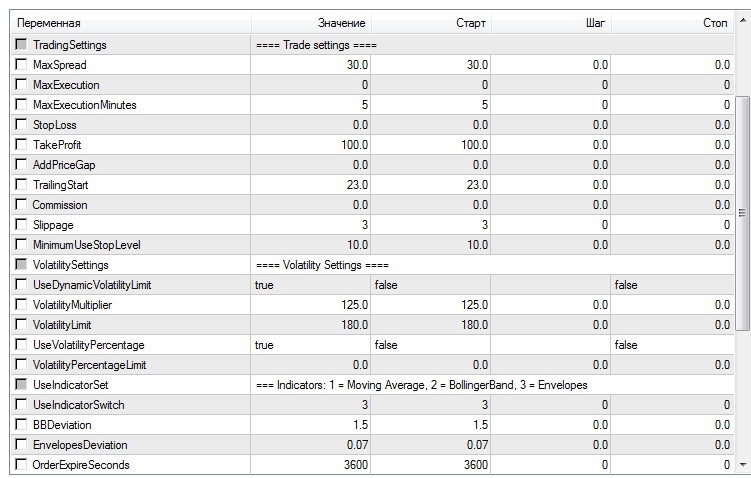
If you access the Expert Advisor settings, you'll encounter numerous parameters that can affect its profitability. It's worth noting that all parameters are divided into blocks, making navigation easier.
In the first block, "Trade Settings," you can configure the Expert Advisor's basic parameters.
The TakeProfi and StopLoss lines determine the potential profit and risk in points, while the MaxSpread and Slippage lines allow you to limit the robot's trading with large spreads and a certain amount of price slippage.
The TrailingStart variable enables a trailing stop, with the trailing stop step specified in the MinimumUseStopLevel line.
You can also enable one of the indicators. For example, if you set the UseIndicatorSwitch line to 1, the Expert Advisor will use a moving average.
If you set the value to 2, the Expert Advisor will use Bollinger Bands, and if you set the value to 3, the Expert Advisor will use the Envelopes indicator.
The BBDeviation line specifies the Bollinger Band deviation, and the EnvelopesDeviation line specifies the Envelopes deviation.
The EA supports money management. To activate it, select True in the MoneyManagement line, then set the minimum and maximum lots in the Min-Max Lots lines and the risk percentage in the Risk line.
Backtesting the XMT SCALPER EA.
To draw preliminary conclusions about the EA's potential, we decided to backtest it on the EUR/USD currency pair for the entire year of 2016. The EA's default settings were left in place. The test results are below:
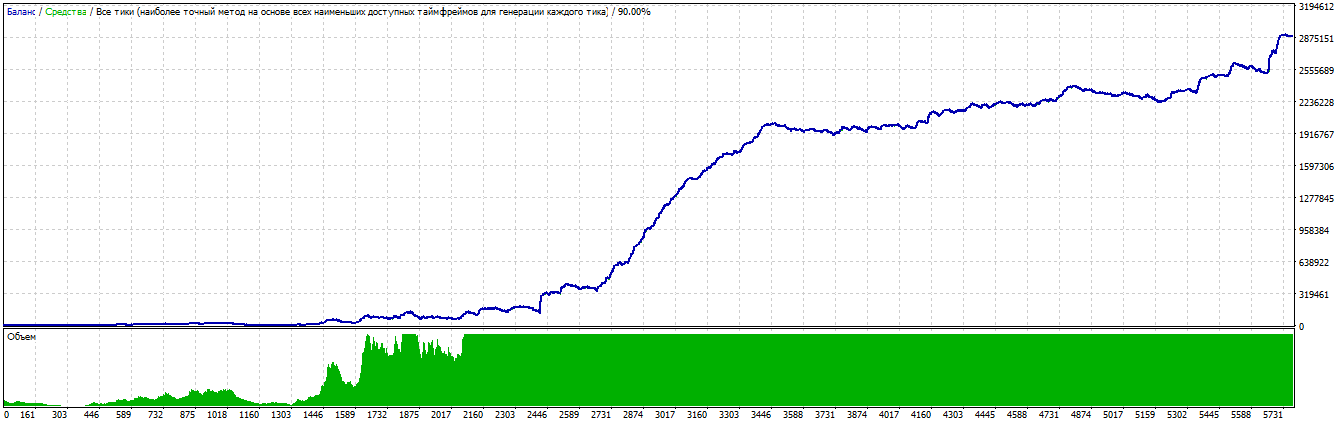
As you can see from the report above, the scalper traded over $2 million from a $10,000 deposit, which is simply impressive.
In conclusion, it's worth noting that the XMT SCALPER advisor is an extremely aggressive scalper, and for it to be effective,
your broker should offer fast order execution and a very tight spread, so choose brokers specializing in scalping.
Download XMT SCALPER.

