How to learn trading from scratch and start making money on the stock exchange
The hardest thing in any endeavor is the first step, the beginning of the process, when you need to start, but you don’t even have a clear idea of what you need to take on.

It’s one thing if you study with a teacher, but quite another if you have to acquire knowledge on your own, without outside help.
I am also often asked how I got started with stock trading, because thirteen years ago there was much less information and opportunities than there are now.
It's embarrassing to admit, but I used the so-called "trial and error method" when you first try to do something, and if something doesn't work, you look for instructions on how to do it correctly.

Moreover, there is no need to risk your own money; there is a demo account and a no-deposit bonus for learning.
Stages of trading training
- Register with a broker
- Download the trading platform
- Learn to work with chart windows
- Open a demo account
- Learn to open trades
In practice, this process looks like this:
- To begin, you need to register with a broker and receive a no deposit bonus of 30 US dollars.
I recommend RoboForex, as it offers a $30 bonus without making a deposit. The bonus allows you to try your hand at trading on a cent account.
Registration process description - https://time-forex.com/vopros/kak-otkryt-schet-foreks
- Then, download the MetaTrader 4 trading platform from the broker's website and install the program on your computer.
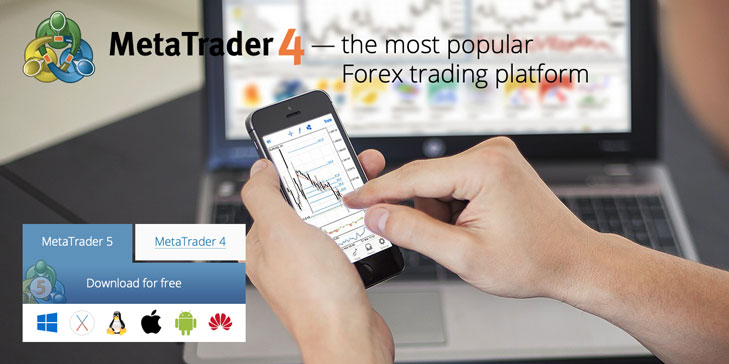
- The program is distributed completely free of charge and does not impose high requirements on the equipment on which it will be installed.
How to install Metatrader - https://time-forex.com/praktika/ustanovka-platformy
- After you install Metatrader on your computer, you should understand the chart windows; by default, there are four of them.
To do this, minimize or close unnecessary windows and leave one, which we expand to cover the entire chart. I recommend leaving the EURUSD pair for training, as it has the most information.
- At this stage, we open a demo account in the account tab or log in to a demo account that has already been opened in the trader's personal account with the broker.
Opening a new demo account is quite simple; the process takes only a couple of minutes and is completed in just a few clicks.
How to open a demo account in MT4 - https://time-forex.com/azbuka/otkryt-demo-chet
- Now that you have a demo account, you can try opening your first Forex trade. The new order setup window is opened by pressing F9 on your keyboard or through the trading platform menu.
Instructions for opening an order - https://time-forex.com/azbuka/kak-otkryt-sdelku-forex
After that, all you have to do is choose whether you want to place a market or pending order, the volume of your virtual trade, and the stop loss and take profit parameters. Once you've set all the parameters, click sell or buy, and your first trade is open.

While trading, you'll notice that not every trade will be profitable, which is where you should start studying disciplines like fundamental and technical analysis. Market analysis will help you find the right entry points.
You can also familiarize yourself with ready-made trading strategiesand test their effectiveness in practice.
This is how you can learn trading from scratch on your own, without resorting to teachers or absorbing mountains of unnecessary information. Trade on a demo account, and find answers to all your questions on our website or online.
Once you see that the number of profitable trades has exceeded the number of losing ones, we recommend trying your hand at trading on a cent account using the no-deposit bonus you received upon registration. This will give you a taste of trading with real money.
Additional information for beginners can be found in the section - https://time-forex.com/azbuka
Perhaps someone will recommend a different approach to learning trading, but I managed to master all the nuances of stock trading this way.

