cAlgo program
Automation of trading operations is a real solution to the problem of human intervention in the trading process.
Thus, a perfectly profitable strategy, tested on historical data, turns out to be far from the results we get in real trading.
Do you think it's all about the broker, the strategy tester, the order execution speed, and so on? No, my dears, it's all about us!
cAlgo program – is a special application that adds and improves the functionality of ECN cTrader trading platform allowing the use of various automatic algorithms, or in simpler terms, robots.
Many traders initially considered the inability to create automated trading strategies and indicators to be a major drawback of cTrader, but with the cAlgo app, the developers have eliminated this shortcoming.
This application has its own editor, in which a trader, having studied programming, can write the most complex algorithms in the C# language.
Installing cAlgo
The familiar MT4 advisors in the cTrader trading platform are commonly referred to as cBots, but editing, testing, and optimization are only possible with the cAlgo program.This app isn't installed by default, despite being an integral and indispensable part of cTrader. So where can I get it? First, launch the cTrader trading platform and switch to the cBots tab in the main left-hand symbol tab.
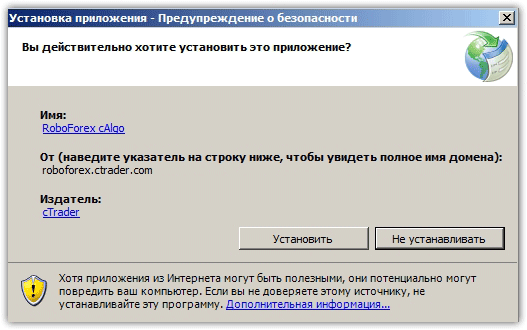
A list of standard Expert Advisors will appear. Hover your mouse over one and right-click to open the additional menu. Click "Open in cAlgo." A window will appear prompting you to install cAlgo.
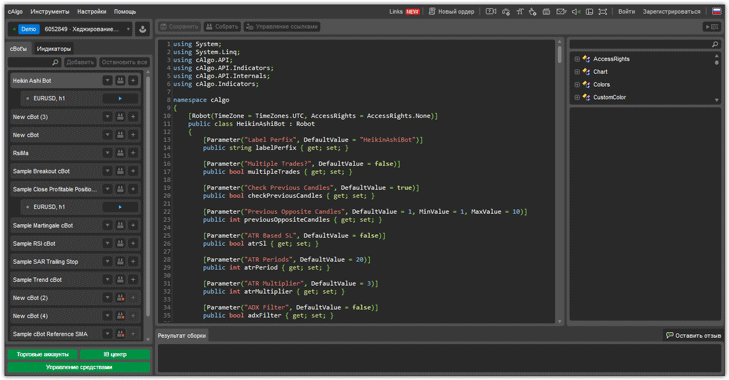
In fact, you will get the following working environment:
Testing
 Working with the editor will not raise any questions only for a programmer, but for the average user, the more important functions in cAlgo are the ability to test and optimize existing developments for this platform.
In order to see the tester, we first need to exit the editor, namely, go to the chart area where the advisor is directly working.
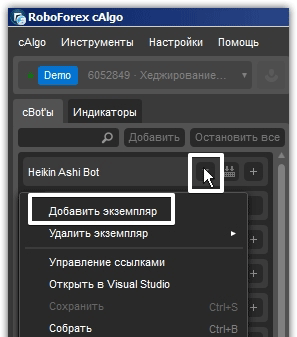
To do this, select the advisor you like and click on the arrow on its name. In the additional menu, click on “Add instance.”.
Afterwards, you'll see a chart where your advisor will begin working automatically. It's crucial to disable the advisor at the top of the chart, as its profitability is highly questionable.
There are three tabs directly above the chart, namely currency pair, Backtesting, Optimization.
To run the test, open the Backtesting tab. In the window that appears, you'll see a slider that you can use to set the test date. Clicking the icon to the left of the slider allows you to change the test settings.
Once launched, you will see specific trades as well as an equity chart:
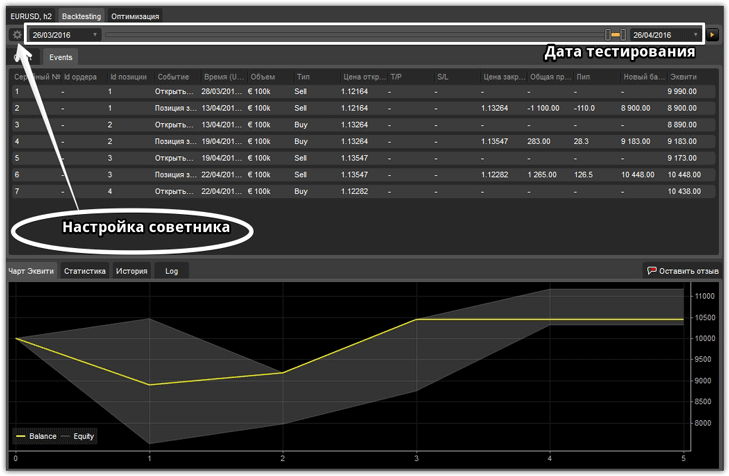
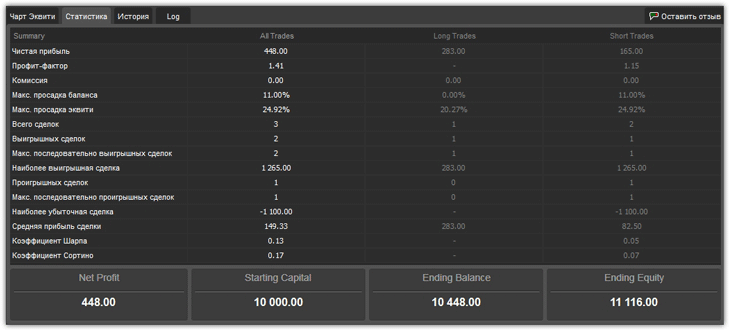
By switching to the statistics tab in the tester, you can view more detailed information on the EA's performance over the selected historical period. These indicators include: profit factor, net profit, maximum balance drawdown, maximum equity drawdown, and the Sortino coefficient Sharpe ratio and other indicators:
Optimization
To optimize the Expert Advisor after testing, switch to the "Optimization" tab above the tester slider. As in the tester, you need to select the testing period using the slider. cAlgo offers two optimization options: a genetic algorithm (the one found in standard MT4) and a grid algorithm.
Which option you choose is entirely up to you. Also in the left corner are icons that you can click to change the advisor's testing parameters, set optimization criteria, and limit the load on your computer's processor to prevent it from slowing down, as can happen when optimizing complex algorithms.
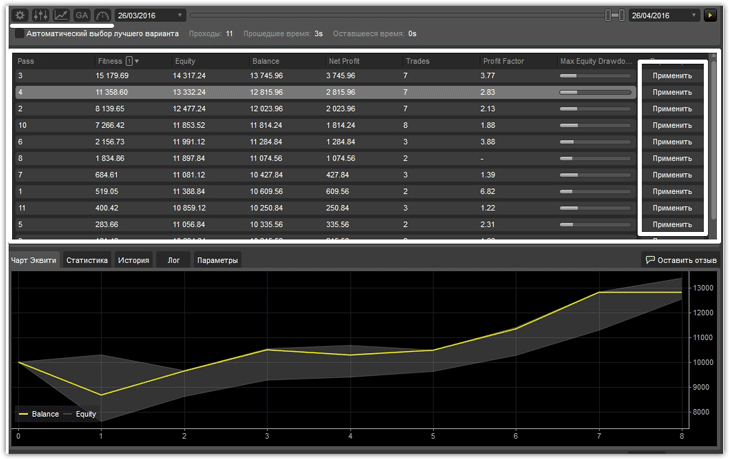
After you run the optimization, cAlgo will offer you a selection of settings, next to which there will be an "Apply" button to confirm them.
So, having made a detailed review of the cAlgo program, we can confidently say that the process of testing and optimizing advisors takes much less time and effort than in trading MT4 platform.
It's also worth noting that the C# programming language allows for the creation of highly complex algorithms, and the number of people programming in this language is an order of magnitude greater than in MQL, which significantly simplifies the search for a programmer on a freelance exchange and reduces the cost of an order.

