NPB Trader Terminal
Brokers often create their own trading platforms or provide a wide selection of existing ones for the convenience of their clients.
Typically, such experiments end in failure, and platforms and certain account types simply become a thing of the past. This is because the majority of training instructions in the online community are tailored specifically for professional applications like MT4 and MT5.
However, despite the weaknesses of applications developed by brokers, they often include certain features not found in traditional trading terminals, making them more unique and specifically designed for professional traders who prioritize convenience above all else.
NPB Trader is a trading platform developed for clients of the largest banking broker, Nefteprombank.
For the first time, this kind of application becomes available for operating systems such as Linux, Solaris, and all familiar versions of Windows.
To do this, simply fill out the form with your contact information and email address, where you'll receive a login and password for authorization. The program installation process is straightforward, as it's no different from installing regular programs. After launching and authorizing, you'll see the following interface:
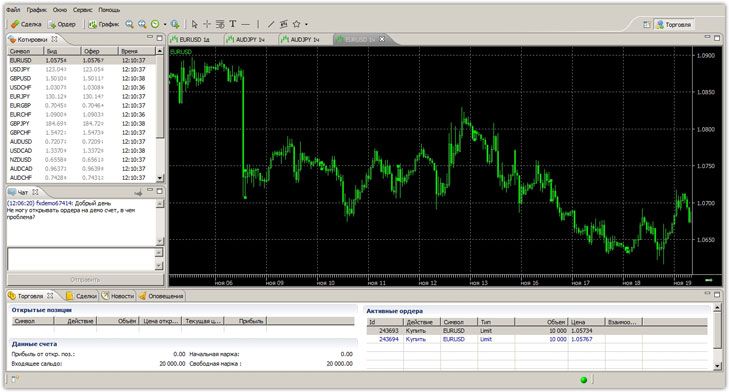 The first time you open the program, you'll be left with a positive impression. Even with the naked eye, you can see that the program's interface is very similar to Meta Trader 4, meaning its functionality is fairly easy to understand for anyone who has ever worked with professional platforms.
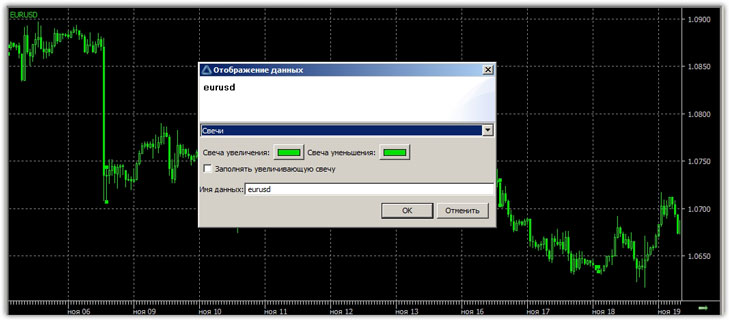
The program offers four chart types: line, candlestick, bar, and closing dots. Changing the chart type is easy: left-click on the chart, and a window will appear where you can change the chart type and color scheme.
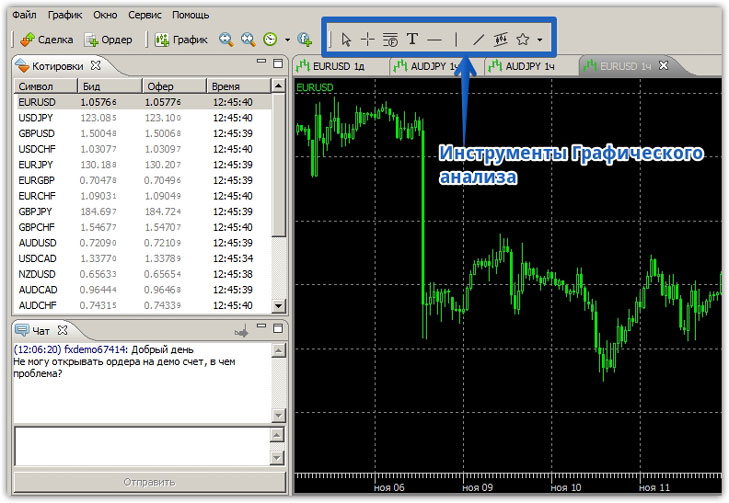
 When it comes to graphical analysis tools, unlike MT4, their range is rather limited, as we only have access to the Fibonacci grid, horizontal and vertical lines, trend lines, channels, as well as text boxes and arrows.
Overall, the tool set is very limited, as we don't have access to the Fibonacci Fan, Fibonacci Arcs, Andrew's Pitchfork, Gann tools, and many others. All available tools are listed in the top panel, and to use them, simply select the desired icon and apply it to the chart:
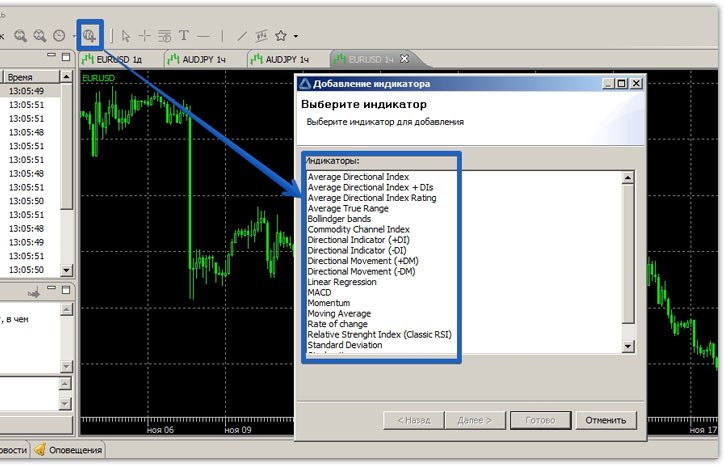
 For technical analysis, NPB Trader offers 19 of the most popular standard indicators. You can add them to your chart in two ways. The first is to right-click on the chart and select "Add Indicator" from the options list.
The second way is to click on the icon in the top panel responsible for indicators.
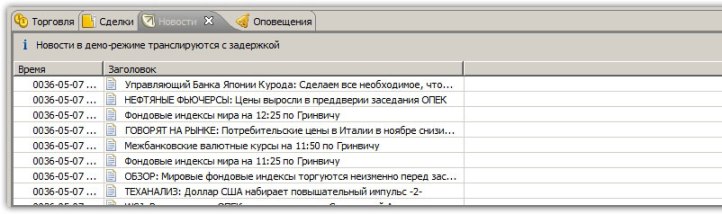
 In the bottom panel, you can see four tabs: Trading, Deals, News, and Alerts. In the Trading tab, you can see information on open orders, pending orders, and overall balance information.
 In the "Trades" tab, you can view your transaction history, and the "Alerts" tab displays various events that occur during trading. The most interesting tab for news traders is the "News" tab. It provides live data in Russian.
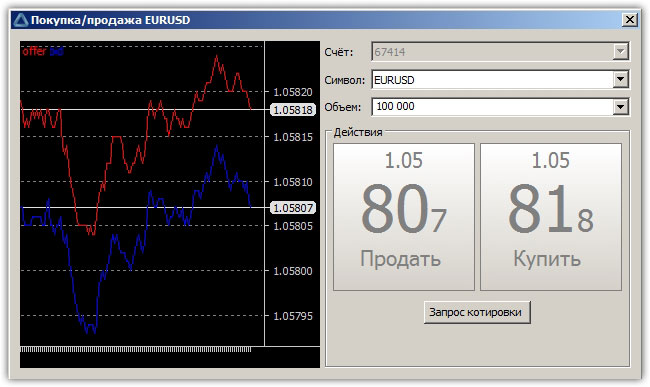
 The trading process is very simple. To open a trade, right-click on the chart to bring up the menu and click "Trades." A window will appear asking you to buy or sell the currency, along with the required trade volume.
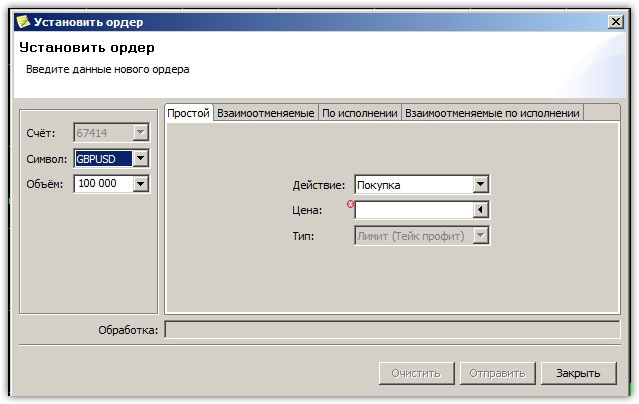
 To work with pending orders, click "Order" in the same menu as for opening trades. Unlike MT4, NPB Trader offers much more functionality for working with pending orders.
You have the ability to set stop and limit pending orders thatcancel each other out, meaning if one is triggered, the other is automatically deleted. Orders can be executed or canceled out.
The essence of the execution order is that if the first order is triggered, the second one is executed automatically, and in the case of execution of mutually cancelable orders, two pending mutually cancelable orders are opened.
It may seem complicated at first glance, but for traders who work with pending orders and grid strategies, these features are simply indispensable.
 Overall, the platform offers basic technical and fundamental analysis functionality, but lacks some popular tools. Advanced functionality for managing pending orders allows traders to utilize even the most complex grid trading strategies.
If we talk about the disadvantages, we can immediately point out that there is no possibility of using trading advisors and custom indicators.
Unfortunately, the company no longer provides access to the Forex market, so it is recommended to use another, equally functional terminal for trading - http://time-forex.com/praktika/terminal-trejdera

