Infopanel. Forex information script for MT4
When trading, it is very important to have basic information right in front of you.
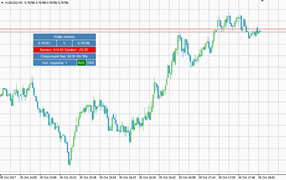
The asset price, the broker's spread, the balance, as well as the profit on open positions, the number of open positions, and even the simple time until the candle closes—all these small details are used in trading in one way or another.
However, in MT4's basic functionality, to find out the spread for a selected asset, you need to manually subtract the prices.
While this is fairly straightforward with four-digit quotes, it's more difficult with five-digit quotes, and it simply wastes time when you need to make decisions and actively trade.
Furthermore, the function of displaying the time until the candle closes is one of the most important for binary options traders, yet the platform doesn't offer it at all.
Infopanel is an informational indicator script that displays a special information window containing key information about your account and the selected asset.
A notable feature of Infopanel is its mobility: the information window can be dragged to any point on the chart, eliminating the need to constantly change settings.
I'd also like to highlight the panel's support for both English and Russian, allowing you to choose your preferred information source. Infopanel is a multi-currency tool.
It doesn't matter what time frame or asset you apply it to, since all the information is basic and taken from MT4 itself.
Installing Infopanel in the MT4 trading terminal
Although we call Infopanel a script, since it only serves an informational function, in reality it is a very common technical indicator.
Since Infopanel was created quite recently, namely in 2017, and is not listed in the market, you will need to download the indicator file at the end of the article, and then install it directly into your MT4 trading terminal.
The installation procedure is very simple and is no different from installing any other technical indicator.
Installation follows the standard procedure, meaning you'll need to copy the indicator file you downloaded at the end of this article to the appropriate folder in your terminal's data directory.
You can find more detailed instructions on installing custom files and developments by following the link http://time-forex.com/praktika/ustanovka-indikatora-ili-sovetnika.
After you install the indicator file, you must restart the trading platform or refresh the navigator panel, otherwise the indicator will not appear in the list of instruments.
The Infopanel restart field will appear in the list of custom indicators, and to start using it, simply drag the instrument's name onto the chart. The information window on the chart is shown below:
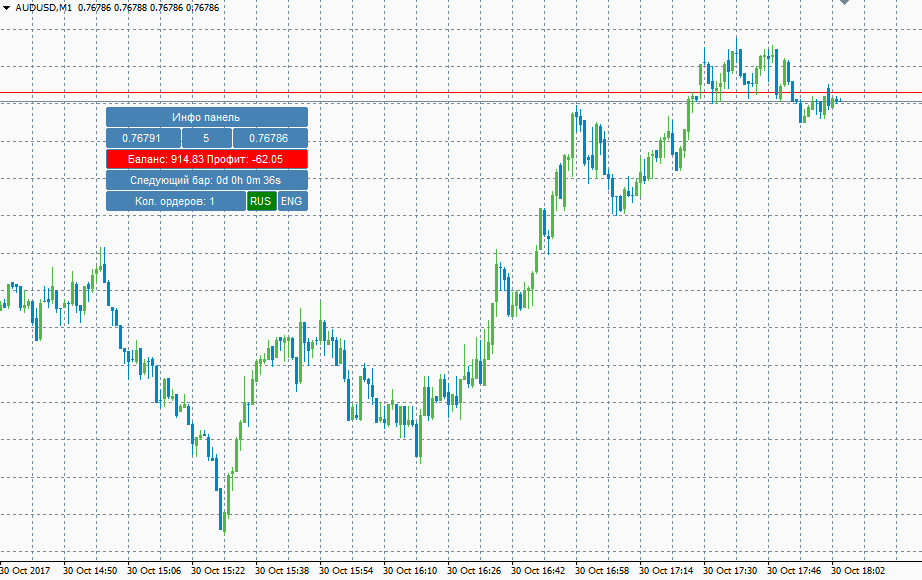
Infopanel Overview
As we've already noted, Infopanel is an informational table. It allows you to view the bid and ask prices of a trading asset, its spread or spread dynamics if you have a floating spread, your balance, and your profit.
In addition to this information, the panel also displays the number of minutes and seconds remaining until the candle closes, as well as the number of currently open orders.
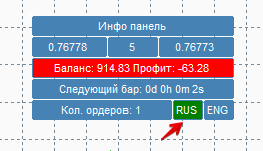
To switch the panel language from English, which is the default after applying an instrument to the chart, simply click the button labeled "RUS" once.
In conclusion, the Infopanel script for MT4 makes trading significantly more convenient and saves you time.
All the necessary information is always at your fingertips, eliminating the need to open additional windows or perform independent calculations.
Download the Infopanel script.

